Collection · 24 prompts
AI productivity and planning prompts
Planning is the most common thing people ask AI for. These prompts turn a messy list of tasks into a plan you can follow: a time-blocked day, a week built around your fixed commitments, an Eisenhower-sorted to-do list, a focus session, a weekly review, a small project plan and a simple budget. There are also prompts for the hard parts, such as starting a task you keep avoiding, saying no to extra work and making a difficult decision.
They work in ChatGPT, Gemini and Claude. Give the AI your real calendar, deadlines and energy levels, because a plan that ignores them will not survive the week. Treat the result as a draft and adjust it until it feels doable.
Last updated
Download 24 prompts as a free PDF126 KB · no sign-up · all prompt packs
Free vision board makerType your goals · download a board or phone wallpaper · no sign-up
All 24 prompts
 Plan my day and prioritise tasksChatGPT · Gemini · Claude
 Build a time-blocked schedule for tomorrowChatGPT · Gemini · Claude
 Plan my week around fixed commitmentsChatGPT · Gemini · Claude
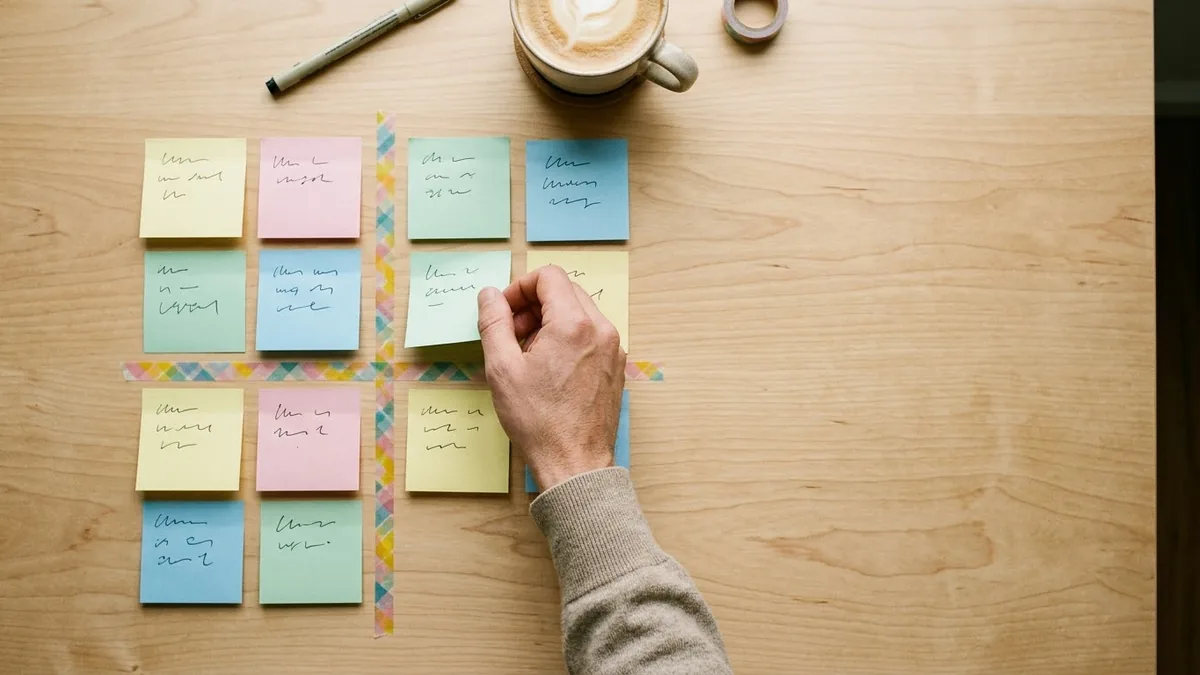 Eisenhower matrix for a messy to-do listChatGPT · Gemini · Claude
 Start a task you keep putting offChatGPT · Gemini · Claude
 Plan a deep focus work sessionChatGPT · Gemini · Claude
 Run a 15-minute weekly reviewChatGPT · Gemini · Claude
 End-of-day shutdown routineChatGPT · Gemini · Claude
 Break a big goal into milestonesChatGPT · Gemini · Claude
 Build a habit you can actually keepChatGPT · Gemini · Claude
 Design a morning routine that fits youChatGPT · Gemini · Claude
 Build a better sleep routineChatGPT · Gemini · Claude
 Plan a small project with tasks and datesChatGPT · Gemini · Claude
 Make a hard decision with a simple scoreChatGPT · Gemini · Claude
 Say no without damaging the relationshipChatGPT · Gemini · Claude
 Triage an overflowing inboxChatGPT · Gemini · Claude
 Create a meeting agenda that keeps it shortChatGPT · Gemini · Claude
 Turn meeting notes into minutesChatGPT · Gemini · Claude
 Plan a simple monthly budgetChatGPT · Gemini · Claude
 Fair chore schedule for a householdChatGPT · Gemini · Claude
 Study schedule around a full-time jobChatGPT · Gemini · Claude
 Act as any expert: role prompt templateChatGPT · Gemini · Claude
 Year-end reflection and next-year focusChatGPT · Gemini · Claude
No prompts match that search. Build your own in the builder →
1 more prompt without a picture yet
- Follow-up email after a meetingChatGPT · Gemini · Claude
How to use AI to plan your time and stay on top of your work
Most productivity problems are planning problems in disguise: too many tasks, no order, no room for the unexpected and no clear end to the day. The prompts here help you sort and schedule. They turn a messy list into a day with time blocks, a week built around the commitments you cannot move, a to-do list sorted by urgency and importance, and a short review at the end so each week starts cleaner than the last.
They also cover the harder part, which is behaviour: starting a task you have been avoiding, saying no to extra work, making a decision and winding down after work. For each one, the AI is a coach that asks questions and breaks things down.
How to use these prompts
- 1
Dump everything you need to do into one list, including deadlines, rough durations and what is fixed in your calendar.
- 2
Paste the list into the day or week planner prompt, add when you have the most energy, and ask for a time-blocked plan with breaks.
- 3
Adjust the plan to something you believe, cutting anything that does not fit.
- 4
At the end of the day or week, use the shutdown and review prompts to note what moved and what to carry over.
Get better results
- Plan fewer things. Choose three priorities for the day. A short list you finish is better than a long list you carry over.
- Protect your best hours. Put the hardest work in the time of day when you think most clearly.
- Leave buffers. Add gaps between tasks, as things run over more often than they finish early.
- Write the next step. If a task feels big, ask for the very first physical action, such as “open the document and write the title”.
- Review weekly. Fifteen minutes each week to see what worked will improve the next plan more than any new app.
If the answer is not right
- The schedule is unrealistic. Reply “assume everything takes 30 percent longer and rebuild the day”.
- You skip the plan by midday. Ask for a version with only three blocks and a flexible afternoon.
- You keep putting one task off. Use the avoided-task prompt to find the real obstacle and a five-minute starting step.
- The to-do list is endless. Sort it with the Eisenhower prompt and delete or delegate anything that is neither urgent nor important.
Keep confidential work details, client names and private information out of the prompts, and check your employer’s rules on AI tools.
Guides for ai productivity and planning



Questions, answered
Can ChatGPT make a daily schedule for me?
Yes. Give it your fixed commitments, your tasks with rough times and when you have the most energy, and it will build a time-blocked plan. The daily and weekly planner prompts ask for all of this.
What is the Eisenhower matrix?
It sorts tasks by two questions: is it urgent, and is it important? You do urgent and important tasks now, schedule important ones, delegate or batch urgent but unimportant ones, and drop the rest.
Which AI is best for planning?
ChatGPT, Gemini and Claude all plan well, and every prompt here works in all three. If your calendar is in Google, Gemini can be handy; otherwise use the one you already have open.
Need something that isn’t here?
Describe it in one line and get a AI productivity and planning prompt built for you.
Explore more prompts
- Photo editing prompts
- Image generation prompts
- Video generation prompts
- Chat & writing prompts
- ChatGPT prompts
- Gemini prompts
- Veo prompts
- Midjourney prompts
- Higgsfield prompts
- Claude prompts
- Kling prompts
- Ideogram prompts
- Claude Code prompts
- Seedance prompts
- Stable Diffusion prompts
- Cursor prompts
- 1980s retro photo prompts for Gemini & ChatGPT
- Viral AI photo trend prompts
- Old photo restoration and enhancement prompts
- AI prompts for your job search
- AI product photo and ad prompts
- AI prompts for content creators
- AI coding prompts you can copy and paste
- AI marketing prompts you can copy and paste
- AI prompts for students
- AI travel planning prompts
- AI prompts for small business owners
- AI workout and meal plan prompts
- Viral AI video effect prompts for Reels
- AI portrait and headshot prompts
- AI couple photo prompts
- AI profile picture prompts
- Black-and-white photo prompts
- AI photo enhancer prompts
- Remove objects and people from photos with AI
- Change photo background prompts
- AI photo filter and colour grade prompts
- Sky replacement and weather effect prompts
- AI saree photo prompts
- Indian wedding photo prompts
- AI festival photo prompts
- Cinematic portrait prompts
- Vintage photo prompts by decade
- Photo to cartoon and anime prompts
- Photo to painting and sketch prompts
- AI pet photo prompts
- Baby and family photo prompts
- AI Instagram photo prompts
- AI room makeover and interior design prompts
- AI real estate and rental listing photo prompts
- AI mockup prompts for your designs
- AI food photo prompts for restaurants and home cooks
- AI virtual try-on prompts
- How to write AI prompts