- Updated
Redesign your room from a photo
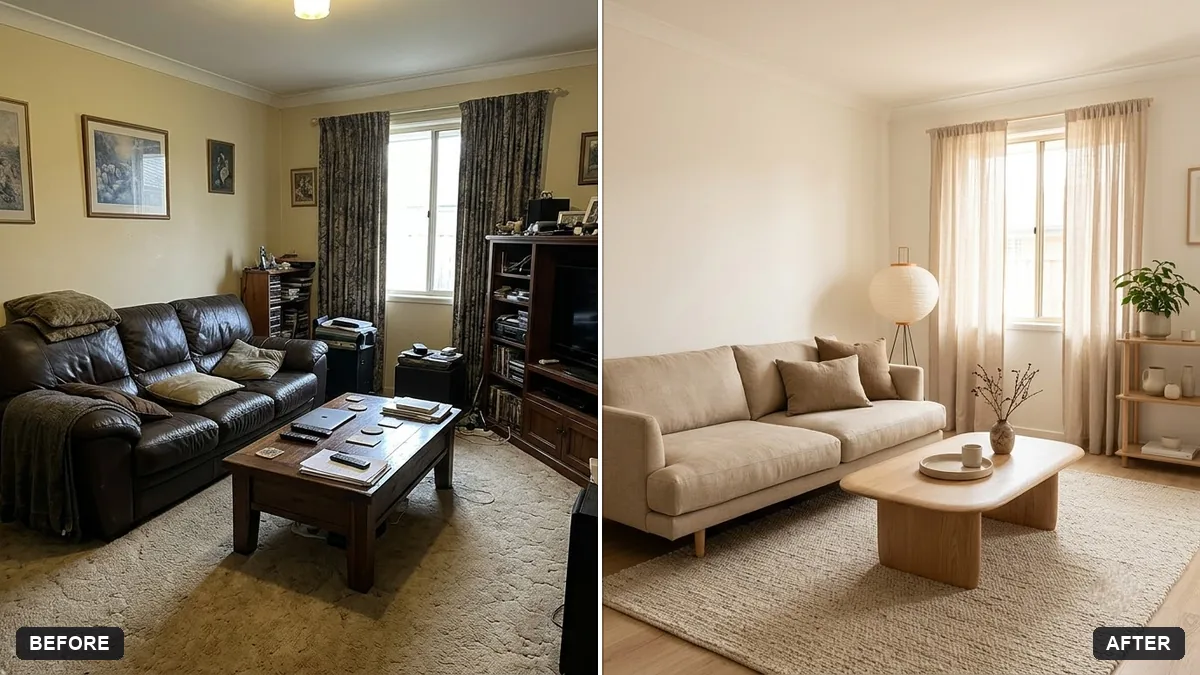
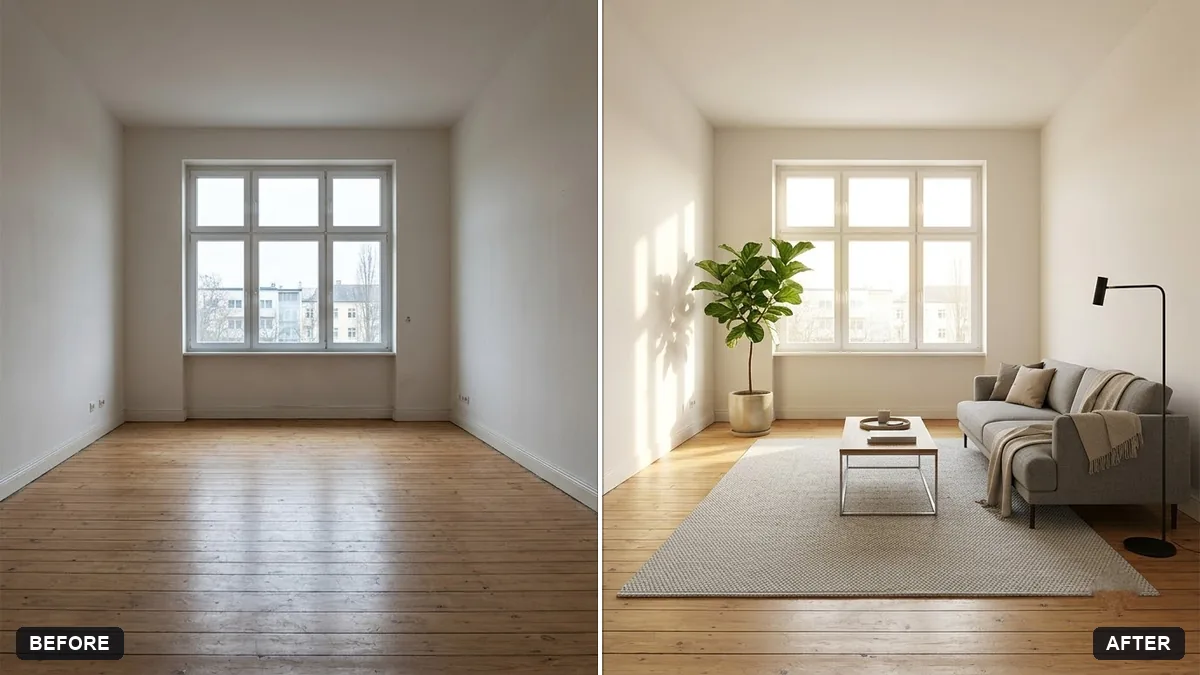
This prompt redesigns the room in your photo, for example in a warm minimalist Japandi style. The walls, windows, doors and layout stay exactly as they are; only the furniture, decor, colours and lighting change. You can also state a budget feel.
Redesign the room in this photo in a [STYLE, e.g. warm minimalist Japandi] style. Keep the walls, windows, doors, and layout exactly the same — only change the furniture, decor, colours, and lighting.

Budget feel: [BUDGET, e.g. affordable, flat-pack furniture]. Add [MUST-HAVES, e.g. a study desk and more storage].

Photorealistic interior photo from the same camera angle, natural daylight, realistic materials and proportions.
Ask for “3 different styles side by side” to compare options quickly.
Your photo goes to the AI app you choose, never to PromptUp.
Get a better result
The same room, from the same camera angle, restyled in the design style you choose with new furniture, decor, colours and lighting, while the walls, windows, doors and layout stay as they are.
The windows or doors move or change size.
Fix: Add “do not move or resize any window, door, socket or ceiling light; only furniture and decor change”, then check the frames against the original.
- The furniture is too large for the room. State the room size: “about 3 by 3.5 metres”. A size helps the AI choose proportions.
- The look is catalogue-perfect and impossible to buy. Say “only furniture styles I could find in flat-pack shops”, and ask for a list of the main items so you can check prices.
Add “then list the five key items to buy first, in order of priority”. A picture is useful, and a shopping order turns it into a plan.
Keep every window, door and the layout the same. Use only furniture that fits a 3 by 3.5 metre room and could be bought flat-pack.
Guides that use this prompt
More photo editing prompts
See all 334 →
More like this
- Preview outdoor evening lightingGemini · ChatGPT
- Garden makeover previewGemini · ChatGPT
- Kitchen remodel previewGemini · ChatGPT
- Preview artwork on your wallGemini · ChatGPT
- Balcony garden makeover previewGemini · ChatGPT