AI room makeover prompts: redesign a room from one photo
Published
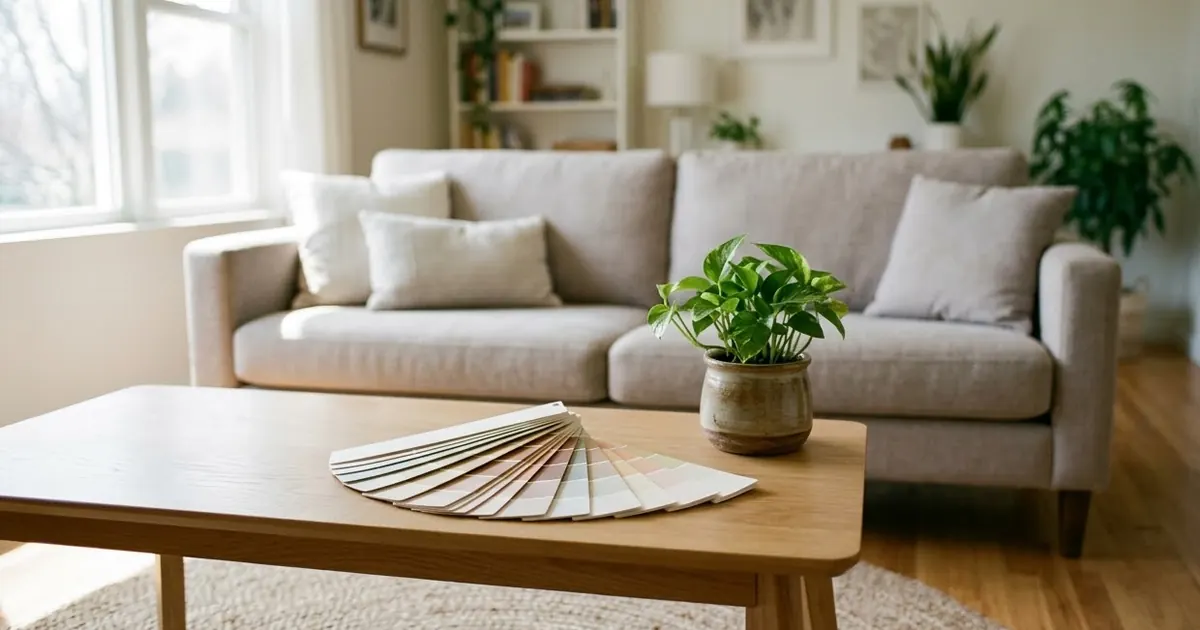
Short answerUpload one photo of the room, tell the AI to keep the walls, windows and layout exactly the same, and describe only the style, colour or furniture you want to change. Ask for one change at a time so you can compare options.
Full collectionAI room makeover and interior design prompts18 prompts with examples, steps and fixes →Repainting a room or buying new furniture is expensive to get wrong. Before you buy anything, you can now see roughly how it will look. Upload a photo of your room to Gemini or ChatGPT, describe the change, and get back a realistic preview from the same angle. This guide gives you the prompts for the most useful versions of this: a full style change, a paint preview, a decluttered listing photo, and furniture placement.
Start with the right photo
The source photo matters more than the prompt.
- Shoot straight on, not at an angle, so the room's proportions stay believable.
- Turn on the lights and open the curtains. A dim room gives the AI less to work with.
- Keep the frame wide. Include the floor, ceiling and at least one full wall.
- Avoid clutter in the shot if you're previewing paint or furniture, so the change is easy to see.
A full style makeover
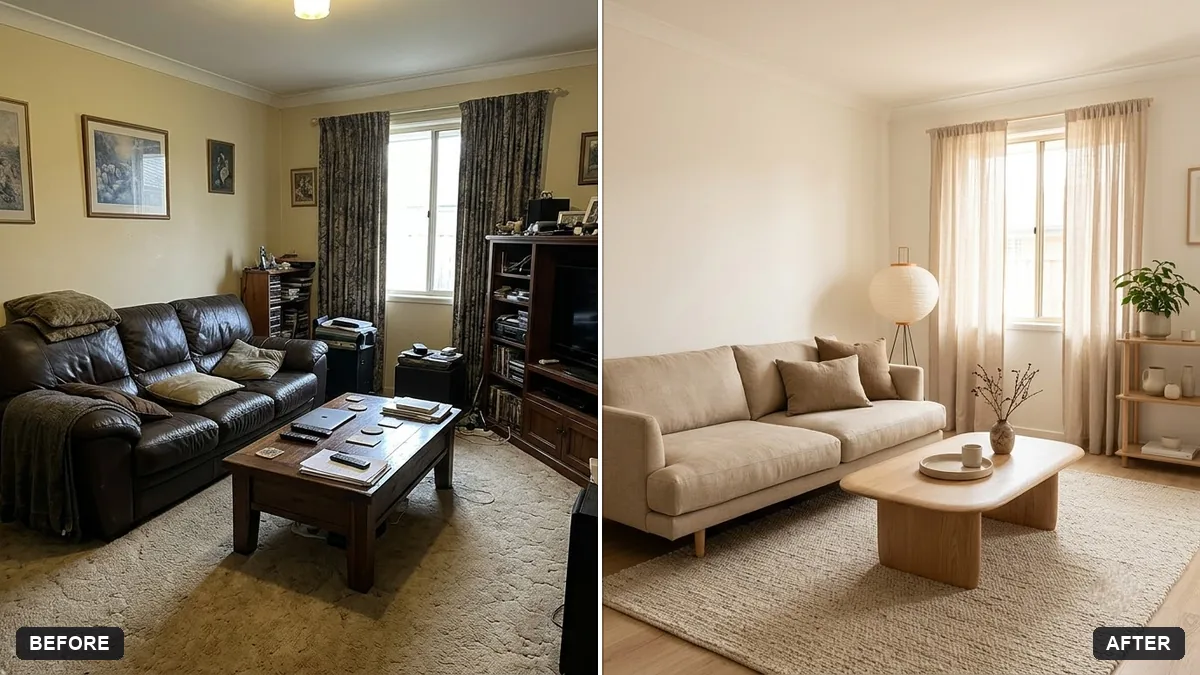
The room redesign prompt changes the furniture, decor and colours while keeping the room's actual structure:
Redesign the room in this photo in a [STYLE, e.g. warm minimalist Japandi] style. Keep the walls, windows, doors, and layout exactly the same — only change the furniture, decor, colours, and lighting.

Budget feel: [BUDGET, e.g. affordable, flat-pack furniture]. Add [MUST-HAVES, e.g. a study desk and more storage].

Photorealistic interior photo from the same camera angle, natural daylight, realistic materials and proportions.
"Keep the walls, windows, doors, and layout exactly the same" is the important line. Without it, some tools redraw the whole room, including the window position, which makes the result useless for planning an actual purchase.
A useful trick: ask for a few options in one go.
Show me 3 different styles side by side for this room: [STYLE 1], [STYLE 2] and [STYLE 3]. Keep the walls, windows and layout identical in each. Label each one.
Comparing options next to each other is far easier than generating one at a time and trying to remember the last version.
Preview a paint colour
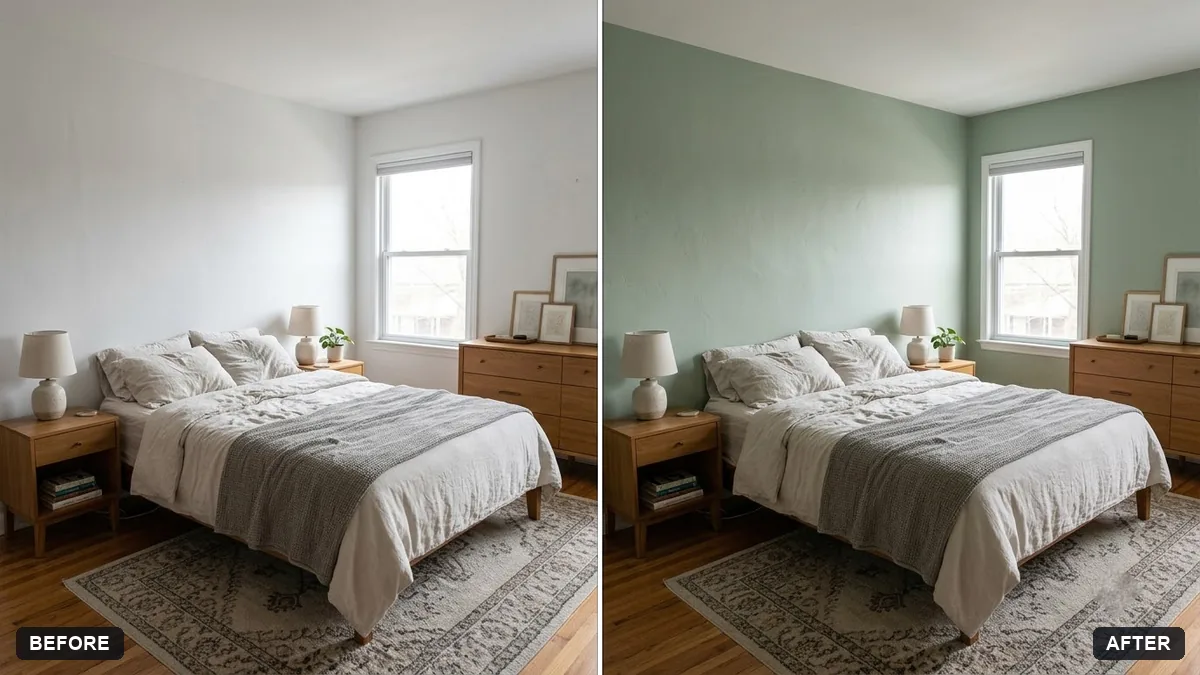
Repainting is one of the few changes you can preview with almost no risk of the AI inventing new furniture. Use the wall repaint prompt:
Repaint the walls in this bedroom photo in [COLOUR]. Keep the shadows, texture, furniture, windows and lighting exactly as they are so the new paint looks realistic.

Do not change anything else.
Try three or four colours in separate prompts rather than one long list. It's easier to compare four clear images than one confused one.
Declutter a room for a listing
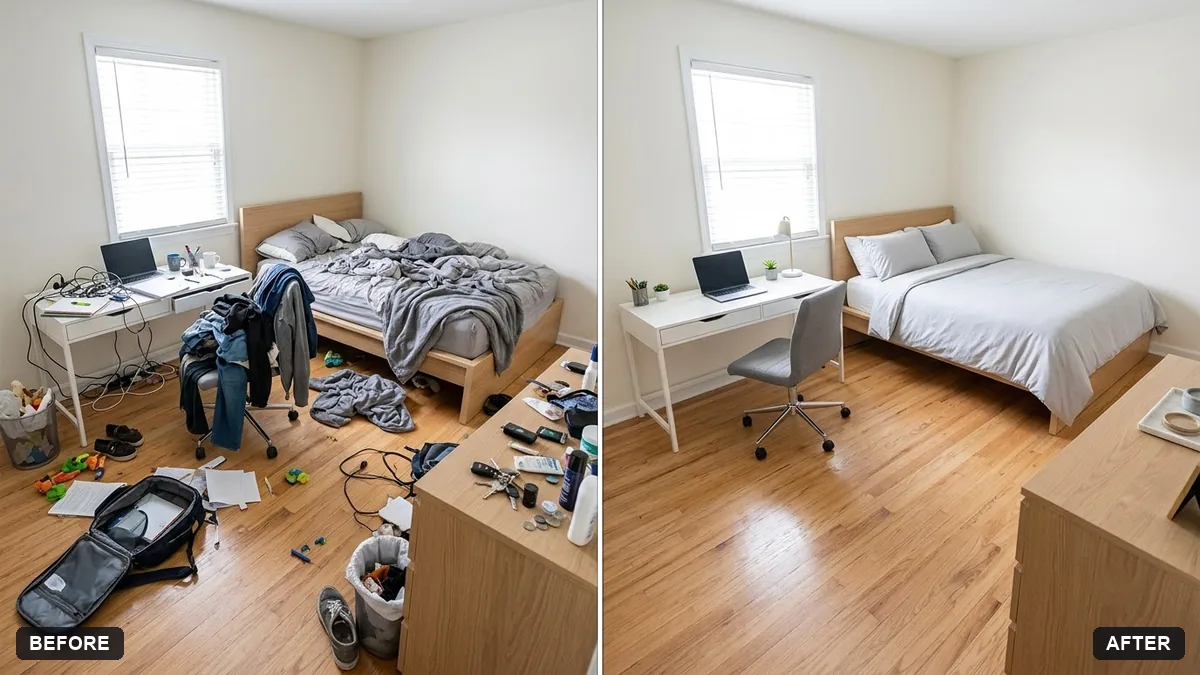
If you're selling or renting out a room, a cluttered photo puts people off before they've even read the listing. The declutter prompt tidies the surfaces without touching the fixtures:
Declutter this room for a listing photo. Remove loose items like [PAPERS, TOYS, CLOTHES, CABLES] from surfaces and floors, and leave the furniture and layout unchanged.

Keep it realistic, tidy and lived-in. Do not hide damage, alter the room size or change fixtures.
"Do not hide damage" matters for honesty in a real listing: the point is to remove mess, not to misrepresent the property.
Try before you buy a piece of furniture
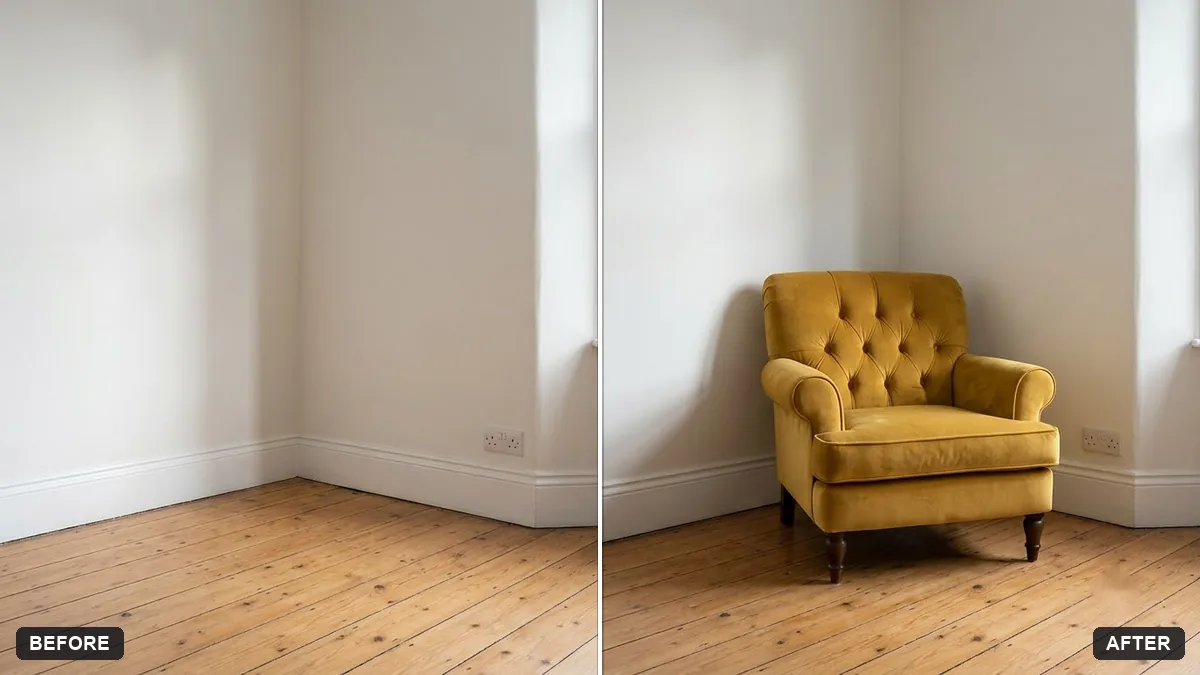
Before you buy a sofa or table, check that it actually fits the room and the light. The furniture placement prompt takes a photo of the room and a photo of the product and combines them:
Place the [SOFA / TABLE / CHAIR] from the second photo into the room in the first photo. Match the perspective, scale, lighting and shadows so it looks like it was really there.

Position it against [WALL] and keep the room unchanged. Realistic, well-lit result.
This works best with a straight-on photo of the room and a clean, well-lit product photo, ideally from the same angle you want it placed at.
Build a mood board first
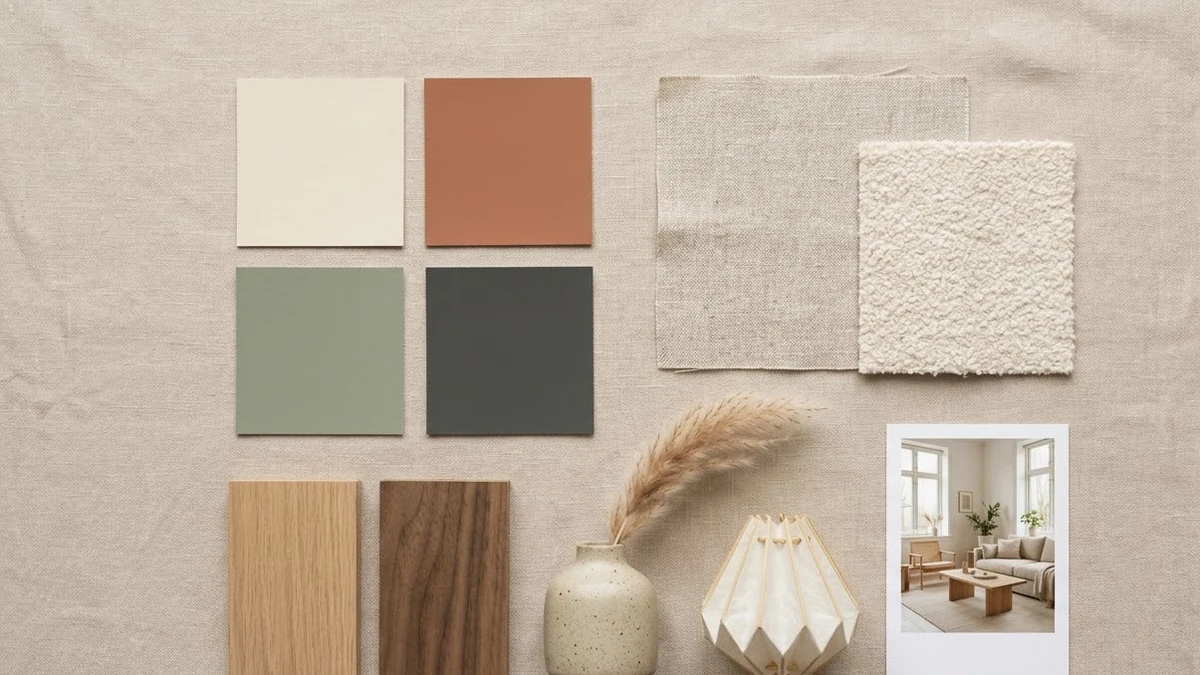
If you're not sure what style you want yet, the interior mood board prompt is a useful first step, since it doesn't touch your actual room photo at all:
A neat interior design mood board for a [ROOM] in [STYLE, e.g. warm Japandi] style, laid out as a flat collage: colour swatches, fabric textures, wood samples, [FURNITURE PIECES], lighting, plants and a small reference photo of the finished room. Soft light beige background, tidy grid, labelled swatches.
Take this to a designer or a furniture shop to explain what you're after, before you start previewing your actual room.
Fixing common problems
The window or door moved. Add "do not change the position, size or shape of the windows and doors" and try again with a straighter, more front-on photo.
The room looks like a showroom, not your home. Ask for "realistic furniture, slightly imperfect arrangement, not a magazine shoot".
The new furniture doesn't match the room's scale. Mention the room's rough size: "a small bedroom, about 3 by 3.5 metres" helps the AI judge proportions.
Shadows look flat or pasted on. Ask for "shadows that match the room's existing light direction" and avoid asking for a style change and a lighting change in the same prompt.
Change one thing at a time. Our guide to editing a prompt explains why that makes it easier to tell what actually worked.
Where to go from here
If you're preparing a property for sale or rent rather than your own home, our AI real estate listing prompts cover brighter, more polished versions of the same idea. You'll find more photo-edit prompts in the PromptUp photo editing prompts collection, and the prompt builder can write a custom version for your exact room and budget.
Quick checklist
- Shoot the room straight on, in good light, with the full wall and floor in frame.
- Say "keep the walls, windows, doors and layout exactly the same".
- Change one thing per prompt: style, colour, or one piece of furniture.
- Ask for 2-3 options side by side to compare quickly.
- Mention the room's rough size so proportions stay realistic.
- Keep decluttering honest: tidy the mess, don't hide real damage.
Prompts to try
More prompts on this topic
- Garden makeover previewGemini · ChatGPT
- Balcony garden makeover previewGemini · ChatGPT
- Room makeover time-lapseVeo · Kling · Seedance
- Kitchen remodel previewGemini · ChatGPT
- Repaint your house exterior previewGemini · ChatGPT
- Garden flower bed previewGemini · ChatGPT

Comments
No comments yet. Be the first to share what worked for you.