Free tool · No sign-up · Runs in your browser
Free AI photo editing prompt generator
Describe the edit in one line, such as "remove the people behind me" or "restore my old photo", and get a prompt with the rules that keep the faces, lighting and details unchanged. Paste it into Gemini or ChatGPT with your photo attached.
Free, no sign-up, and your idea never leaves your browser.
Try:remove the people behind merestore my grandfather's old photochange my background to a beach
From one line to a full prompt
The generator adds the guard rails AI editors need: keep the person the same, no beautifying, consistent light, no added text.
You type
restore my grandfather's old photo
You get
Restore this old photo.
My request: "restore my grandfather's old photo".

- Repair scratches, tears, creases, dust and stains.
- Recover faded detail and even out the exposure.
- Gently sharpen faces and fine details without inventing new features.

Rules:
- Keep every person exactly the same: same face, features, expression, skin tone and body shape.
- Do not beautify, slim or age anyone unless I ask.
- Do not change anything I did not ask to change.
- No plastic, over-smoothed or over-sharpened AI look.
- Keep the original resolution and framing unless I ask otherwise.
- Do not add text, logos or watermarks.
How the photo editing prompt generator works
- Type your idea in your own words, the way you would say it.
- PromptUp picks the mode (photo edit, image, video or text) and builds the prompt from its library of 1,611 tested prompts and a set of rules.
- Fill in the [BRACKETED] parts with your own details, then copy the prompt.
- Paste it into your AI tool and run it. Use "New variation" for a different wording.
Nothing is sent to a server. The generator runs entirely in your browser, so it is instant and private.
What makes a photo-editing prompt work
- Upload the photo first. Attach it in the same message. The AI edits the picture you gave it.
- Ask for one clear change. "Remove the person on the left" works better than a long list of edits.
- Lock the face. Say the face, expression and skin tone stay exactly the same. Without it, AI editors may smooth or reshape features.
- Match the light. Ask for edits that keep the original lighting direction and shadows so the change looks real.
- Review at full size. Zoom in to check hands, text and edges, then ask for a small fix in the same chat.
Or start from a finished photo editing prompt
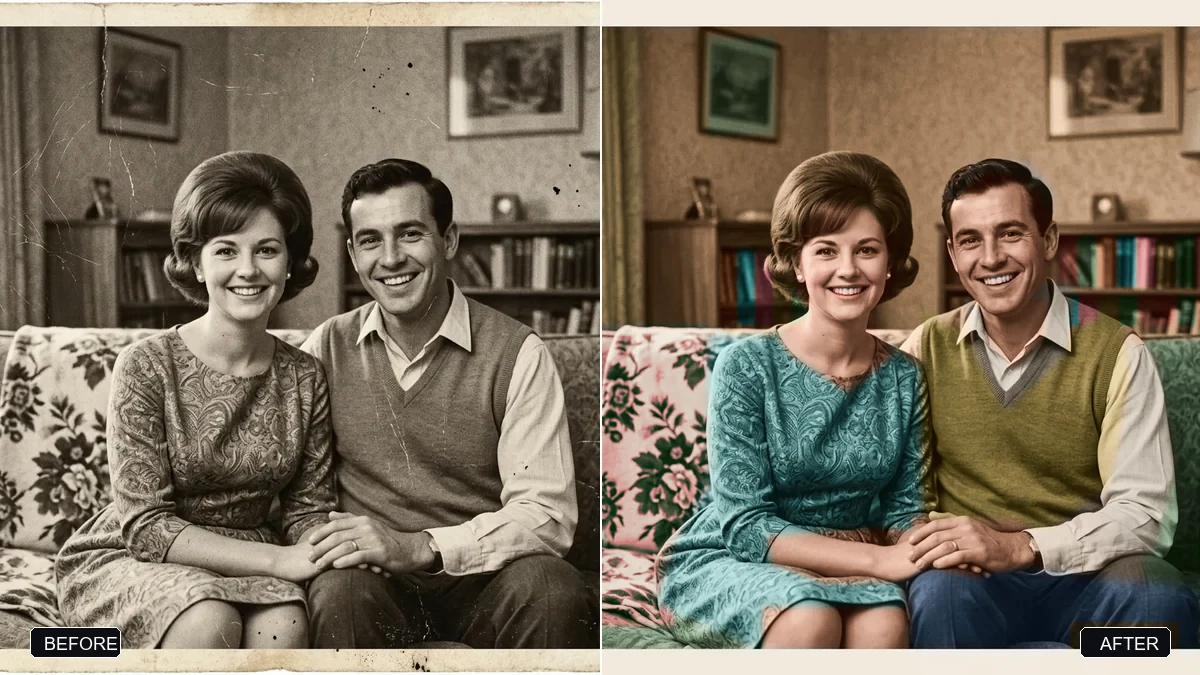 Trending
Restore an old, damaged family photoGemini · ChatGPT
Trending
Restore an old, damaged family photoGemini · ChatGPT
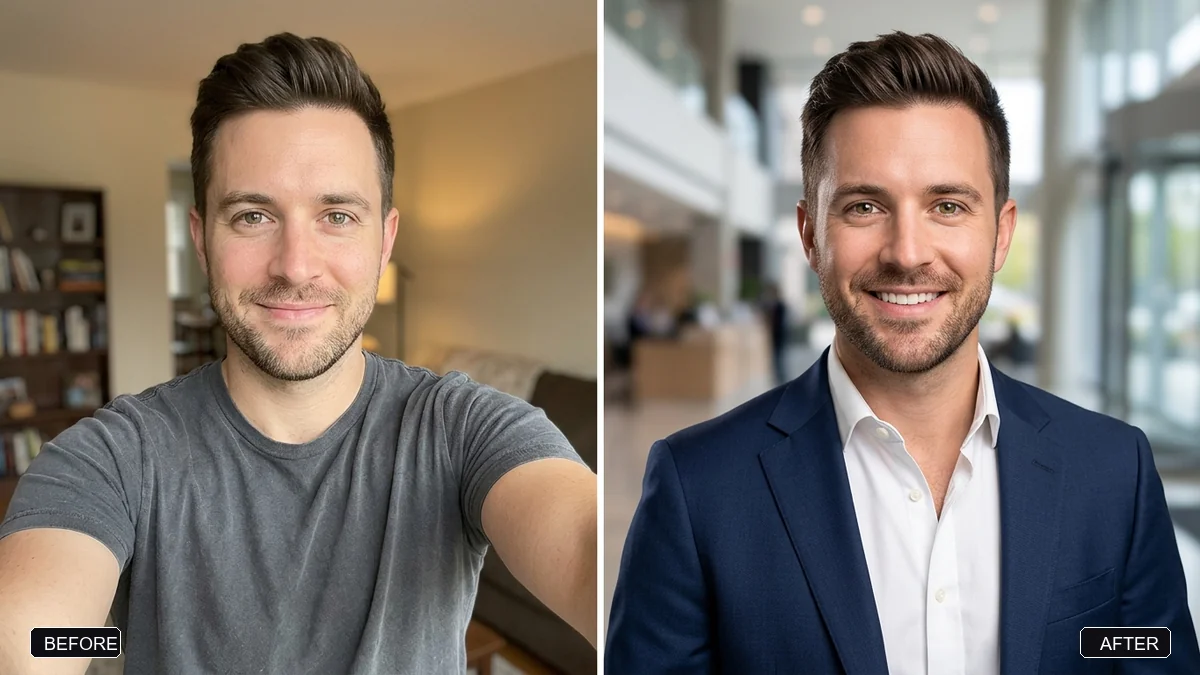 Trending
Pro LinkedIn headshot from a selfieGemini · ChatGPT
Trending
Pro LinkedIn headshot from a selfieGemini · ChatGPT
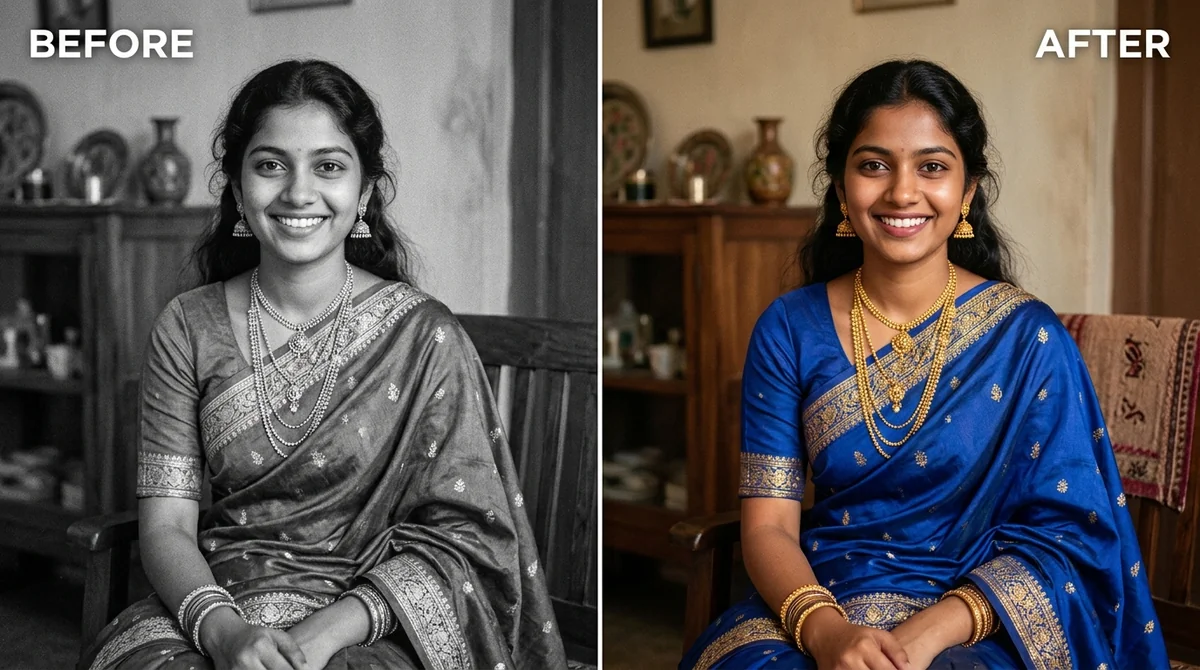 Colourize a black & white photoGemini · ChatGPT
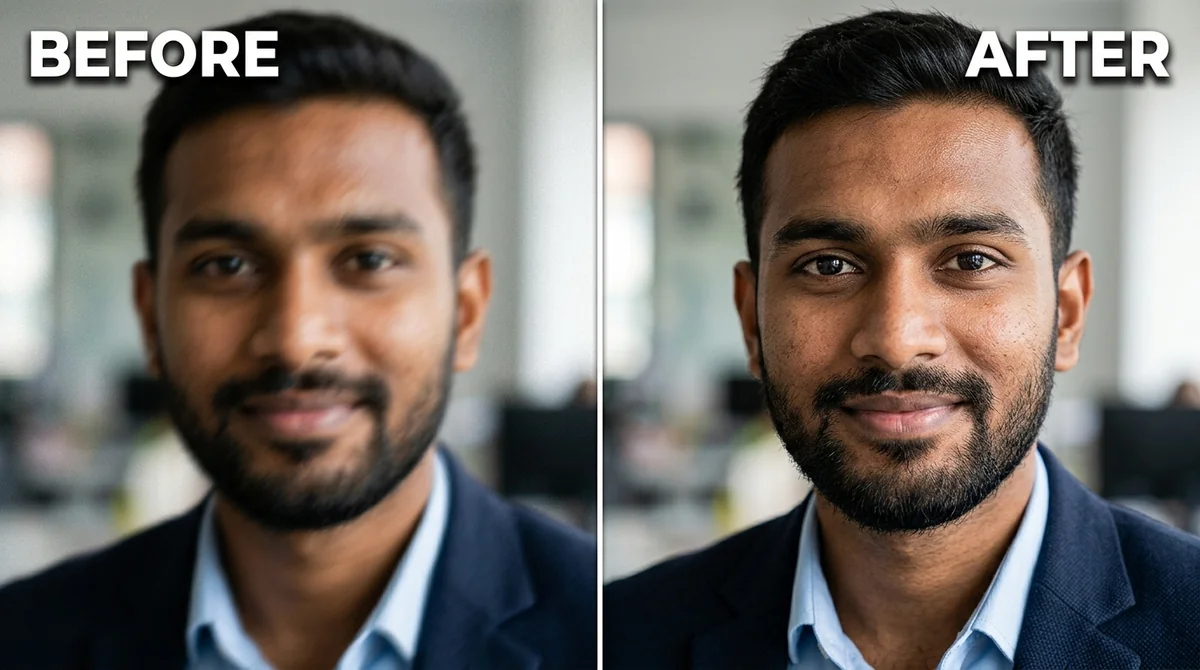 Fix a blurry photo (Sharp & crisp)Gemini · ChatGPT
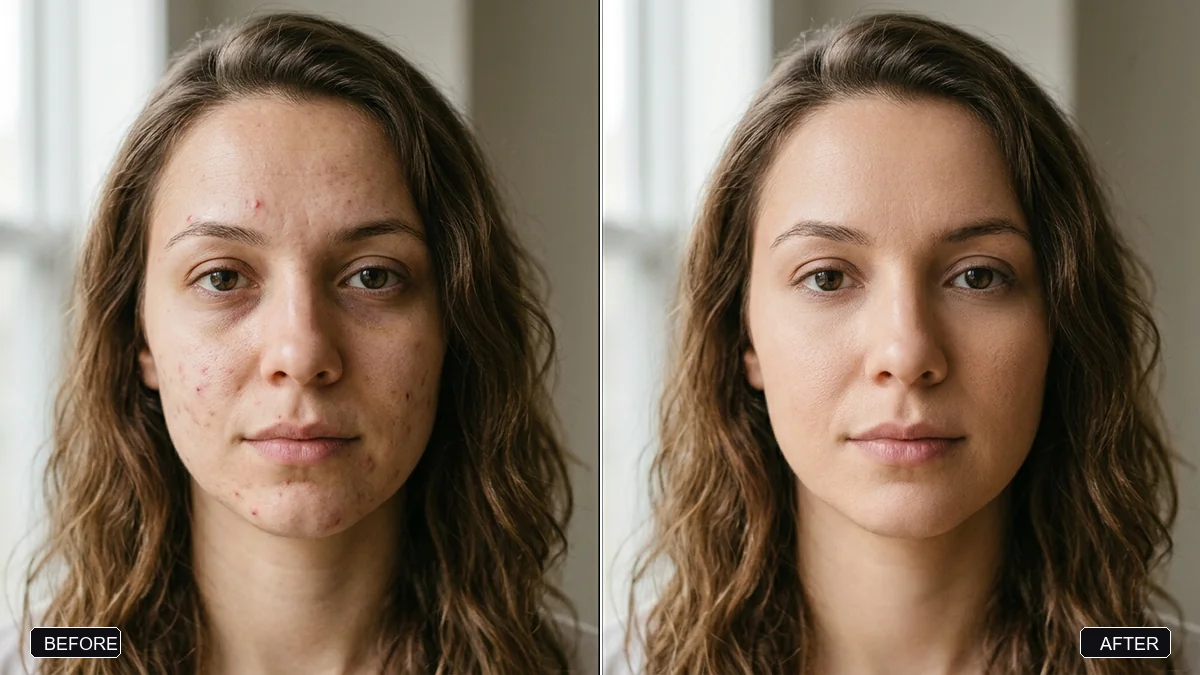 Natural skin retouch (no plastic look)Gemini · ChatGPT
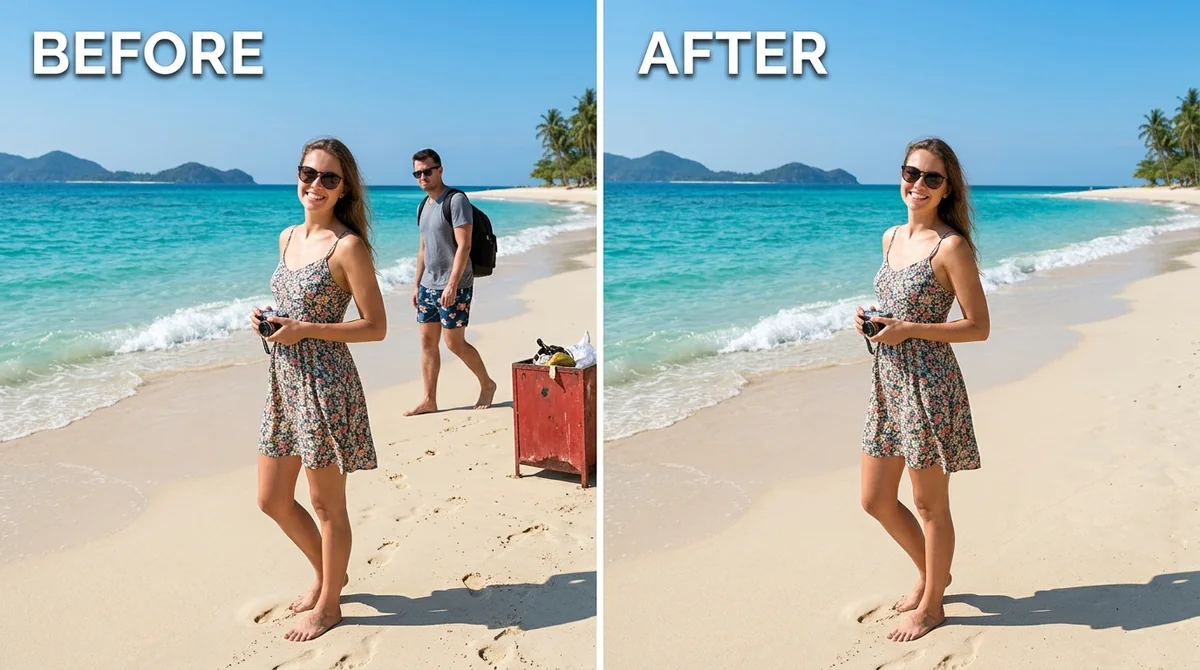 Remove unwanted object or photobomberAny tool
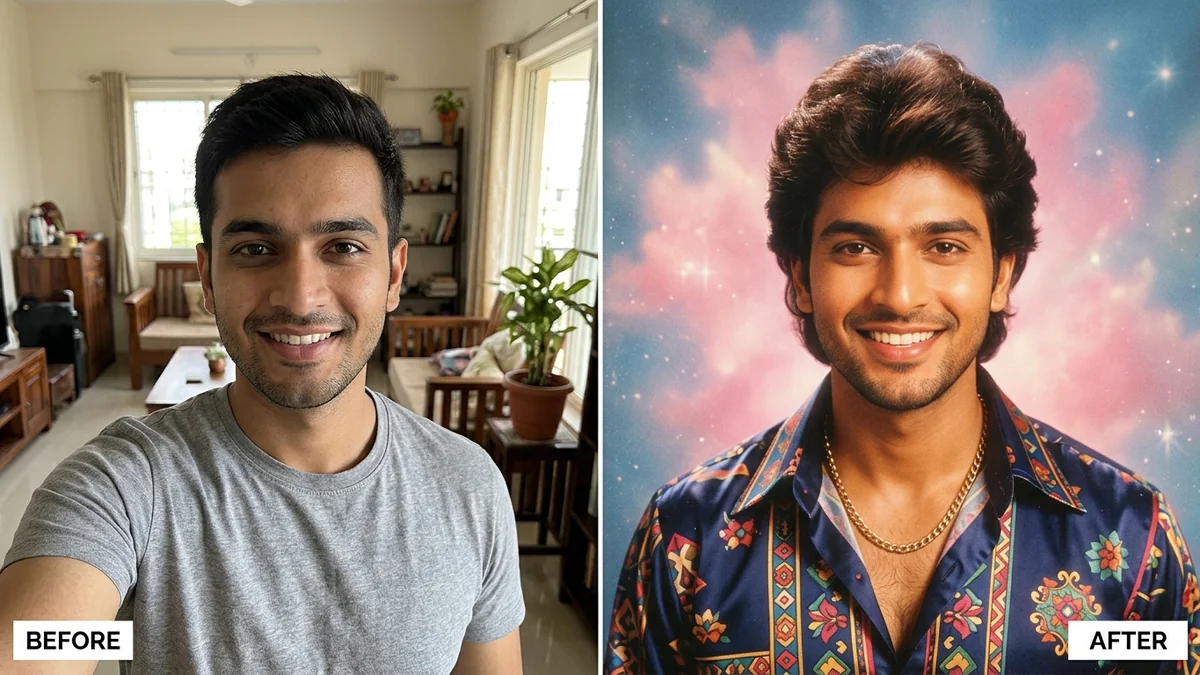 Trending
1980s Bollywood retro portraitGemini · ChatGPT
Trending
1980s Bollywood retro portraitGemini · ChatGPT
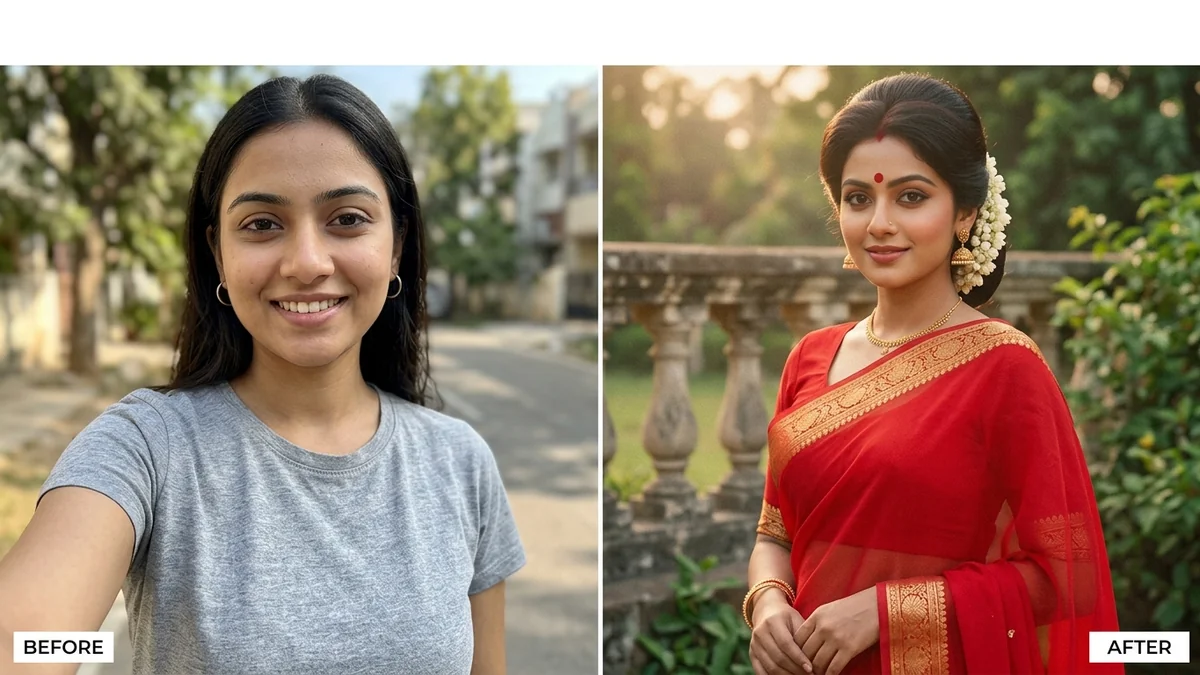 Trending
80s retro saree lookGemini · ChatGPT
Trending
80s retro saree lookGemini · ChatGPT
Questions, answered
Which AI tools can edit photos with these prompts?
Gemini (Nano Banana) and ChatGPT can both edit an uploaded photo. Paste the prompt in the same message as the picture.
Is it free?
Yes. The generator is free and needs no sign-up. The AI app may have free and paid limits of its own.
Will it change faces?
The prompt tells the AI to keep faces unchanged, which helps a lot. Results can still vary, so always check the output against the original.
Can it restore old or damaged photos?
Yes. Describe it ("restore my old black and white photo") and the prompt covers scratches, fading and sharpening without inventing new features.
Is my photo uploaded to PromptUp?
No. PromptUp never sees your photo. You upload it directly to the AI app you choose.
Ready to build yours?
Type one line and get the full prompt in a second.