- Updated
Fix a blurry photo: Gemini & ChatGPT prompt
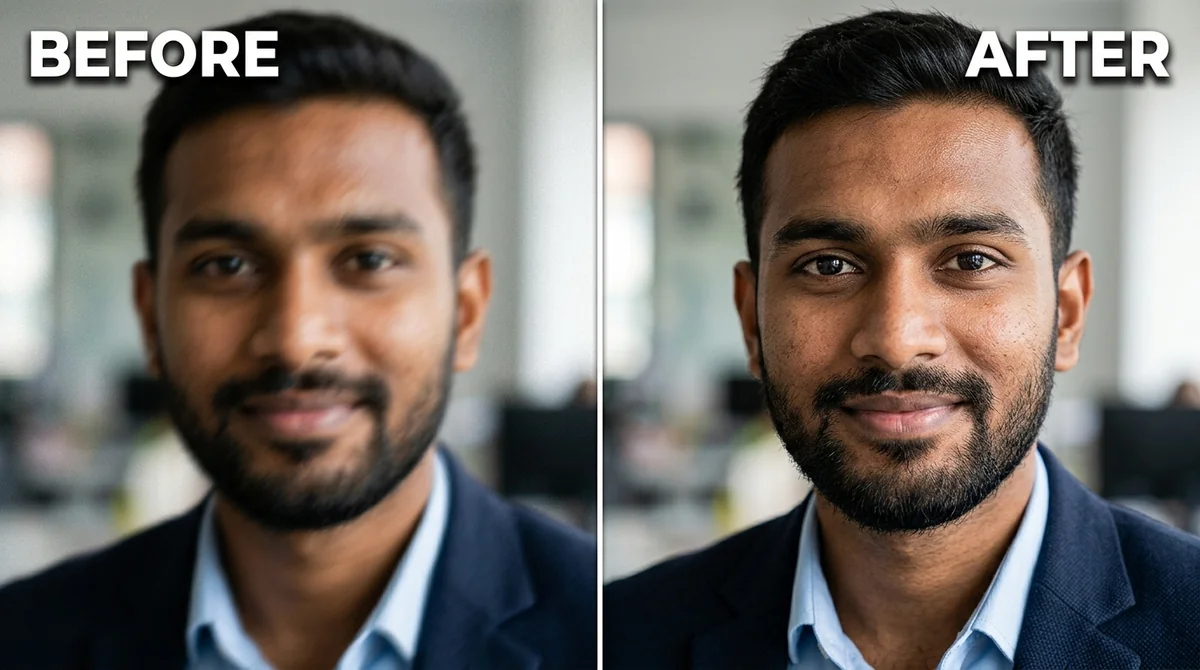
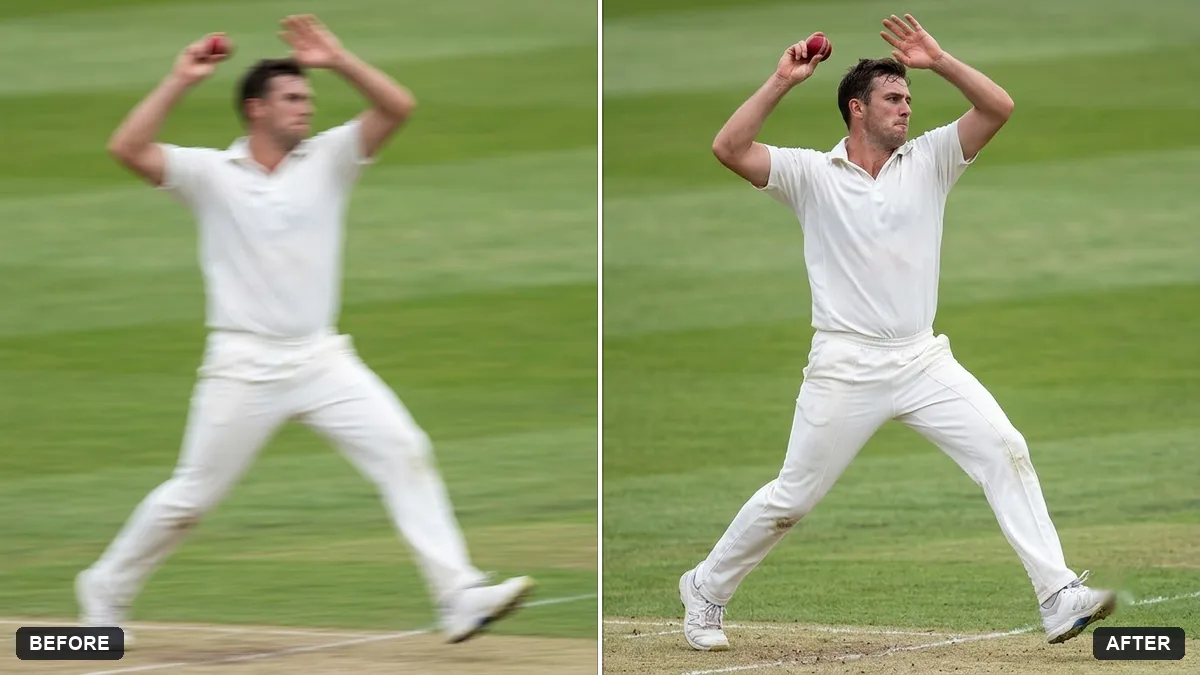
This prompt asks the AI to remove motion blur and focus softness and restore crisp, natural detail in eyes, hair, skin and fabric, without halos or over-sharpening, while keeping every face, pose and the background unchanged.
Enhance this photo to be sharp and clear. Remove the motion blur and focus softness, and restore crisp, natural detail in the eyes, hair, skin, and fabric — without halos or over-sharpening.

Keep every person's face, identity, expression, pose, and background unchanged.
If the face changes, reply: “Keep the face identical to the original.”
Your photo goes to the AI app you choose, never to PromptUp.
Get a better result
A sharper version of your photo with motion blur and focus softness reduced, crisper detail in eyes, hair, skin and fabric, and no halos or over-sharpening.
Sharpening can easily overdo it, so the prompt names both what to fix and what to avoid: remove motion blur and soft focus, but without halos or over-sharpening. Listing eyes, hair, skin and fabric tells the model where detail matters most. The last line protects everything else, face, expression, pose and background, which is the main risk when an AI rebuilds a blurry photo. The tip gives a one-line reply for when a face still drifts.
The sharpened face looks like a different person.
Fix: Use the least blurry photo you have, because very blurry faces get guessed. Keep “keep every person’s face, identity” in the prompt.
- Skin gets a rough, over-textured look. Add “keep skin natural, do not add extra pores or wrinkles”. Over-restoration invents texture.
- Writing or signs in the photo turn into readable-looking nonsense. Tell it to “leave all writing and signs exactly as they are”. Letters that were blurry cannot be recovered by guesswork.
- Small objects such as earrings or watch faces change. Name them: “keep the earrings and the watch exactly as they are”. Sharpening can redraw tiny things.
Run a gentle pass first, check it, then ask for “a little more sharpness in the eyes only”. Two small steps beat one strong one.
Sharpen less. Keep every face exactly as in the original, even if it stays slightly soft.
Guides that use this prompt
More photo editing prompts
See all 334 →
More like this
- Flatten a crumpled photoGemini · ChatGPT
- Sharpen a blurry pet action shotGemini · ChatGPT
- Restore a faded colour printGemini · ChatGPT
- Fix a weird AI photo (hands, face, skin)Gemini · ChatGPT
- Fix an overexposed baby photoGemini · ChatGPT