- Updated
Fix red-eye in flash photos
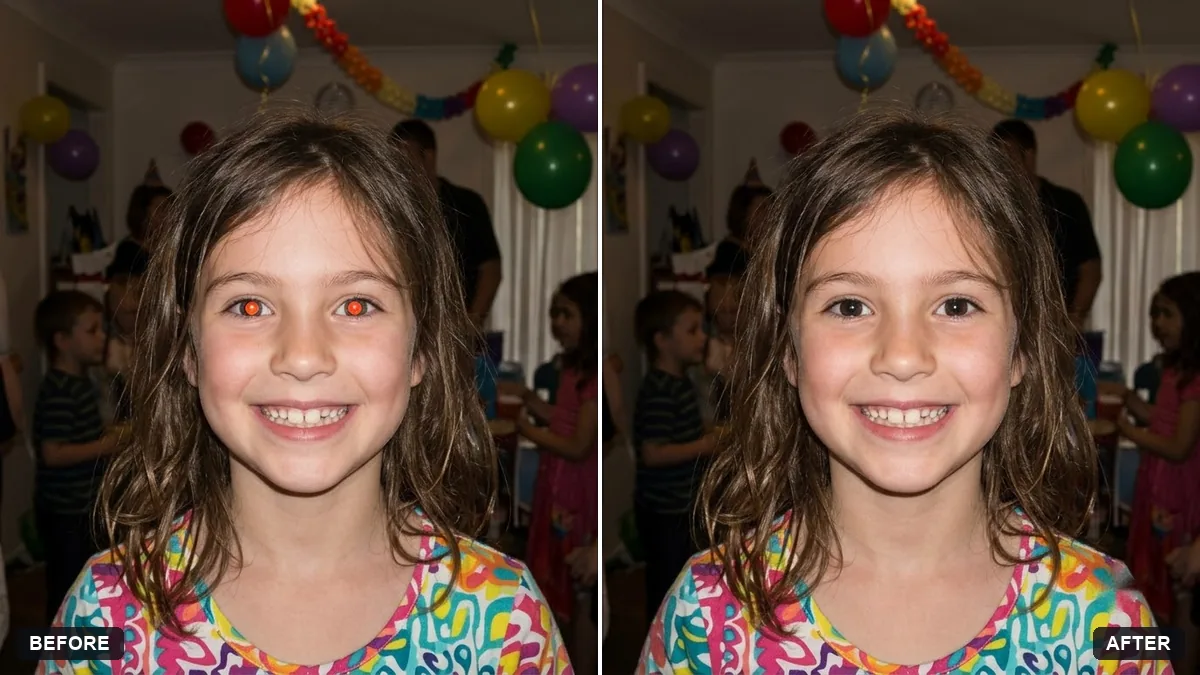
This prompt removes the red-eye effect and restores natural eyes in the colour you specify, with realistic pupils and catchlights. Everything else stays exactly as it is. Zoom in on the eyes to check the result.
Remove the red-eye effect from the people in this photo. Restore natural [BROWN / BLUE / GREEN] eyes with realistic pupils and catchlights.

Do not change anything else: faces, skin, hair, clothing and background must stay exactly as they are.
Zoom in on the eyes in your result to check the pupils look natural and match each other.
Your photo goes to the AI app you choose, never to PromptUp.
Get a better result
The same photo with the red-eye gone: natural pupils in the eye colour you named, with catchlights, and nothing else in the picture changed.
The two eyes end up different in colour or pupil size.
Fix: Ask “make both eyes match in colour and pupil size” and zoom in on the result. Mismatched eyes are easy to spot.
- Dark eyes turn light because of the colour you named. Put the person’s real eye colour in the brackets. If you are unsure, write “their natural dark brown”.
- Other people in the photo have their eyes changed too. Say who needs the fix: “only the child on the left”. The prompt says people, so narrow it if just one person has red-eye.
For a pet with glowing eyes, use “remove the green or red eye-shine from my dog and restore natural dark pupils and eye colour”. Check that the fur is untouched.
Match both eyes in colour and pupil size, keep the catchlights, and leave everything else exactly as in the original.
Guides on this topic
More photo editing prompts
See all 334 →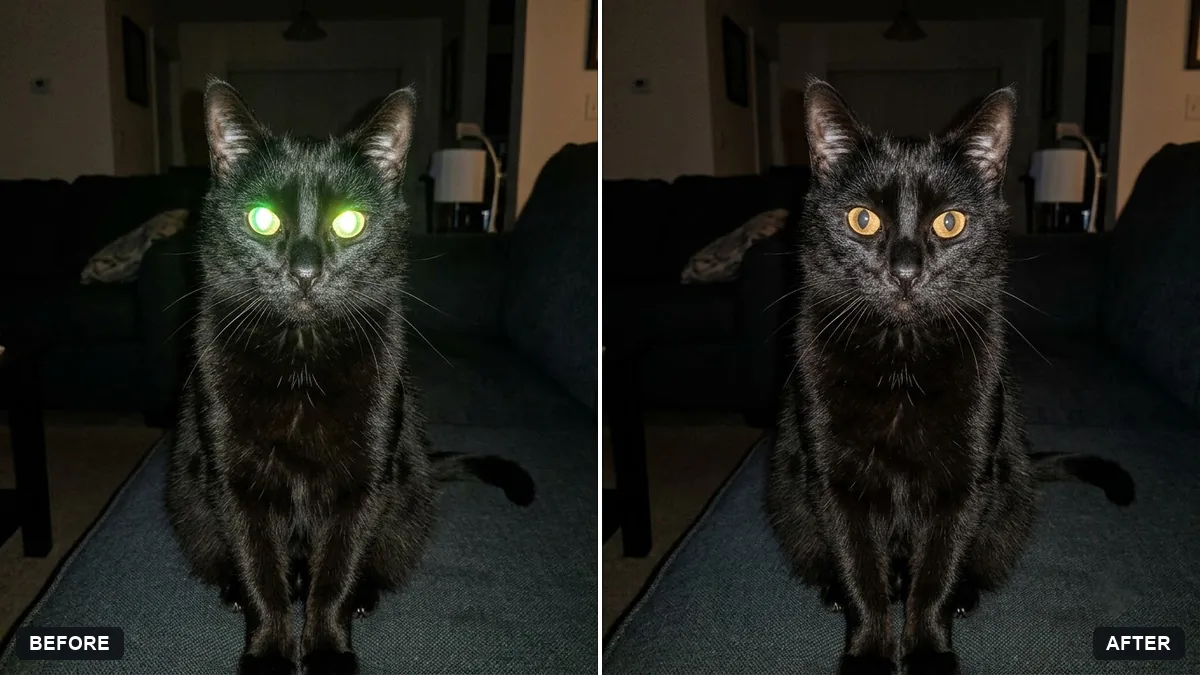
More like this
- Fix a weird AI photo (hands, face, skin)Gemini · ChatGPT
- Fix closed eyes in a group photoGemini · ChatGPT
- Fix a blurry photo (Sharp & crisp)Gemini · ChatGPT
- Brighten a face in a backlit photoGemini · ChatGPT
- Correct a yellow or blue colour castGemini · ChatGPT