- Updated
Relight a flat photo with golden-hour light
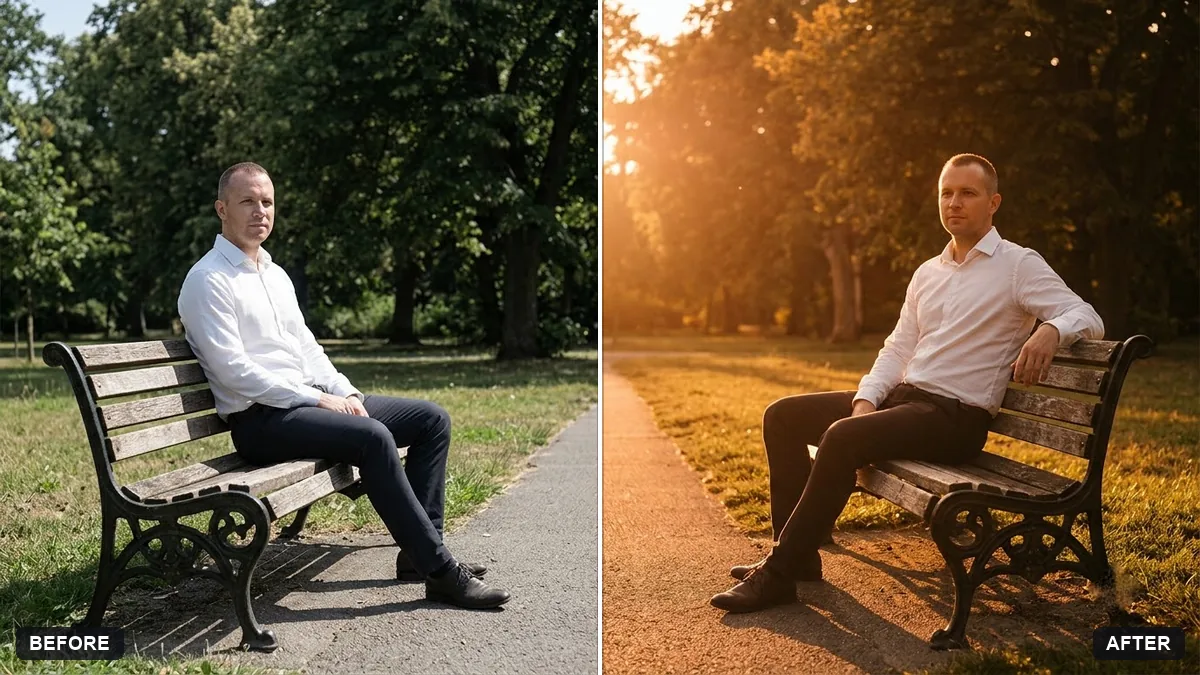
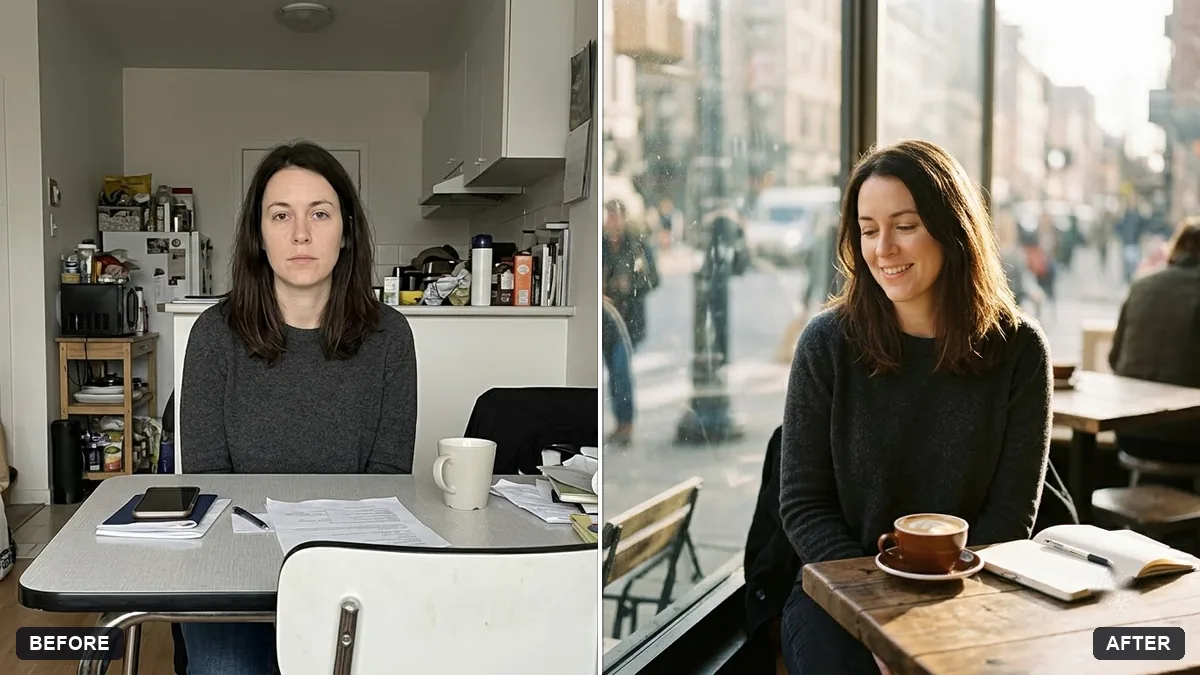
This prompt relights a photo as if it was taken about 30 minutes before sunset, with warm side light from the left or right, a soft rim light on the hair and a gentle lens glow.
Relight this photo as if it was taken at golden hour, about 30 minutes before sunset. Warm side light from [LEFT / RIGHT], soft rim light on hair, gentle lens glow and slightly deeper shadows.

Keep the person, clothing, pose and background exactly as they are. Do not change the face or add objects. Natural colours, no heavy filter look.
Works best on outdoor photos taken in flat midday or cloudy light.
Your photo goes to the AI app you choose, never to PromptUp.
Get a better result
Your photo relit as if it was taken about 30 minutes before sunset: warm side light, soft rim light on the hair, a gentle lens glow and slightly deeper shadows, with the person, clothing, pose and background unchanged.
The sun direction does not match the shadows already in the photo.
Fix: Choose the side the shadows already point away from, or ask “match the existing shadow direction”. Conflicting light looks fake.
- Skin turns orange. Add “warm light only on the highlights, natural skin colour”.
- The glow washes out detail in bright areas such as white clothes. Say “keep detail in white clothes and bright sky, only a soft glow at the edge of the hair”.
Change the time to “20 minutes after sunset, blue hour” and the light to “cool sky light with a few warm window lights”. A different, calmer mood.
Match the shadows already in the photo, keep skin tones natural, and keep detail in the bright areas.
Guides that use this prompt
More photo editing prompts
See all 334 →
More like this
- Straighten a tilted horizonGemini · ChatGPT
- Rescue a dark, noisy night photoGemini · ChatGPT
- Correct a yellow or blue colour castGemini · ChatGPT
- Reduce noise in a high-ISO photoGemini · ChatGPT
- Soften harsh shadows on a faceGemini · ChatGPT