- Updated
Flat vector illustrated avatar
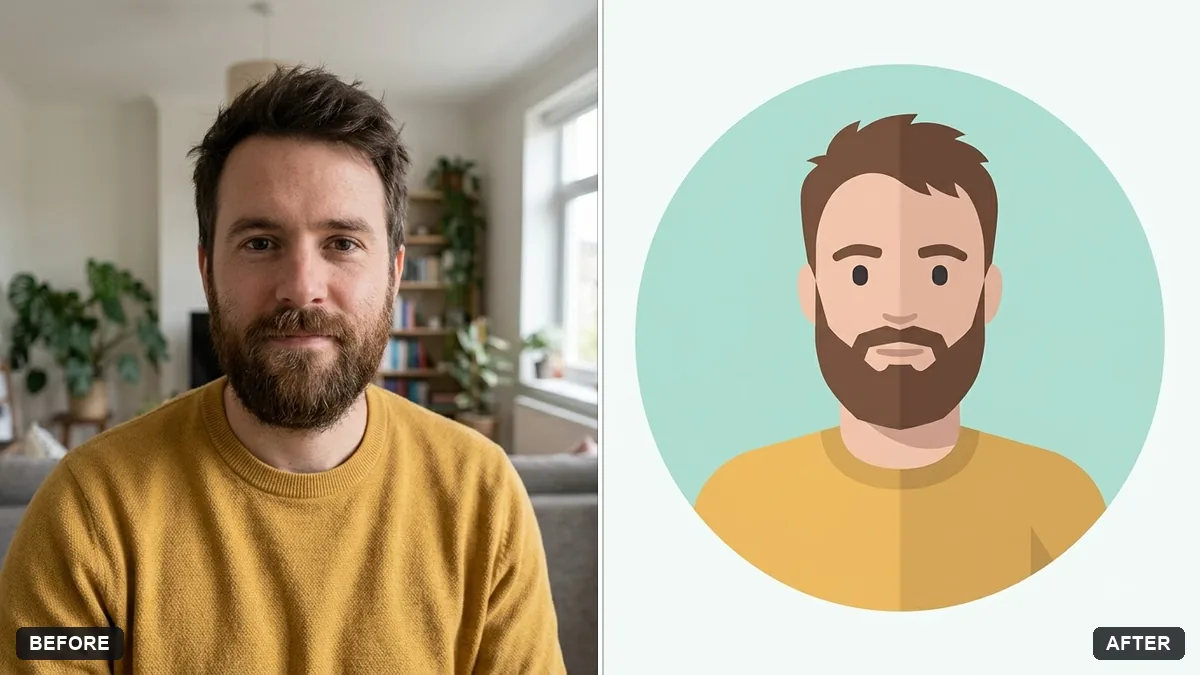
This prompt makes a flat vector avatar that keeps your hair, skin tone, glasses and clothing colours recognisable. It works as a profile picture or website illustration.
Turn this photo into a flat vector illustrated avatar. Keep my hair, skin tone, glasses and clothing colours recognisable.

Simple geometric shapes, no outlines, soft flat shading in a limited palette, friendly smile, circular crop on a plain [COLOUR] background, modern app-profile style.
Ask for a version with a transparent-looking plain background for easy use.
Your photo goes to the AI app you choose, never to PromptUp.
Get a better result
A flat vector style avatar of you in a circular crop, with simple shapes, soft flat shading, a limited colour palette and your hair, skin tone, glasses and clothing colours still recognisable.
Flat avatars keep only what makes you recognisable: hair, skin tone, glasses and clothing colours. Simple shapes with no outlines and a limited palette give the modern app style. A circular crop on a plain background suits profile spaces.
The avatar looks like someone else.
Fix: Name the features that matter, such as “round glasses, short curly hair and a beard”. Use a front-facing photo with even light for the best match.
- Outlines or gradients appear although you asked for flat shapes. Repeat “no outlines, no gradients, three shades per colour at most”. Short and firm wording works better than a long description.
- The circle crop cuts off the shoulders or the top of the hair. Add “head and shoulders with space above the hair, centred in the circle”.
Ask for the same avatar with three different expressions, “smiling, surprised and thinking”, on the same plain background. They suit chat reactions or a team page.
Keep the same face, hair and glasses. Use fewer colours and make the shirt a plain solid shade, with no patterns.
Guides on this topic
More photo editing prompts
See all 334 →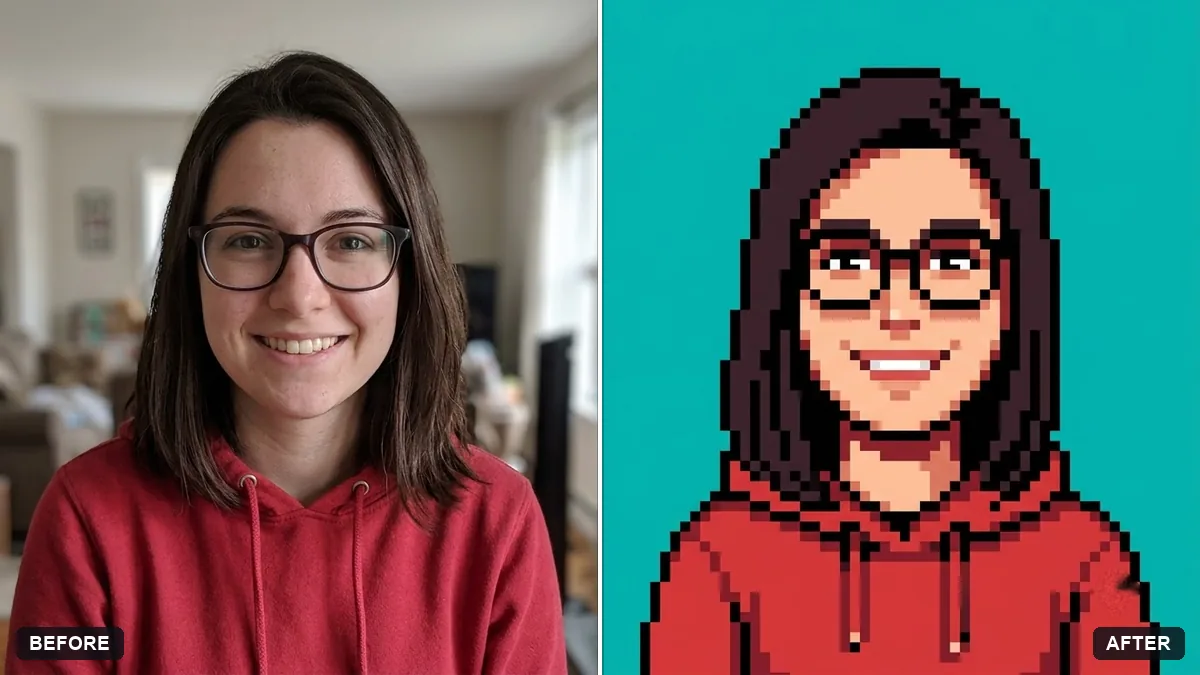
More like this
- Bold creator profile pictureGemini · ChatGPT
- Crop a photo for a WhatsApp or Instagram DPGemini · ChatGPT
- Claymation character versionGemini · ChatGPT
- Flat vector hero illustration for a websiteChatGPT · Gemini · Midjourney
- Natural, honest photo for a dating profileGemini · ChatGPT