- Updated
Couple cartoon portrait
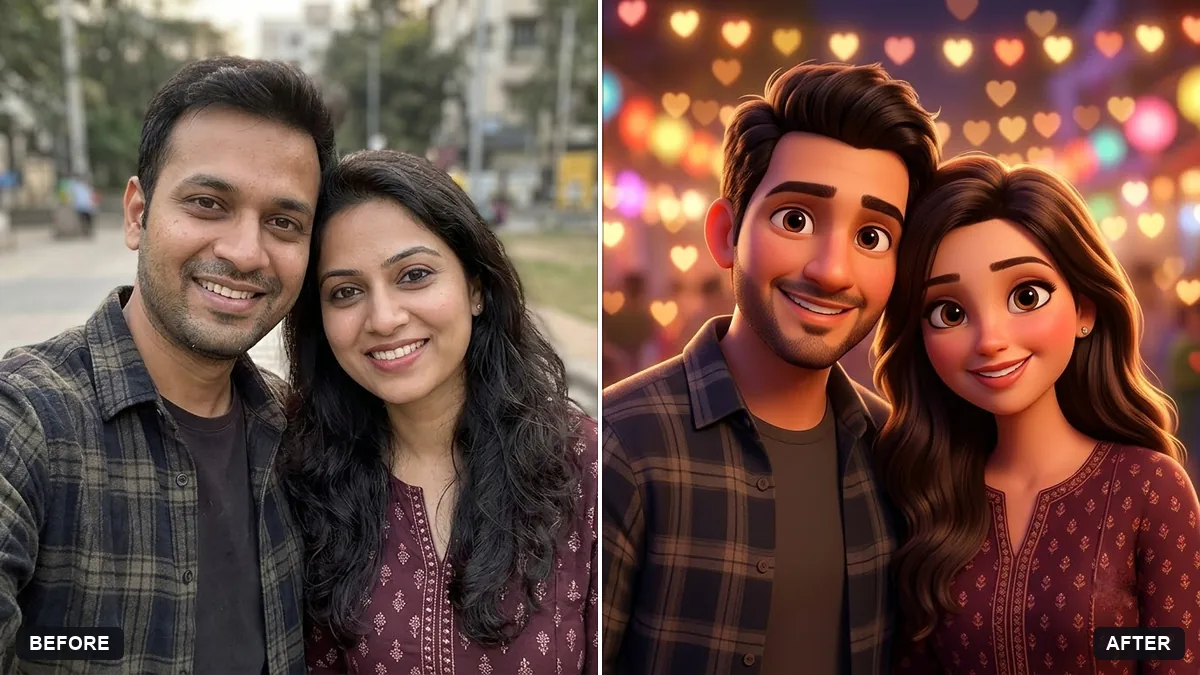
This prompt creates a cartoon portrait of two people, keeping both faces, hair, skin tones and expressions recognisable, in a romantic or playful mood with a setting behind them. It makes a good gift.
Turn this photo of a couple into a charming cartoon portrait. Keep both faces, hair, skin tones and expressions recognisable.

Style: [FLAT VECTOR / SOFT 3D / HAND-DRAWN]. Show them close together with a [ROMANTIC / PLAYFUL] mood, a [SETTING] behind them, warm colours and clean lines, suitable for a gift.
Ask for a version with a simple background and one with a shared setting like a cafe.
Your photo goes to the AI app you choose, never to PromptUp.
Get a better result
A charming cartoon of the two people in your photo in the style you chose, close together with a romantic or playful mood, a simple setting, warm colours and clean lines that suit a gift.
Both faces end up with the same shape, as if they were siblings.
Fix: Name two features for each person, such as his beard and glasses, her curly hair and dimples, and the height difference between them.
- A skin tone is lightened or changed in the cartoon style. Add “keep both skin tones exactly as in the photo” and check them side by side with the original.
- Hands are bent or extra, and the art cannot be printed cleanly. Ask for “chest up, hands out of frame, a plain light background”. A plain background also works on a mug or a frame.
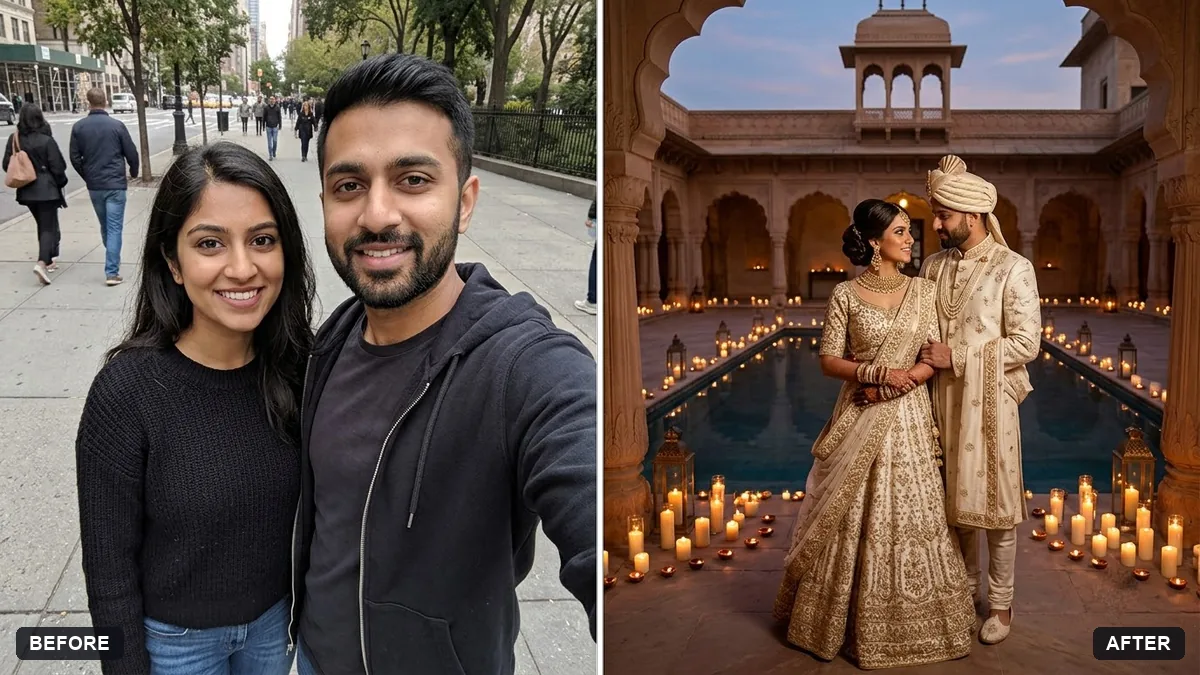
Add “both in wedding outfits, a small heart of flowers between them, soft pastel colours”. A wedding version suits a card, a framed print or a cake topper picture.
Keep both skin tones and faces recognisable, name each person’s main features, show chest up with hands out of frame and use a plain background.
Guides that use this prompt
More photo editing prompts
See all 334 →

More like this
- Flat vector illustrated avatarGemini · ChatGPT
- Pixel art avatarGemini · ChatGPT
- Bold creator profile pictureGemini · ChatGPT
- Anniversary couple photo at golden hourGemini · ChatGPT
- Claymation character versionGemini · ChatGPT