AI jewellery and saree photoshoot prompts for festive season
Published
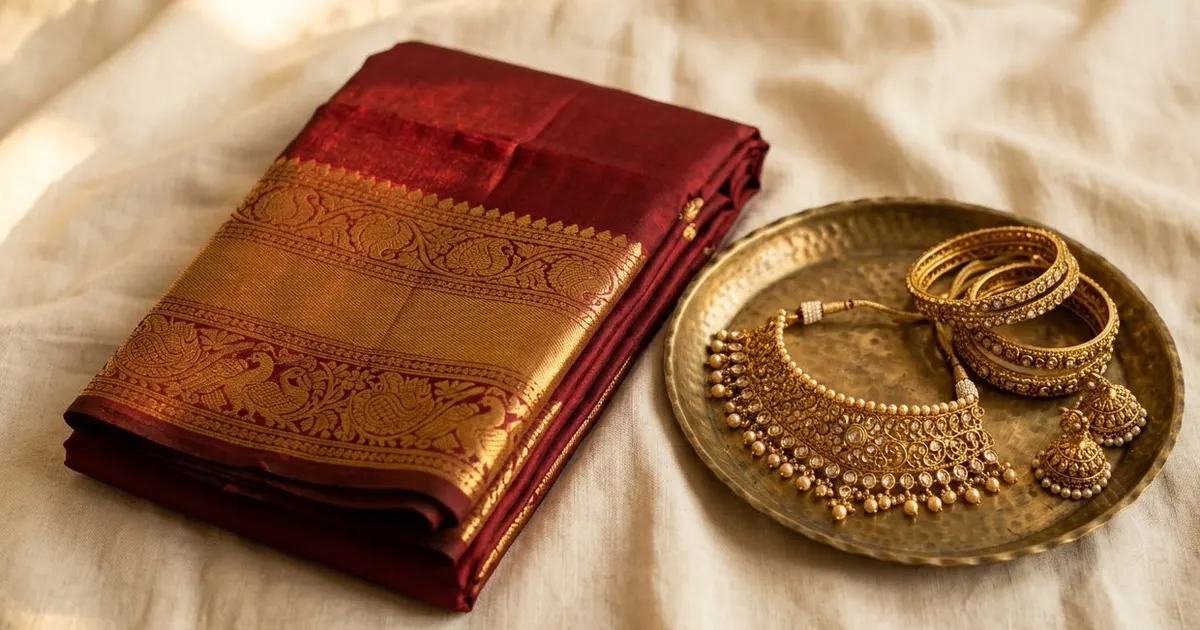
Short answerFor a saree portrait, name the drape style, fabric and setting, and ask for natural fabric texture and realistic jewellery reflections. For jewellery, use a macro lens description, a plain or soft-blurred backdrop, and ask for sharp, true-to-colour metal and stone detail.
Wedding season and the run-up to Diwali both mean the same thing for a lot of people: new sarees, new jewellery, and photos to go with them. Not everyone has a studio or a professional shoot booked, and AI tools are genuinely good at both the portrait side and the product side of this, if you give them the right details.
A realistic saree portrait
The mistake: asking for "a saree photo" and getting something that looks painted on, with fabric that doesn't fall or fold like real cloth.
The fix: describe the drape, the fabric, and the light, the way a photographer's brief would:
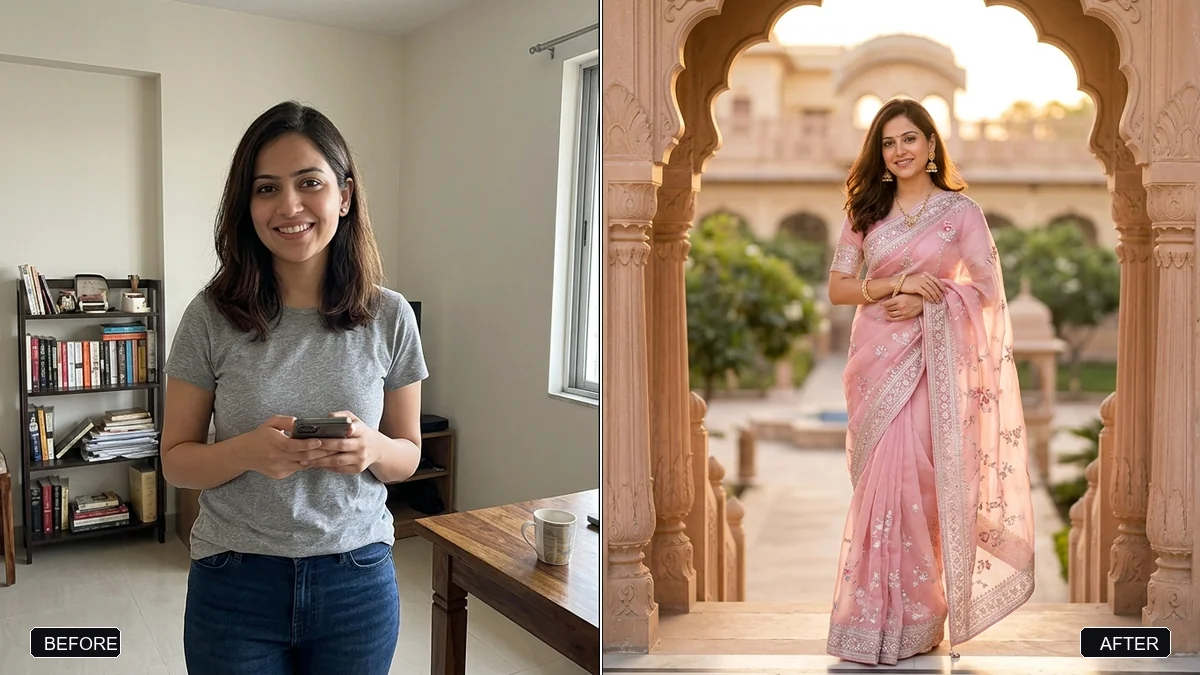
A realistic photo of [DESCRIBE PERSON] wearing a [COLOUR] [FABRIC, e.g. silk, chiffon, banarasi] saree, draped in [STYLE, e.g. traditional Nivi style] with the pallu over one shoulder. Natural fabric folds and movement, visible weave texture, true-to-life colour.

Setting: [LOCATION, e.g. a sunlit courtyard, a softly lit indoor hall]. Soft, flattering light. Keep the face and features exactly the same as the reference photo.
The realistic saree photoshoot prompt is built around this, and naming the fabric type specifically (silk catches light very differently to cotton or chiffon) makes a bigger difference than most other details in the prompt.
Getting jewellery to look right on the body
Jewellery in AI portraits often comes out either too flat or oddly shiny. Ask for it directly:
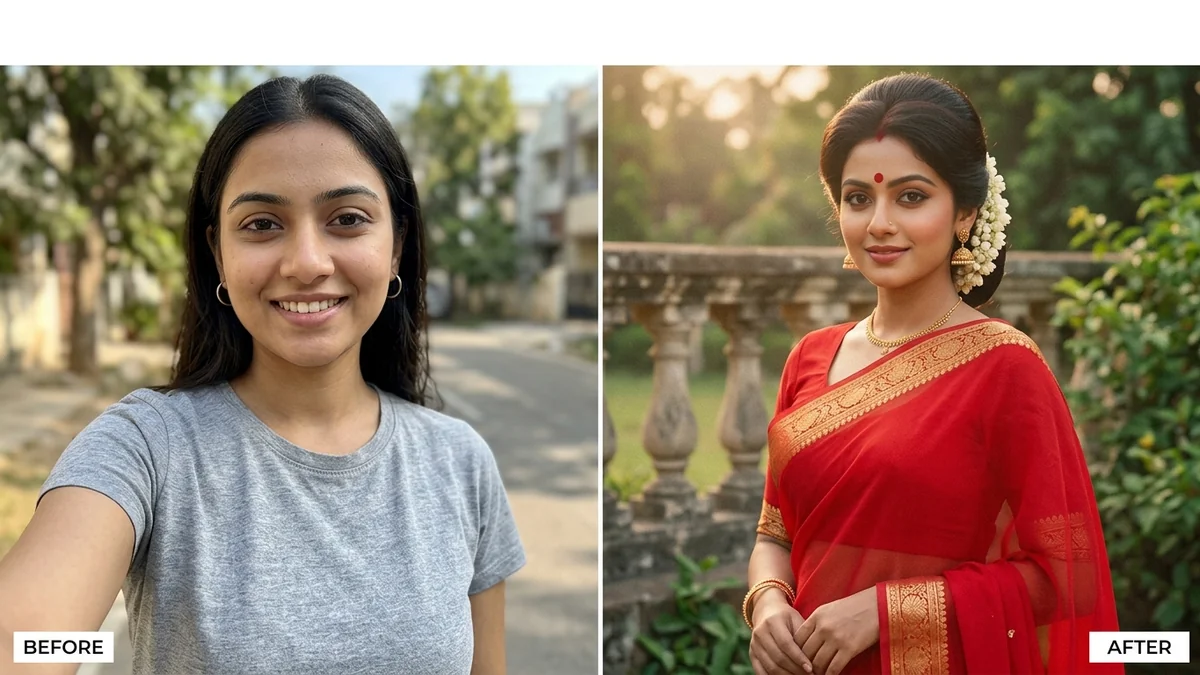
Render the [JEWELLERY, e.g. gold temple necklace, jhumka earrings] with realistic metal reflections and natural shadow under each piece where it rests on the skin or fabric. Keep stones and enamel colours accurate, not oversaturated.
Add this as a line inside your saree portrait prompt rather than as a separate instruction afterwards, since the lighting on the jewellery needs to match the lighting on the rest of the photo.
A standalone jewellery product shot
For selling or showcasing a piece on its own, product photography rules apply, and a close-up, macro-style shot sells detail better than a full portrait:
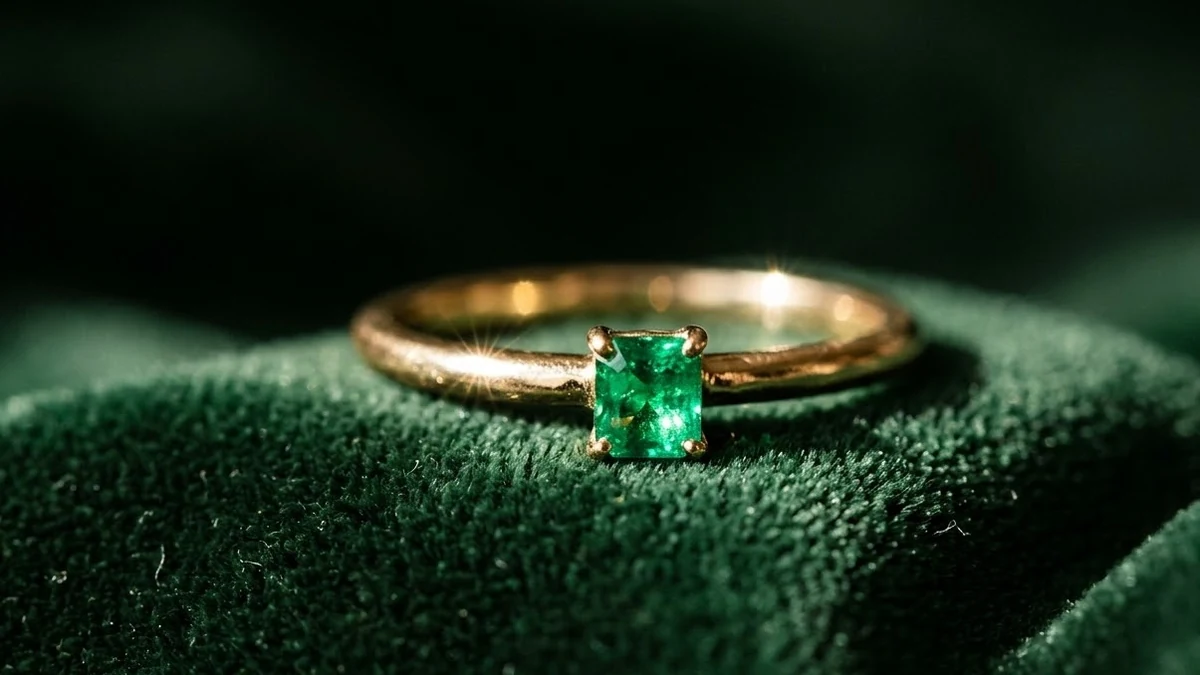
A macro product photo of [JEWELLERY PIECE], shot close-up on a [SURFACE, e.g. dark velvet, soft grey fabric]. Studio lighting with a soft highlight along the metal edges and a gentle shadow beneath the piece. Sharp focus on the stones and fine detailing. No hands, no background clutter.
The luxury jewellery macro shot prompt follows this structure, and leaving the background plain or very softly blurred keeps attention on the piece rather than the setting.
Fixing flat or dull light
Symptom: the saree and jewellery look correct, but the overall photo looks dull or evenly lit, like a passport photo.
Fix: ask for a specific, directional light instead of generic "good lighting". Golden hour light does a lot of the work for festive photos, since it adds warmth that suits gold jewellery and rich fabric colours:
Relight this photo with warm, low golden-hour sunlight coming from one side. Add soft highlights on the jewellery and fabric, and a gentle warm glow on the skin. Keep the person and pose exactly the same.
The golden-hour relight prompt does exactly this to an existing photo, so you don't need to reshoot from scratch if the light was the only problem.
For a festive, at-home setting
If the photo is for Diwali specifically, a few diyas and warm ambient light carry a lot of the festive feeling without needing a full decorated set. The festive portrait with diyas prompt adds this kind of lighting around the subject while keeping the saree and jewellery as the focus.
A retro variation
For an older, filmier aesthetic rather than a clean modern portrait, the 80s retro saree look prompt applies a period colour grade and softer focus over the same drape and jewellery detail, which suits family photo projects and reels well.
Where to go from here
For the Bollywood-adjacent retro aesthetic that often pairs with saree portraits, see 90s Bollywood AI photo prompts. Browse more options in the photo editing prompts collection, or build a custom version with the prompt builder.
Quick checklist
- Name the fabric type, not just the colour.
- Describe the drape style if it matters to you.
- Ask for realistic metal reflections and shadow under jewellery.
- Use a macro, close-up description for standalone product shots.
- Fix dull lighting with a specific, directional light, such as golden hour.
Comments
No comments yet. Be the first to share what worked for you.