- Updated
Realistic saree photoshoot
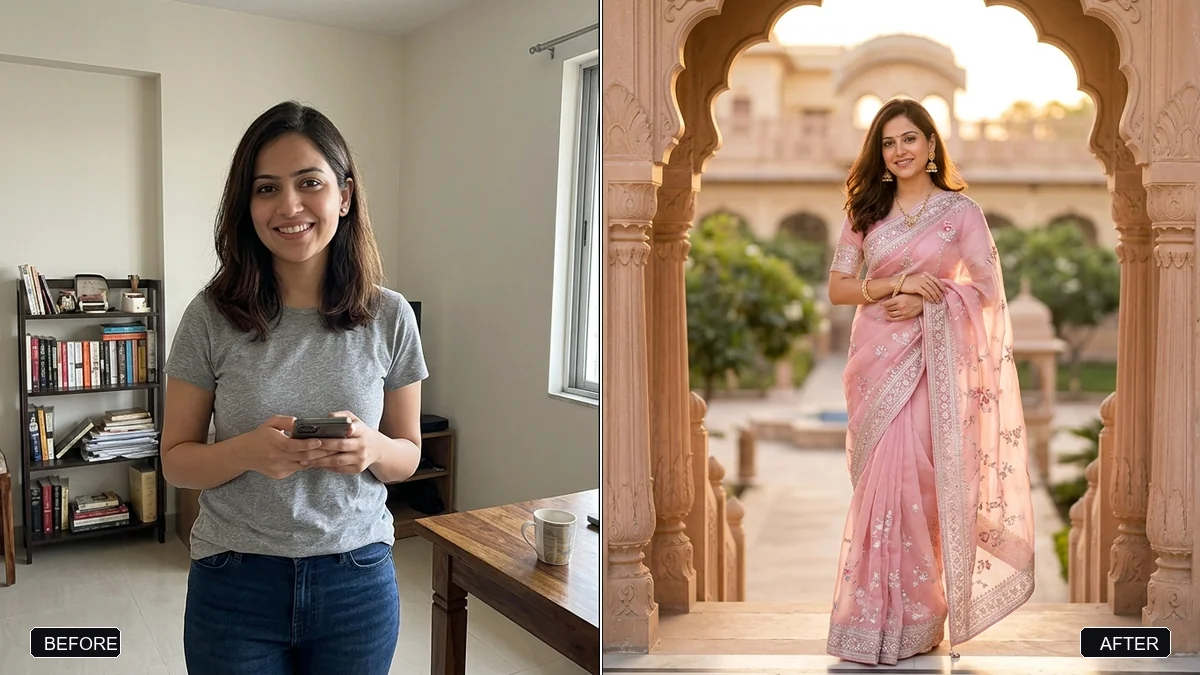
This prompt builds a realistic saree photoshoot using the woman in your photo. You choose the saree, for example pastel-pink organza with silver embroidery, and the location. Her face, identity, skin tone and body shape stay the same.
Create a realistic saree photoshoot using the woman in this photo. Keep her face, identity, skin tone, and body shape exactly the same.

Saree: [SAREE, e.g. a pastel-pink organza saree with silver embroidery]. Location: [LOCATION, e.g. a heritage palace courtyard at golden hour]. Pose: natural and candid, gently holding the pallu.

Professional photography: soft golden-hour backlight, 85mm lens, creamy bokeh, natural skin texture, and true-to-life fabric detail. Portrait 4:5.
For festive shoots, add “diyas and marigold decorations in the background”.
Your photo goes to the AI app you choose, never to PromptUp.
Get a better result
A realistic 4:5 saree portrait in the fabric you describe, set in a location at golden hour, with a candid pose holding the pallu, soft backlight and visible fabric detail, keeping the woman’s face.
Your body shape or skin tone changes along with the saree.
Fix: Keep “face, identity, skin tone and body shape exactly the same” in the prompt, and use a full-length or half-length photo.
- The pleats and the pallu fall unnaturally. Describe the drape: “pleats neat at the front, pallu over the left shoulder”. A half-length or full-length photo gives the model more to follow.
- The embroidery or border turns into a blur. Say what the pattern is: “thin silver zari border, small floral motif”. Specific wording gives sharper detail.
- Jewellery appears that you never asked for. State the jewellery you want, or “no jewellery apart from small studs”. Otherwise the AI may add a heavy set.
Use the tip and add “diyas and marigold garlands in the background, warm lamp light”. Keep the saree to one colour so the decorations do not clash with it.
Keep my exact face, skin tone and body shape from the original photo. Change only the saree and the location.
Guides that use this prompt
More photo editing prompts
See all 334 →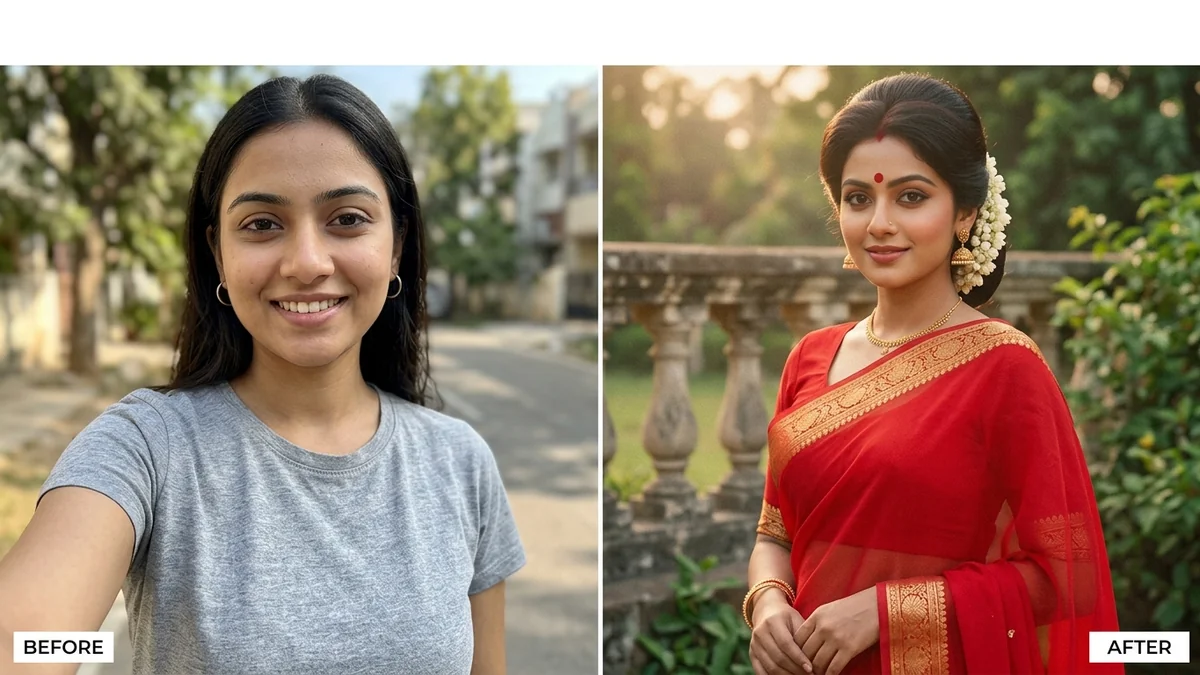
More like this
- Pongal traditional portraitGemini · ChatGPT
- Festive ethnic look photoshoot (Higgsfield Soul)Higgsfield
- Saree flat lay for a catalogueGemini · ChatGPT · Midjourney
- Durga Puja pandal portraitGemini · ChatGPT
- Saree boutique promoVeo · Kling · Seedance