- Updated
Saree flat lay for a catalogue
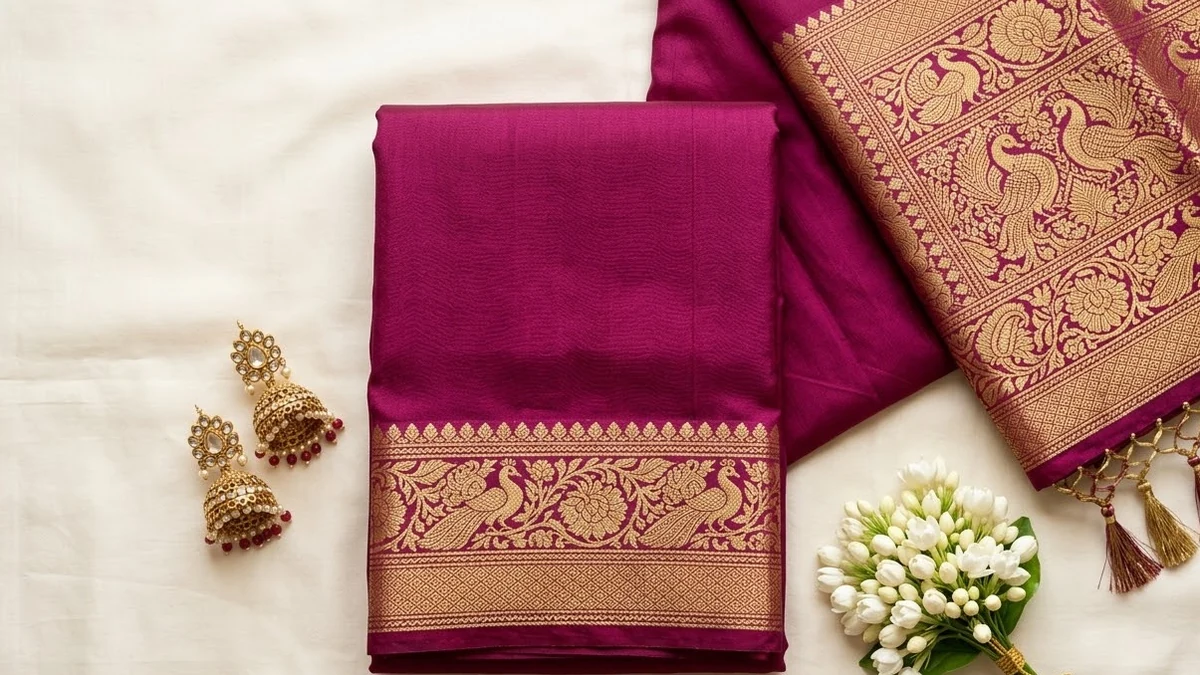
This prompt shows a folded silk saree with a zari border and the pallu partly unfurled, with matching jewellery and a small bunch of jasmine.
Catalogue flat lay of a folded [COLOUR] silk saree with a rich [GOLD / SILVER] zari border and pallu partly unfurled, matching jewellery and a small bunch of jasmine, on a clean cream background, soft even light, sharp fabric detail, boutique product photography. --ar 4:5
Photograph the drape and the border separately for a product page.
Get a better result
A 4:5 catalogue-style flat lay: a folded silk saree in your colour with a zari border and part of the pallu unfurled, matching jewellery and a bunch of jasmine on cream, in soft even light.
You use the picture to sell a real saree, but it shows a different one.
Fix: Use an AI picture for mood, banners and ads, not as the listing photo of a real product. Buyers who receive a different saree return it and leave bad reviews.
- The fold looks like a towel, with no neat pleats. Ask for “neatly folded in even layers with the pallu fanned out, the zari border visible along the edge”.
- The jewellery and flowers steal attention from the saree. Say “the saree takes 70 percent of the frame, the jewellery is small and sits in one corner”.
Ask for “a macro close-up of the zari border, the weave of gold thread visible, soft light from one side”. A detail shot works as the second image of a listing.
Keep the cream background. Fold the saree in even layers, fan out the pallu, show the zari border clearly and make the jewellery small in one corner.
Guides on this topic
More image generation prompts
See all 347 →
More like this
- Furniture catalogue photoMidjourney · Gemini · ChatGPT
- Gym equipment catalogue imageGemini · ChatGPT · Midjourney
- Clothing on a hanger to a flat layGemini · ChatGPT
- Realistic saree photoshootGemini · ChatGPT
- Overhead food flat-layMidjourney · Gemini · ChatGPT