- Updated
Chibi 3D figurine prompt for Gemini & ChatGPT
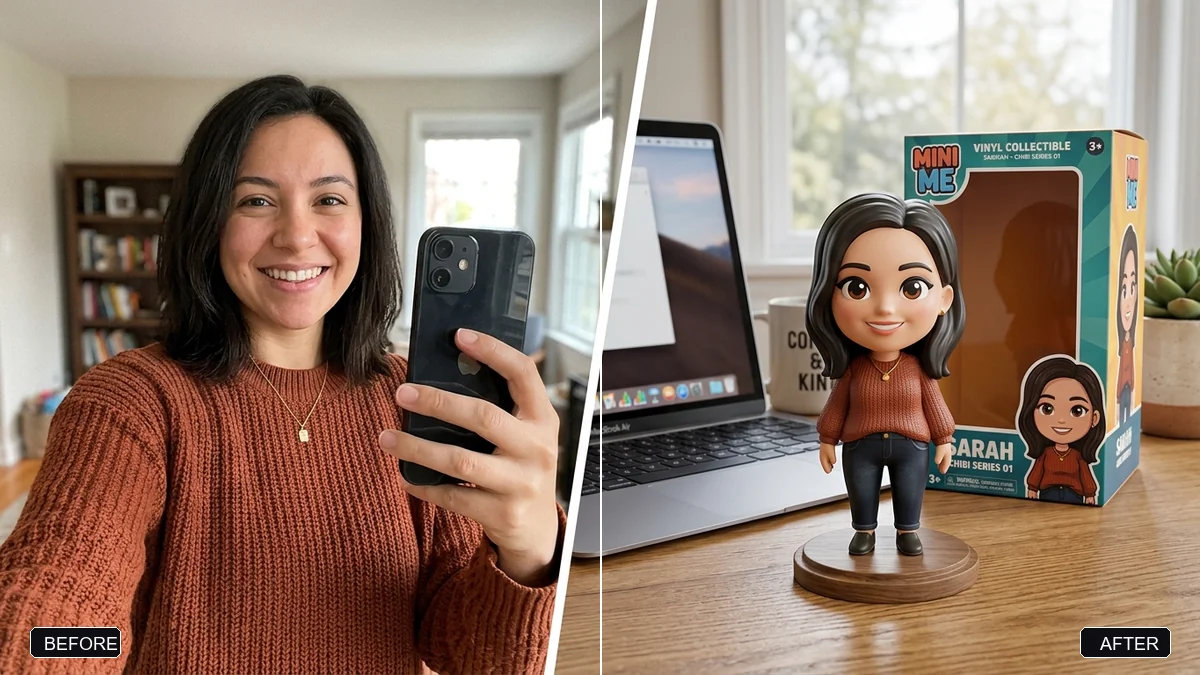
This prompt turns the person in your photo into a cute chibi-style 3D collectible figurine with a big head and small body, placed on a desk with its illustrated box behind it and a screen showing the 3D model. It keeps recognisable features such as face shape, hairstyle and outfit colours.
Turn the person in this photo into a cute chibi-style 3D collectible figurine with a big head and a small body. Keep my recognisable features: face shape, hairstyle, glasses (if any), and outfit colours.

Place the figurine on [DESK, e.g. a wooden desk next to a laptop], with its illustrated collector's box standing behind it and a computer screen showing the 3D model.

Realistic product photography: soft daylight, shallow depth of field, glossy PVC material.
Change “chibi” to “realistic 1/7 scale” for a premium collectible look.
Your photo goes to the AI app you choose, never to PromptUp.
Get a better result
A glossy chibi-style 3D collectible figurine of you with a big head and a small body, on a desk next to a laptop, with its collector’s box standing behind it and a screen showing the 3D model.
The figurine is cute but does not look like you.
Fix: Keep your glasses, hairstyle and outfit colours in the prompt. Those are what make a tiny chibi face recognisable.
- The box and the screen show gibberish text. Add “no text on the box or the screen, only pictures”, and add real names later in an editor.
- The figurine looks like a soft toy rather than a premium collectible. Add “smooth glossy PVC, fine painted details, a round clear base”. Material words make it look like a product.
- The scene looks like a flat cartoon instead of a photograph. Repeat the photographic wording: “a real product photo on a real desk, shallow depth of field”.
Ask for “a limited edition with a clear acrylic base and a small plaque”. A base and a plaque make it look more like a premium collectible.
Make the figurine look more like me: same hairstyle, glasses, face shape and outfit colours as in my photo.
Guides that use this prompt
More photo editing prompts
See all 334 →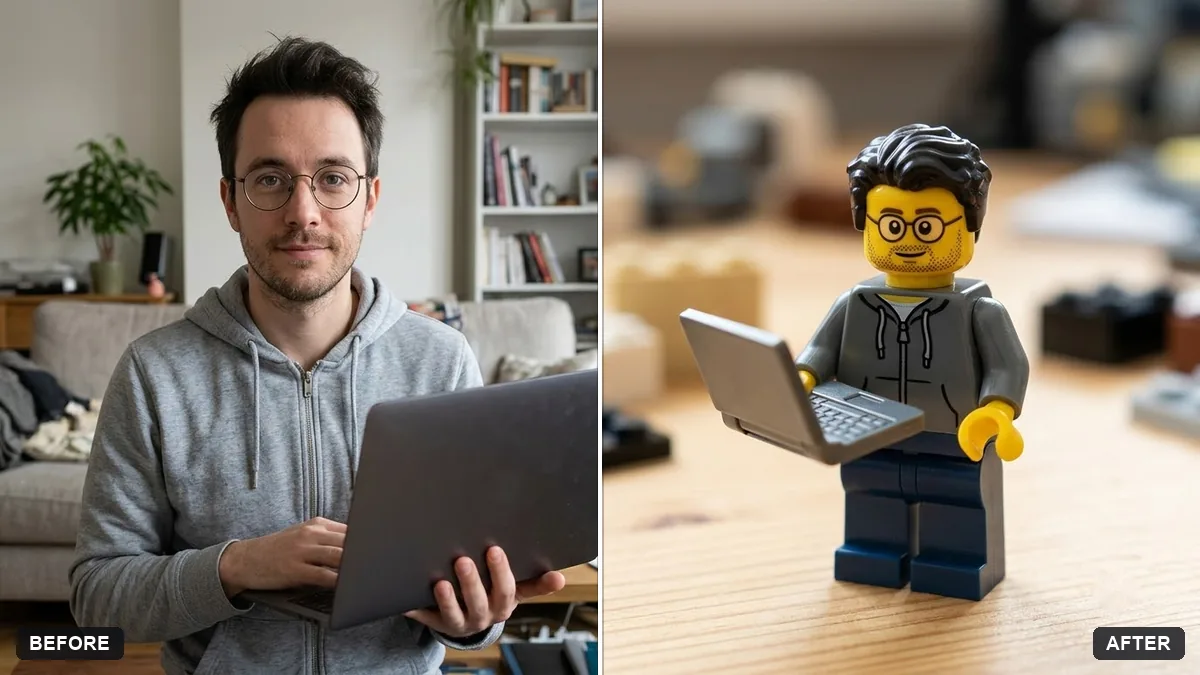
More like this
- Tiny chibi me in your handSeedance · Kling
- Travel photo at a famous landmarkGemini · ChatGPT
- Claymation character versionGemini · ChatGPT
- Hand-painted animated film styleGemini · ChatGPT
- Become a 3D animated movie characterGemini · ChatGPT