AI sticker prompts: make WhatsApp stickers of yourself, your pet or your family
Published
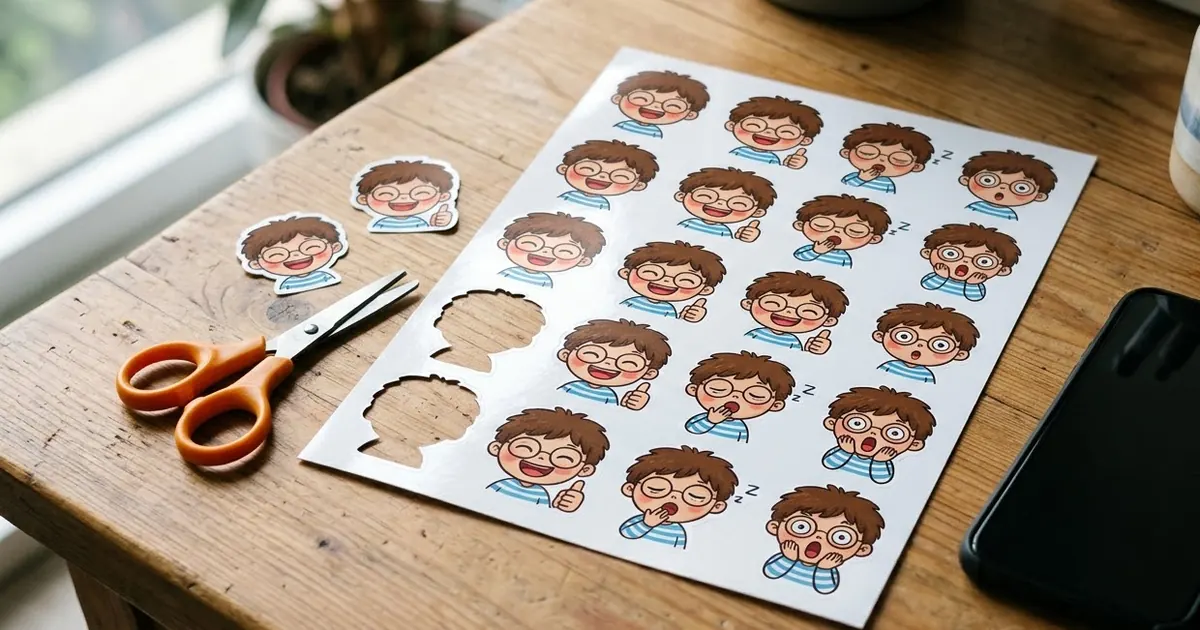
Short answerAsk for a grid of 6-9 chibi stickers of the person in your photo, each with a different expression, a thick white border and a plain background. Then cut them out with a free sticker maker and add them to WhatsApp.
Chibi figures are one of the biggest AI image trends of 2026. Analytics Insight lists chibi action figures among the viral ChatGPT edits of the year. The most useful version isn't a figure on a desk, though. It's a pack of stickers of yourself that you can use every day in WhatsApp chats.
With festival season coming, a personal sticker pack for Diwali wishes, "on my way" and "LOL" is a nice thing to have. Here's how to make one.
The main prompt
This is based on our sticker avatar set prompt:
Create a sticker sheet of the person in this photo as a cute chibi character: big head, small body. Keep my hairstyle, glasses (if any), skin tone and outfit colours.

Make [NUMBER, e.g. 9] stickers in a 3x3 grid, each with a different expression or action:
[LIST, e.g. laughing, thumbs up, crying with joy, angry, sleepy, thinking, waving hello, heart hands, facepalm].

Each sticker has a thick white die-cut border and plenty of space around it. Plain flat light-grey background. Bright, clean colours. No text.
The white border and space between stickers make the next step much easier.
Sticker ideas people actually use
A pack people use every day needs everyday reactions:
- Replies: OK, thumbs up, no way, on my way, done.
- Emotions: laughing, crying, angry, shocked, love.
- Daily life: sleepy with tea, eating, working on a laptop, stuck in traffic.
- Festivals: holding a diya, bursting a phuljhari, wearing new clothes, eating sweets.
Pick nine per sheet. More than that and each sticker gets too small and loses the face.
Words on stickers
Stickers like "OK" or "Happy Diwali" are popular, but AI often misspells text. Two options:
- Keep the prompt at "No text" and add words yourself in the sticker app.
- Ask for one short word per sticker and check each one. Short, common words usually come out right.
Turn the sheet into WhatsApp stickers
- Save the sticker sheet to your phone.
- Open a free sticker maker app, or on iPhone long-press the subject in Photos to lift it out.
- Crop each sticker. The white border and plain background make the auto-cutout clean.
- Add them to a pack and send it to WhatsApp. A pack needs at least three stickers.
Remove the plain background during the cutout. Some AI tools will say they made a "transparent background" when the background is really a grey checkerboard pattern drawn into the picture.
Other sticker packs
- Your pet: swap the person for your dog or cat. The cute cat sticker set is a good starting point.
- Emoji style: round, simple faces that look like emojis, with the emoji avatar prompt.
- Family pack: one sheet per family member, all in the same style. Say "same style as the previous sheet" each time.
- Business pack: a mascot for your shop saying thank you, new stock, offer. See the sticker pack prompt.
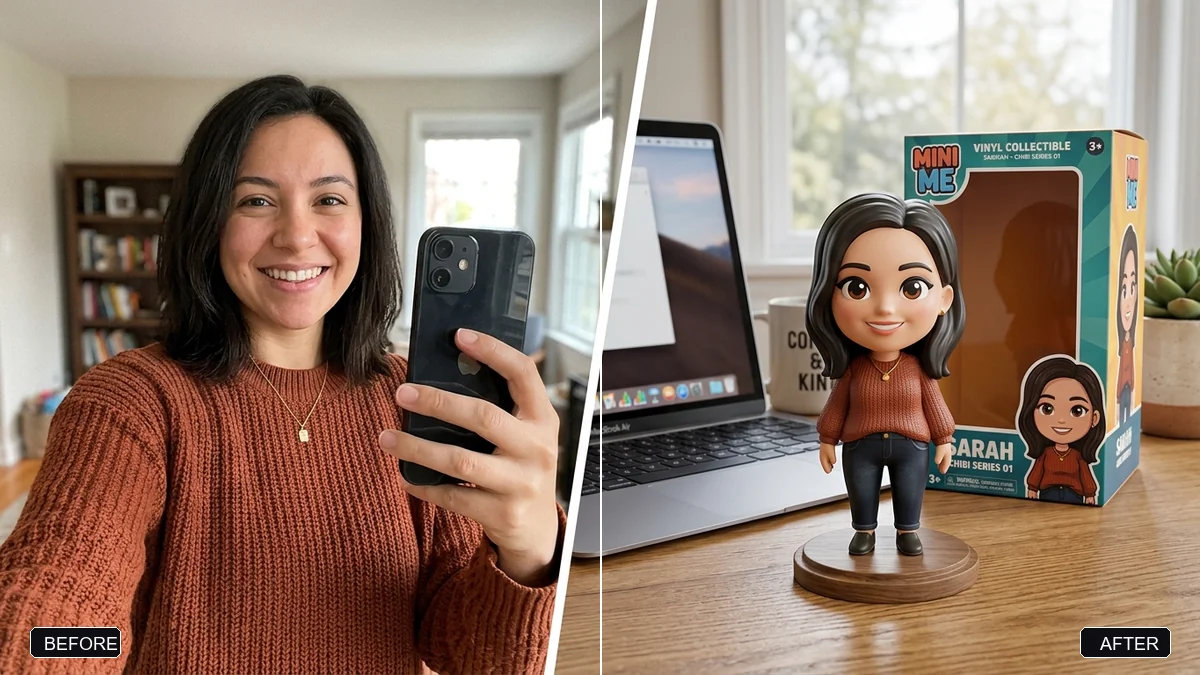
If you'd rather have a 3D figure on a desk, the chibi figurine prompt does that.
Fixing common problems
The stickers don't look like you. Crop your photo to face and shoulders, and name two features to keep, like curly hair or a beard.
Every sticker looks different. Make all the stickers on one sheet rather than one at a time.
The borders touch. Ask for fewer stickers or "lots of space between stickers".
Where to go from here
Read our action figure prompts for the collectible toy trend and the festival greeting poster guide for Diwali wishes. Every prompt here is free in the viral AI photo trend collection, and the prompt builder can write your own sticker list.
Quick checklist
- A clear photo cropped to face and shoulders.
- Nine stickers in one sheet, everyday reactions.
- Thick white borders, plain background, space between.
- Add words yourself.
- Cut out with a sticker app, at least three per pack.

Comments
No comments yet. Be the first to share what worked for you.