The Lofi Dusk AI photo trend, and how to get the look yourself
Published
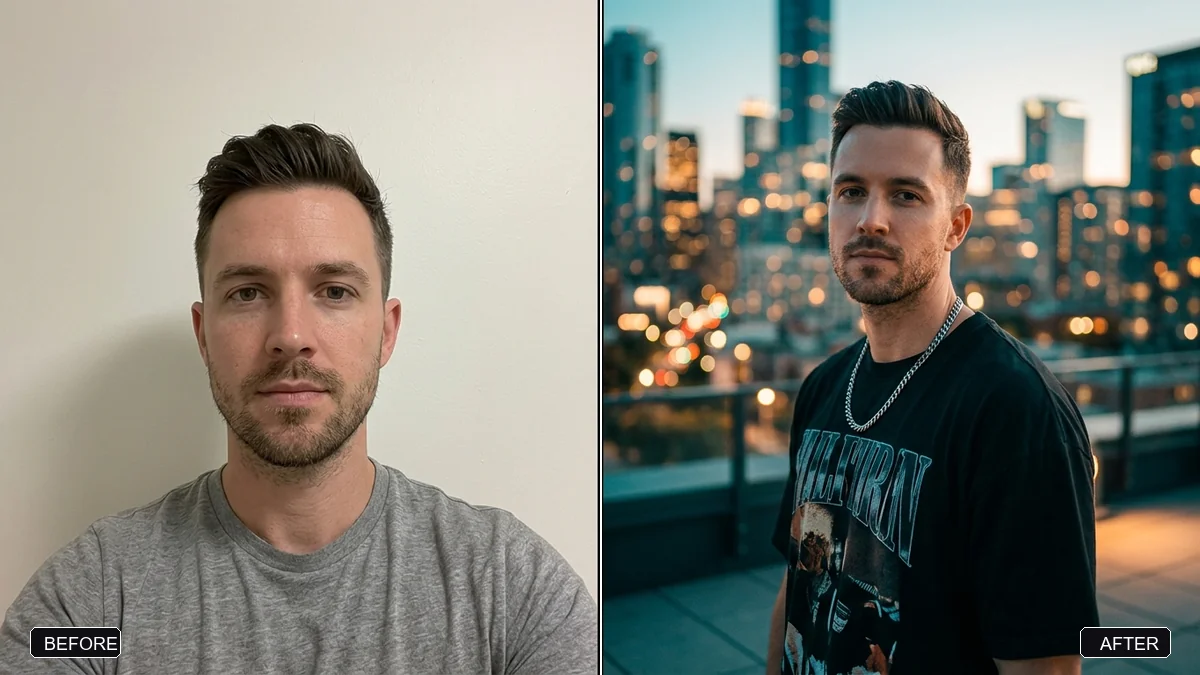
Short answerLofi Dusk is a viral AI portrait style: a selfie re-lit as a dusk or blue-hour shot with a harsh on-camera flash, neon glow and visible film grain. Ask for all three together, and keep your face unchanged.
Full collection1980s retro photo prompts for Gemini & ChatGPT9 prompts with examples, steps and fixes →A new AI portrait style is doing the rounds on Instagram: Lofi Dusk. It takes an ordinary selfie and turns it into something that looks like a still from a low-budget music video, shot at dusk with a cheap flash and old camera film. Several AI photo tools now sell it as a one-tap filter, but the same look comes from a plain prompt in Gemini or ChatGPT, for free (Analytics Insight).
This guide breaks down what the look is actually made of, so you can write the prompt yourself instead of relying on an app's fixed version.
What "Lofi Dusk" actually means
The name describes three things layered on top of each other, and all three need to be in your prompt:
- Dusk or blue-hour light. The sky is dark blue, not black, with just a little warmth left at the horizon.
- A flash, not natural light. A direct, slightly harsh on-camera flash lights the subject, the way a cheap point-and-click camera would at night.
- Grain and a touch of neon. Visible film grain, plus a hint of colour from streetlights, shop signs or a passing car.
Ask for "a moody evening photo" and you'll get something generic. Naming the light, the flash and the grain separately is what makes it recognisable as this specific look, according to Analytics Insight's coverage of the trend, which also notes that photos taken at actual sunset or at night tend to give the AI a better starting point.
The core Lofi Dusk prompt
Upload a recent, clear photo of yourself and paste this:
Re-light this photo as if it was taken at dusk, just after sunset, with a direct on-camera flash. Keep my face, hairstyle and outfit exactly the same.

Dark blue sky with a faint warm glow at the horizon, harsh flash on my face with slightly blown-out highlights, a hint of neon or streetlight colour in the background, visible film grain, and a touch of motion blur at the edges.

Avoid: daylight, a clean studio look, smooth AI skin, and any change to my face.
The "avoid" line matters as much as the rest. Without it, most tools quietly smooth your skin back to the default AI finish, which kills the cheap-camera feel the trend is going for.
Build it up in layers if the first try looks off
If the one-shot prompt above comes out too clean, or too dark, it usually helps to fix the light first and add the flash and grain afterwards.
Step 1: set the dusk light. The golden-hour relight prompt is written for warm evening light rather than blue dusk, but the structure works the same way: describe the time of day and the direction of the light, then tell the AI to leave your face and pose alone. Swap "golden hour, 30 minutes before sunset" for "dusk, 15 minutes after sunset, dark blue sky" and you have the right base to build on.
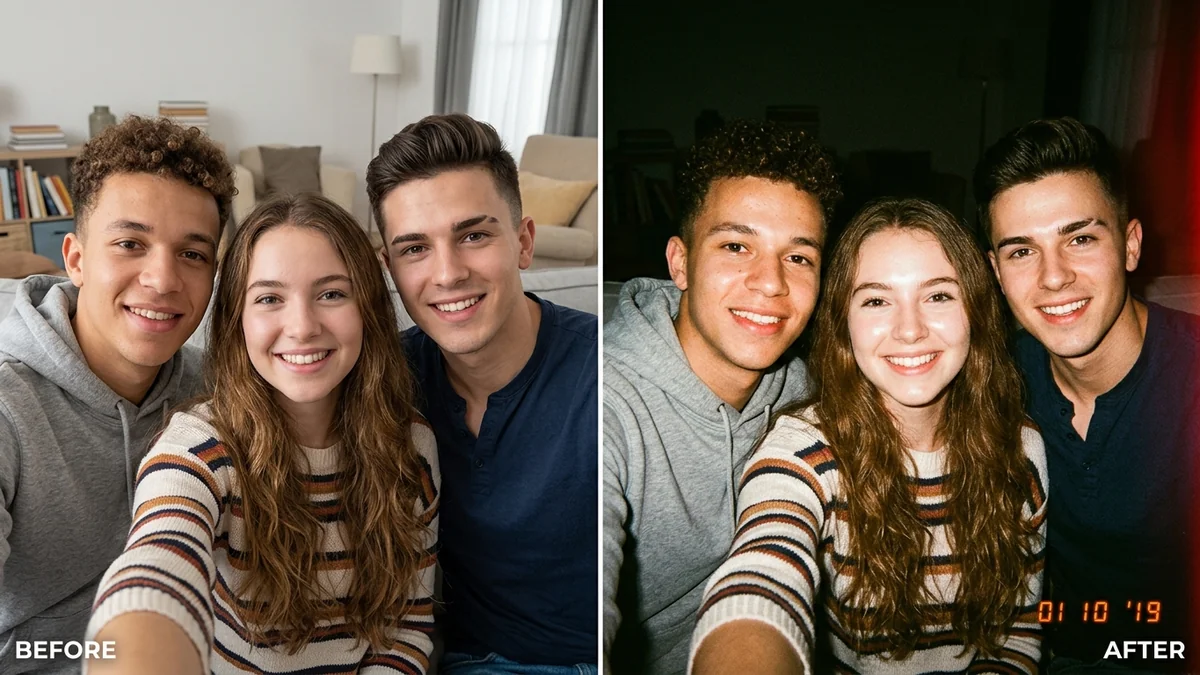
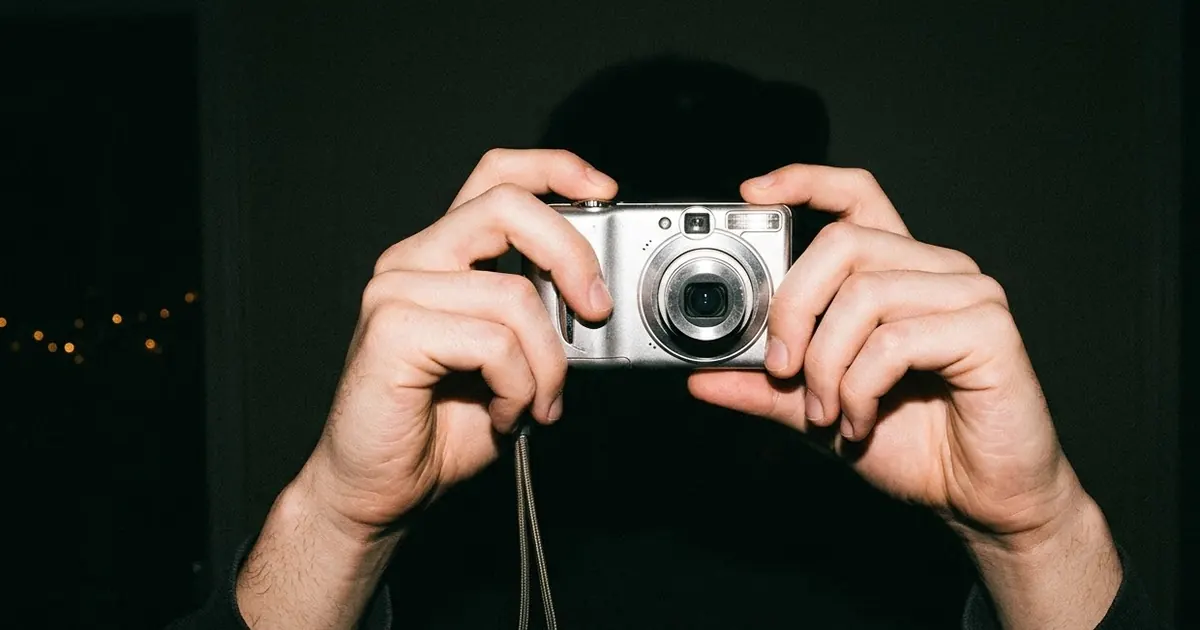
Step 2: add the flash and the grain. This is where the disposable camera flash prompt does the heavy lifting. It's built for exactly this combination: a harsh direct flash, blown-out highlights, dark falloff behind the subject, visible grain and a warm colour cast. Run it on top of your dusk-lit photo rather than the original, and the two effects stack properly instead of fighting each other.
A more editorial version
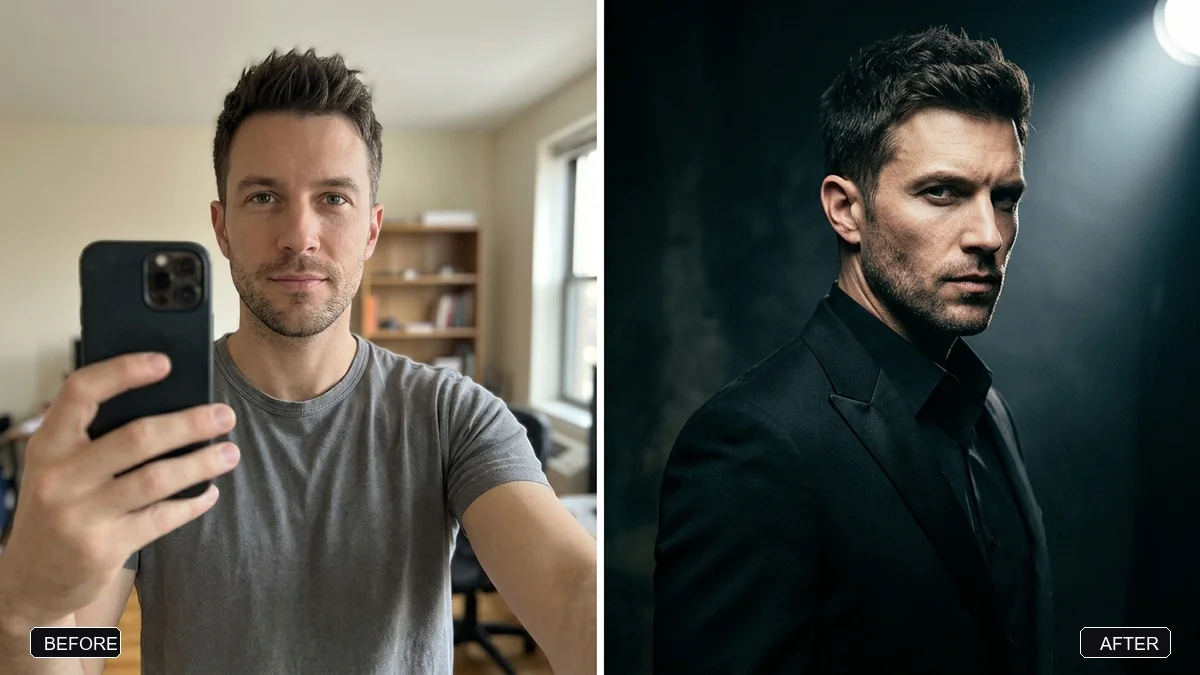
Lofi Dusk also has a cleaner cousin that trades the disposable-camera chaos for a moodier, more styled look, closer to a music video still than a candid party photo. For that version, start from the cinematic editorial prompt and change the setting to a dusk street scene:
Transform this photo into a moody editorial portrait at dusk. Keep my face, facial features, skin tone and hairstyle exactly the same.

Setting: a quiet city street just after sunset, with neon shop signs and streetlights starting to glow. Cinematic lighting with deep shadows, 85mm lens, shallow depth of field, rich contrast, subtle film grain and a teal and amber colour grade. Portrait 4:5.
This keeps more control over the mood and works well if you want a single standout portrait rather than a whole set of casual-looking shots.
For a real 2000s camera feel
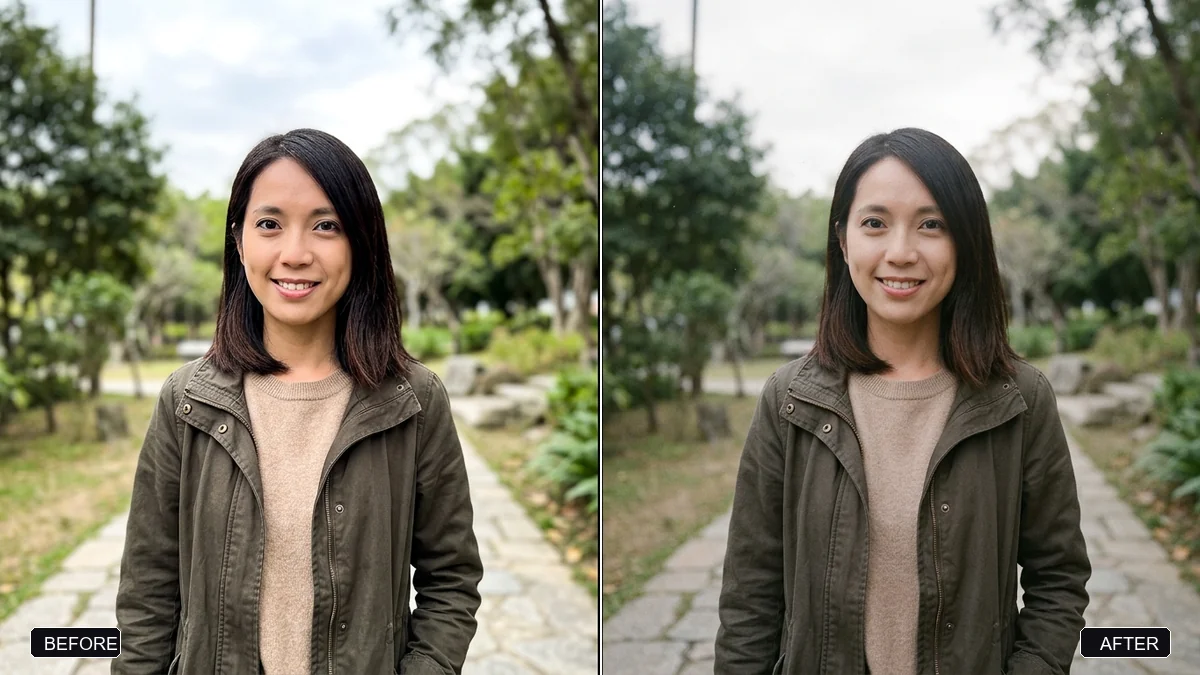
If you want the grain and colour to look like an old CCD compact camera rather than a modern phone, name the film stock or camera type instead of just saying "vintage." The real analog film look prompt is built for this: it asks for a specific film stock, natural grain, halation around lights and realistic skin texture, and explicitly tells the AI to avoid plastic skin and over-sharpening. Swap in "Kodak Gold 200" or describe "a cheap 2000s digital compact camera" instead of a film stock for a slightly different, more digital-flash feel.
Posting it to Instagram Stories or Reels
Because the trend lives on Instagram, it's worth generating the shot in the right shape from the start. The Instagram story prompt sets up a vertical 9:16 frame with space left at the top for text, which saves you cropping a square or landscape result afterwards and losing part of the scene.
Fixing common problems
It still looks too clean. Add "do not smooth my skin" and "visible, slightly rough grain, not a soft filter" to the end of your prompt.
The flash looks painted on, not real. Ask for "a single harsh point-source flash from the camera position, not even studio lighting."
The colours are too orange or too blue. Nudge the balance directly: "slightly cooler" or "slightly warmer," rather than describing a whole new colour scheme.
It changed your face. Add "keep my exact face, eyes and nose unchanged" near the start of the prompt, and repeat it if the first result drifts.
It's overdone. Ask for "the same effect, but about half as strong." Subtle usually reads as more convincing than heavy-handed.
Where to go from here
Lofi Dusk sits in the same family as the wider move away from polished AI photos. If you like it, the film look trend covers the daytime version with warm film stocks and lifted blacks instead of flash and neon. You'll find all the prompts above, plus more portrait styles, in the photo editing prompts collection, and the prompt builder can write a custom version if you want a specific setting or outfit.
Quick checklist
- Name dusk or blue-hour light, not just "evening."
- Ask for a direct flash, not soft or studio lighting.
- Add visible film grain and a hint of neon colour.
- Tell the AI what to avoid: smooth skin, daylight, a clean studio look.
- Keep your face unchanged, and say so clearly.
- Generate it vertical (9:16) if it's going straight to a Story.
Prompts to try
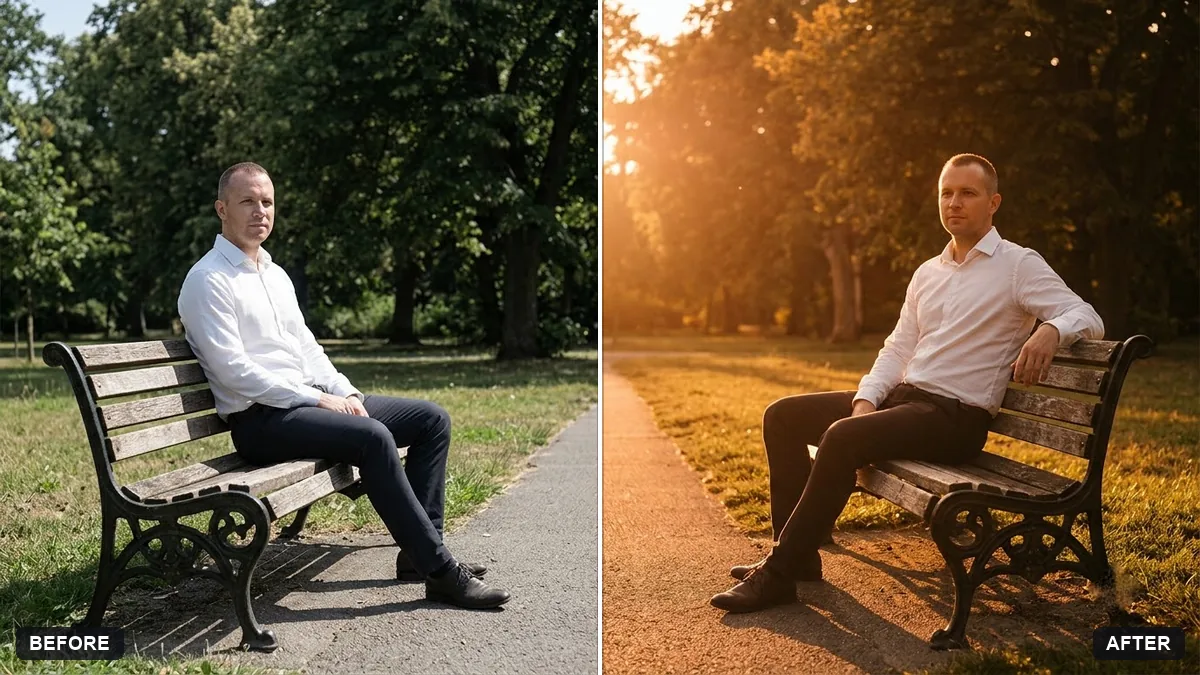 Relight a flat photo with golden-hour lightGemini · ChatGPT
 Trending
Disposable camera flash party photoGemini · ChatGPT
 Trending
Cinematic luxury editorial portraitGemini · ChatGPT
 Trending
Real analog film look (anti-AI aesthetic)Gemini · ChatGPT
 Trending
Stylish Instagram story photo (9:16)Gemini · ChatGPT
More prompts on this topic
- Turn this week's trends into content ideasChatGPT · Gemini · Claude
Comments
No comments yet. Be the first to share what worked for you.