- Updated
Clear crowds from a beach photo
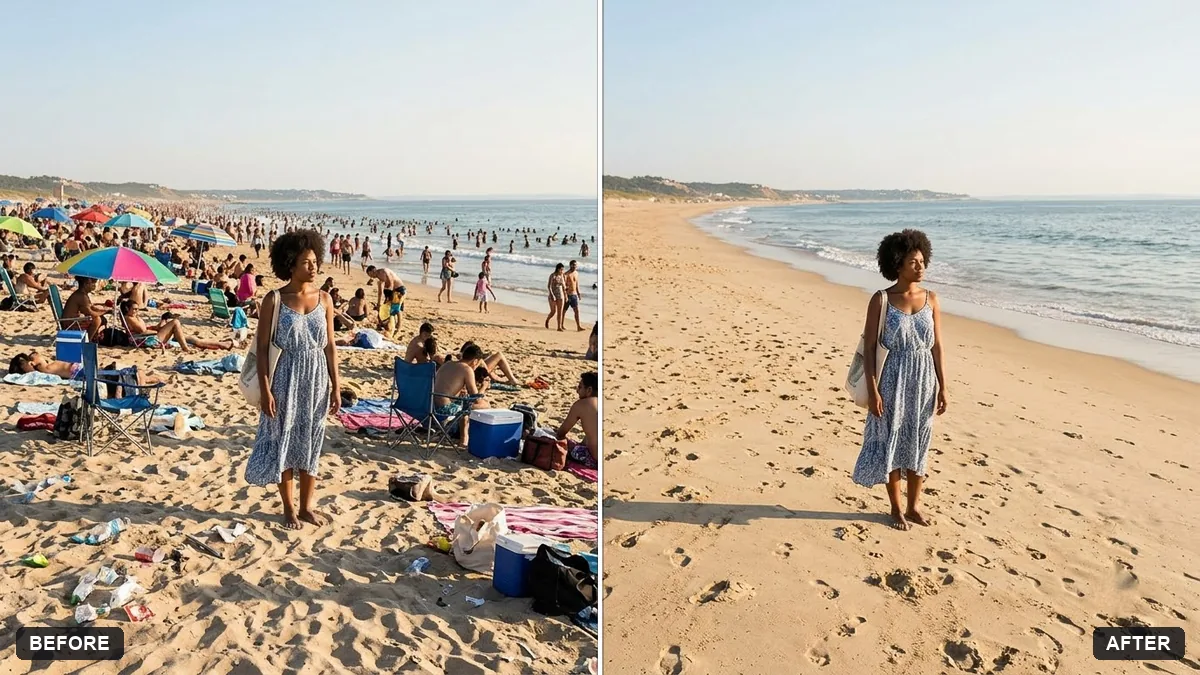
This prompt removes the crowds, umbrellas and litter from a beach photo and rebuilds clean sand and waves, leaving the person or people you name as the only subject.
Remove the crowds of people, umbrellas and litter from this beach photo, leaving [ONE PERSON: ME] as the only subject. Rebuild clean sand and waves naturally.

Keep the sky, sea and lighting unchanged.
Ask to keep the footprints and a few natural traces for realism.
Your photo goes to the AI app you choose, never to PromptUp.
Get a better result
Your beach photo with crowds, umbrellas and litter removed, you as the only subject, clean sand and waves rebuilt naturally, and the sky, sea and lighting unchanged.
Removing crowds means the AI has to rebuild what was hidden, so the prompt asks for clean sand and waves made naturally. Keeping the sky, sea and light unchanged ties the new parts to the original. You stay as the only subject, and a few footprints, as the tip says, keep it believable.
Shadows or footprints from the removed crowd stay behind.
Fix: Add “remove shadows and footprints made by the removed people, keep a few natural marks near me”, as the tip suggests.
- The sand has a copy-pasted, repeating texture. Ask for “natural sand with varied ripples and a few small shells, no repeating patches”.
- The waterline bends where people were removed. Say “keep the horizon and the waterline straight and continuous across the whole photo”.
Keep a friend too by changing the first line to “leaving me and my friend in the blue shirt as the only subjects”. Describe both clearly, or one of you may be removed.
Keep everything else exactly as in the original photo. Only change what I asked for.
Guides on this topic
More photo editing prompts
See all 334 →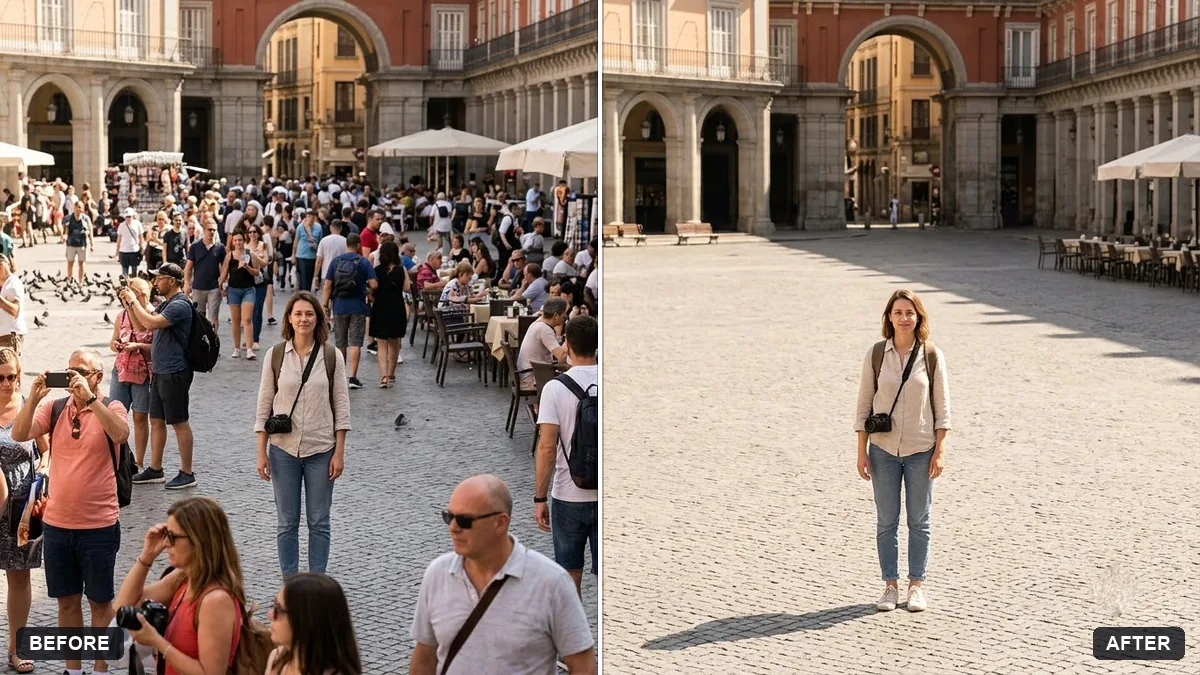
More like this
- Remove reflections from window shotsGemini · ChatGPT
- Blur strangers in the backgroundGemini · ChatGPT
- Remove a photobomberGemini · ChatGPT
- Remove unwanted lens flareGemini · ChatGPT
- Remove glare from eyeglassesGemini · ChatGPT