- Updated
Remove parked cars from a street photo
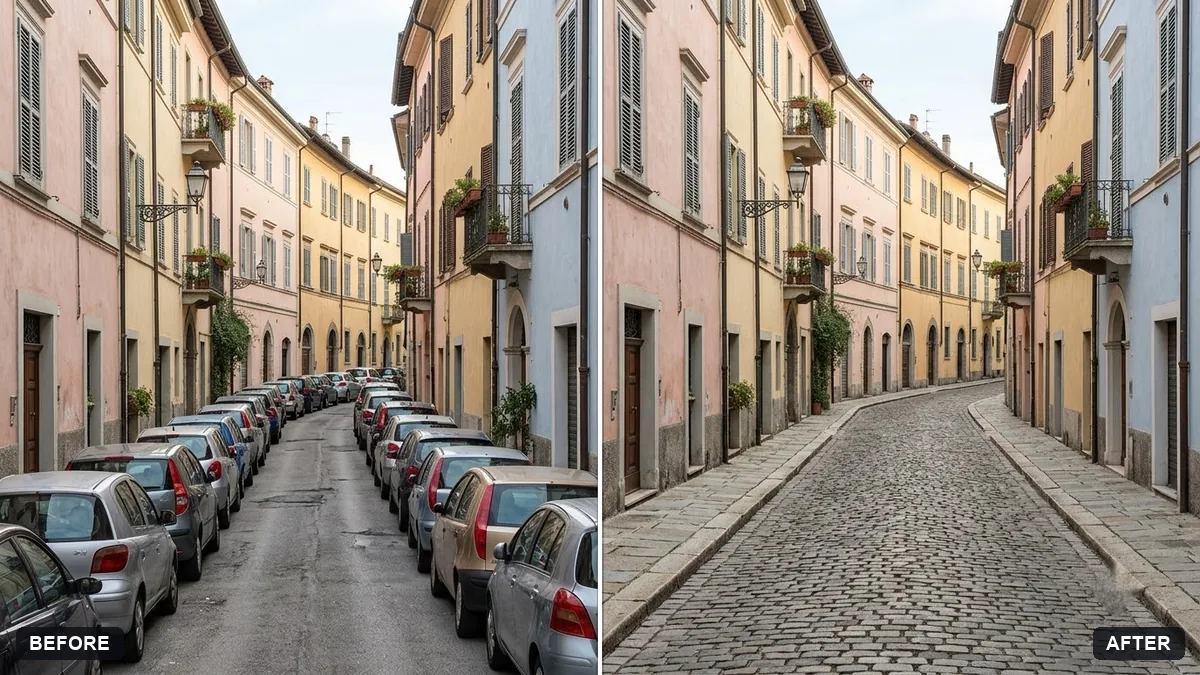
This prompt removes parked cars and rebuilds the road, kerb and building bases naturally, including shadows and reflections.
Remove all parked cars from this street photo and reconstruct the road, kerb and building bases behind them naturally, including shadows and reflections.

Keep the buildings, trees and lighting exactly the same. Extra instructions: [ANY DETAIL TO KEEP OR AVOID].
Ask for shadows on the road to be removed too, so it looks natural.
Your photo goes to the AI app you choose, never to PromptUp.
Get a better result
Your street photo without the parked cars, with the road, kerb and building bases rebuilt behind them, including shadows and reflections, while the buildings, trees and lighting stay as they were.
Removing cars means rebuilding the road, kerb and building bases behind them, including their shadows. The prompt keeps buildings, trees and light exactly the same. Removing car shadows too, as the tip says, avoids ghost marks.
Shadows or reflections of the cars are left on the road.
Fix: Follow the tip and say “remove the cars’ shadows and any reflections on the ground and shopfronts too”.
- The road lines or kerb are uneven where the cars stood. Add “continue the road markings and the kerb in straight lines”. Check the edges at full size.
- Moving traffic or people are also removed. Say “remove only the parked cars, leave moving vehicles and pedestrians”. If many cars overlap, remove them in two passes.
Extend the list to “all parked cars, scooters, bicycles and the delivery van”. Name each one, since the AI follows your list more than the word clutter.
Remove the shadows left on the road and keep the buildings and trees exactly as they are. Make the road surface match the rest of the street.
Guides on this topic
More photo editing prompts
See all 334 →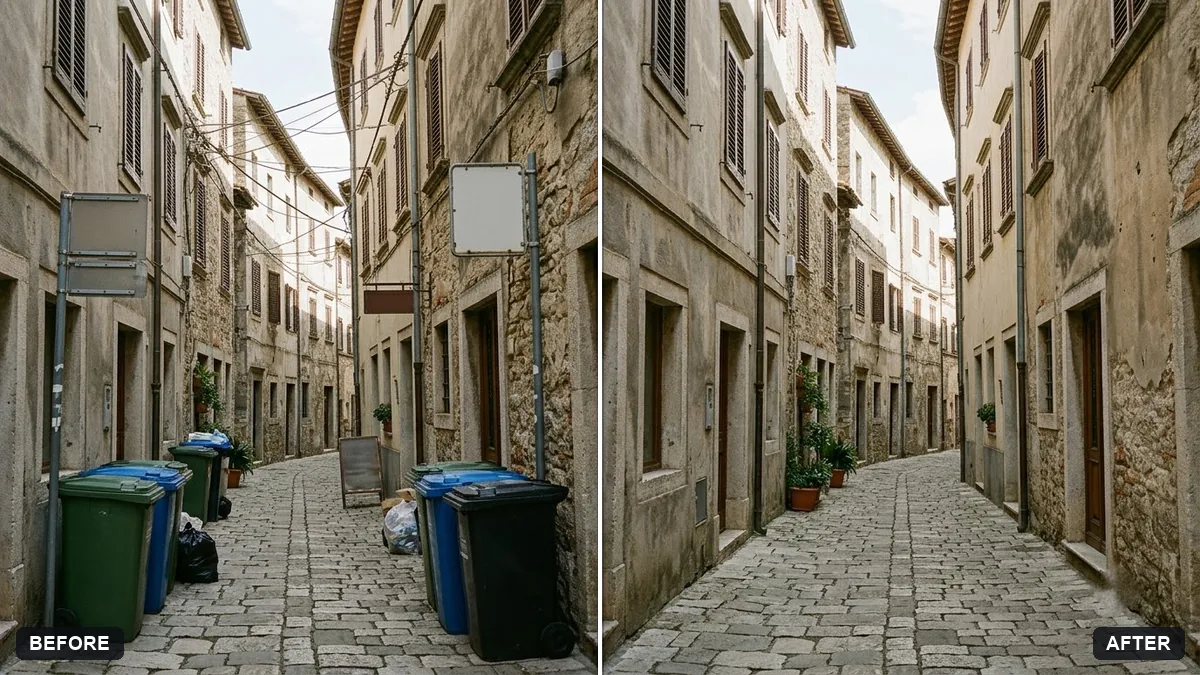
More like this
- Blur licence plates and house numbersGemini · ChatGPT
- Remove reflections from window shotsGemini · ChatGPT
- Blur strangers in the backgroundGemini · ChatGPT
- Tidy the background of a team photoGemini · ChatGPT
- Remove a shadow from a document photoGemini · ChatGPT