
- Updated
Tidy the background of a team photo
This prompt removes clutter behind your team and replaces the messy background with a clean office or plain wall look. Faces, expressions, clothing and positions are not changed.
Clean up the background of this team photo. Remove clutter such as [BOXES / CABLES / SIGNS] and replace the messy background with a clean [OFFICE / PLAIN WALL] look.

Do not change any faces, expressions, clothing or positions.
Ask for the lighting on faces to be evened out at the same time for a consistent group look.
Your photo goes to the AI app you choose, never to PromptUp.
Get a better result
Your team photo with boxes, cables and signs removed and a clean office or plain wall behind, while faces, expressions, clothes and positions stay the same.
Team photos are often taken in messy offices, so the prompt removes named clutter and swaps the background for a clean office or plain wall. The strict rule not to change faces, expressions, clothing or positions keeps everyone looking like themselves, which matters on a company page. Evening out the light on faces at the same time, as the tip says, makes the group look like one photo.
Someone’s face changes in the edit.
Fix: Upload the highest resolution photo you have and say “do not change any person” before the background details.
- Clutter is removed but leaves smudges. List each item to remove and what should be behind it, such as “plain grey wall where the boxes are”.
- Edges of hair look cut out. Ask for natural hair edges and the same light on the new background as on the people.
Replace the background with a soft wall in your brand colour, slightly out of focus, for a team page.
Keep every face exactly as in the original. Make the lighting on all faces even and natural, so nobody looks darker or brighter than the rest.
More photo editing prompts
See all 334 →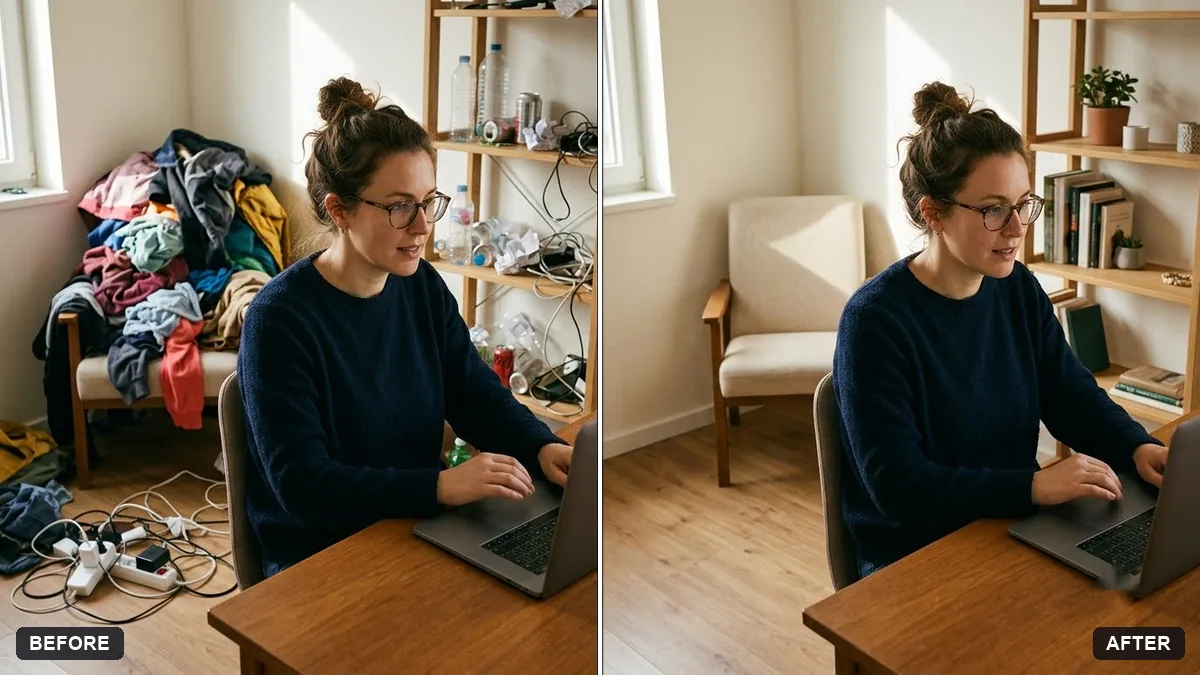
More like this
- Remove signs and clutter from a street photoGemini · ChatGPT
- Remove parked cars from a street photoGemini · ChatGPT
- Remove unwanted lens flareGemini · ChatGPT
- Remove a photobomberGemini · ChatGPT
- Remove reflections from window shotsGemini · ChatGPT