- Updated
Preview solar panels on a roof
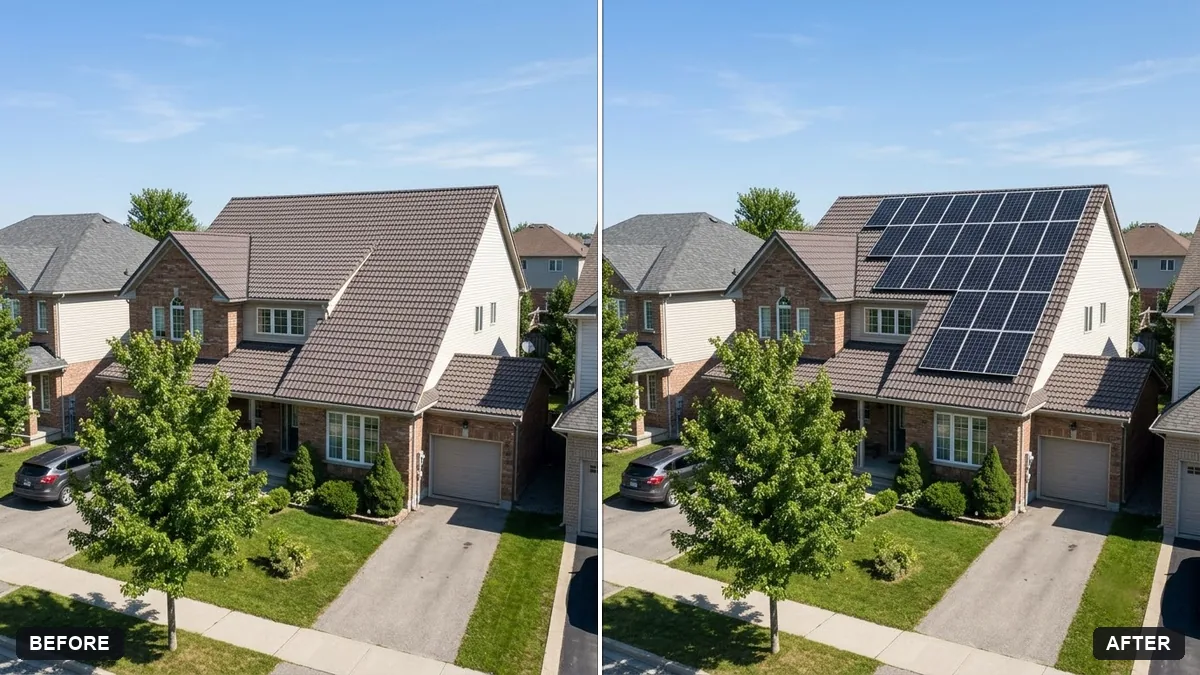
This prompt adds a number of black solar panels on the roof following its pitch, with subtle reflections and mounting rails, keeping the house and surroundings unchanged. It is only a visual preview, not a design.
Add [NUMBER] black solar panels on the south-facing roof of this house in a neat grid, following the roof pitch with correct perspective, subtle reflections and mounting rails.

Keep the house, roof colour and surroundings exactly the same. Realistic installation preview.
Use a straight photo of the roof so the panel perspective follows the slope correctly.
Your photo goes to the AI app you choose, never to PromptUp.
Get a better result
Your house photo with a neat grid of black solar panels on the south-facing roof, following the pitch with correct perspective, mounting rails and subtle reflections, everything else unchanged.
The panels float or ignore the roof slope.
Fix: Say “flush with the roof, same angle as the tiles, correct perspective, with a visible gap at the edge”.
- The number of panels is wrong. Give the exact count in the bracket and ask for a grid, such as “three rows of four”.
- It is treated as a real design. Use it as a preview only. An installer has to measure the roof, shade and wiring.
Make one version with black frames and one with silver frames on the same roof, and choose which fits the house.
Keep the roof. Reduce the panels to the lower half and see how much of the roof stays visible.
Guides on this topic
More photo editing prompts
See all 334 →
More like this
- Balcony garden makeover previewGemini · ChatGPT
- Preview a house on an empty plotGemini · ChatGPT
- Preview new bathroom tilesGemini · ChatGPT
- Repaint your house exterior previewGemini · ChatGPT
- Preview a new kitchen cabinet colourGemini · ChatGPT