- Updated
LinkedIn banner prompt for Gemini, ChatGPT & Canva AI
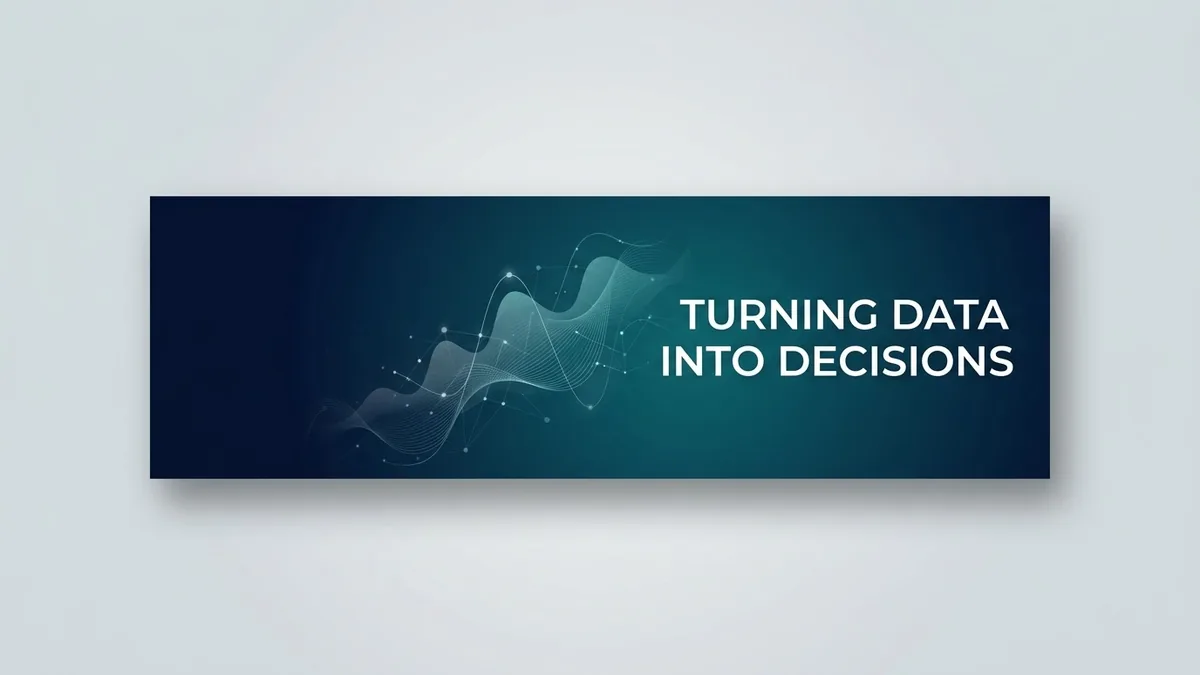
This prompt designs a very wide 4:1 LinkedIn banner for your role. Your name and a short line about what you do sit on the right in a clean font, and the left third stays mostly empty because your profile photo covers that area. The style is minimal and modern in the colours you choose, with no stock-photo people. After you upload it, check that nothing important is hidden behind your photo.
Design a professional LinkedIn banner (very wide, 4:1) for a [ROLE, e.g. data analyst].

Place the text "[NAME] · [WHAT YOU DO, e.g. Turning data into decisions]" on the right side in a clean sans-serif. Keep the left third mostly empty — the profile photo covers that area.

Style: minimal and modern, [COLOURS, e.g. deep blue with subtle abstract data lines], a subtle texture, and no stock-photo people.
After uploading, check that nothing important is hidden behind your profile photo.
Get a better result
A very wide 4:1 banner in a minimal modern style, with your name and one line about what you do on the right, the left third left empty for your profile photo and subtle texture or lines in your colours.
The text is hidden behind the profile photo or cut off at the edges.
Fix: Keep the text in the middle-right and away from the edges, since LinkedIn can crop the banner differently on phone and desktop. Check it on both before you save.
- The picture is not 4:1, so you have to stretch it. Never stretch it. Crop to 4:1 (LinkedIn uses 1584 by 396 pixels) in an editor like Canva and keep the text inside the crop.
- The line of text is long and tiny on a phone. Use eight words or fewer, such as “Turning data into decisions”. A banner is glanced at, not read.
Add “a short call to action on the right: Open for projects, then my email as plain text”. Make the style brighter if you work with clients, and keep a clear space around the email.
Keep the style and colours, move the text a little toward the centre, shorten it to under eight words and keep the left third completely empty.
Guides that use this prompt
More image generation prompts
See all 347 →

More like this
- LinkedIn cover from a photoGemini · ChatGPT
- Crop a photo for a WhatsApp or Instagram DPGemini · ChatGPT
- Pro LinkedIn headshot from a selfieGemini · ChatGPT
- Bold creator profile pictureGemini · ChatGPT
- Natural, honest photo for a dating profileGemini · ChatGPT