- Updated
Matching team page headshot
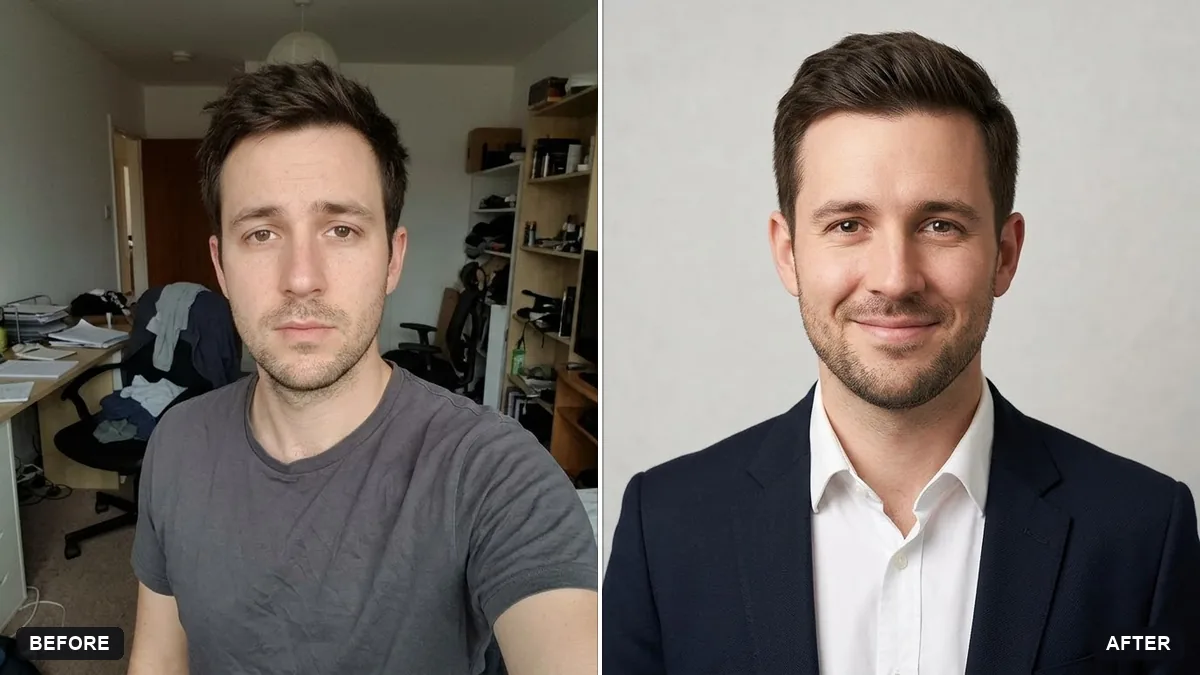
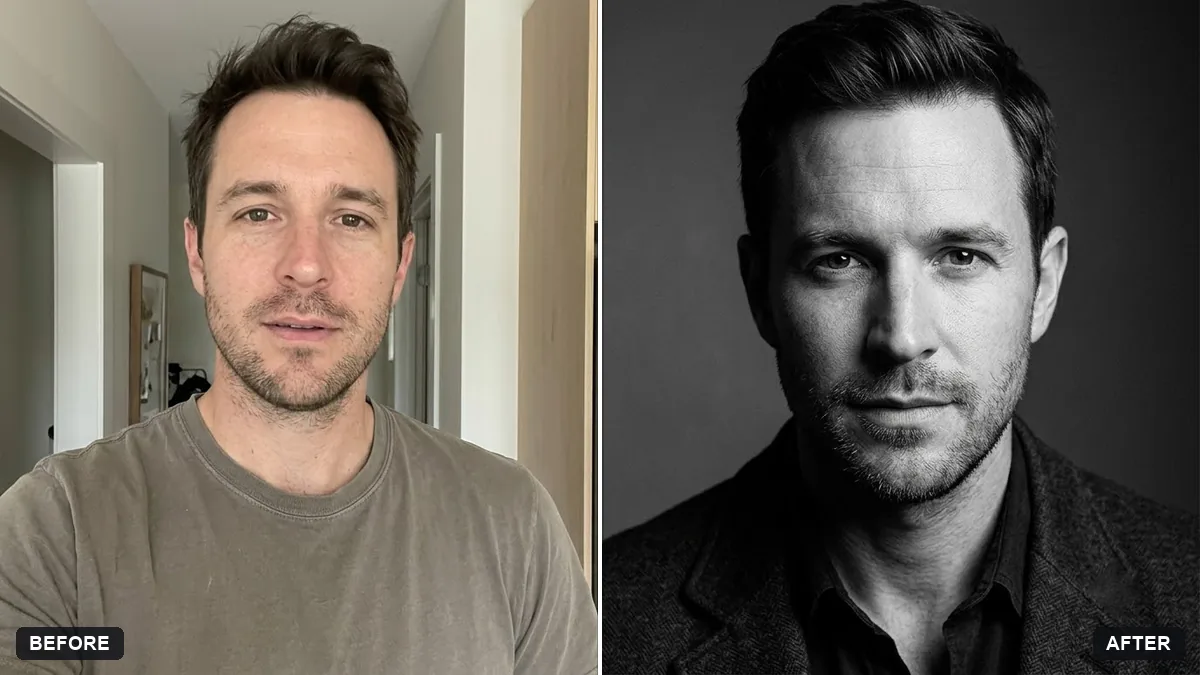
This prompt makes a headshot in a consistent style for a company team page, so all team members look alike in framing and background. Your face, hairstyle and features are kept the same.
Turn this photo into a headshot for a company team page. Keep my face, hairstyle and features exactly the same.

Style to match the whole team: plain [COLOUR] background, soft even studio light, shoulders-up crop, natural relaxed smile, [CLOTHING, e.g. smart blazer] with a clean neckline. Slightly tidy hair and remove distracting background items only.
Use the same prompt for every team member so all headshots match.
Your photo goes to the AI app you choose, never to PromptUp.
Get a better result
A tidy shoulders-up headshot with a plain background, soft even light, a relaxed smile and a smart outfit. Run the same prompt for every colleague and the whole team page matches.
Each person ends up with a slightly different background shade.
Fix: Fix the background colour with a specific name or hex value in the blank, such as “light grey #E6E6E6”, and use that same text for everyone.
- The crop differs, with some heads larger than others. Add “head fills about 60% of the frame, eyes at the upper third” to the prompt and send it unchanged for every photo.
- The face looks smoothed or a little different from the person. Repeat “keep my face and features exactly the same, no beauty smoothing”, and ask people to check their own result before it goes live.
For a friendlier site, change the background to “a softly blurred office with warm daylight” and keep the clothing blank the same for everyone. Check that all faces still look like the originals.
Keep my face exactly the same. Use the same grey background and the same crop as before, with the head slightly smaller in the frame.
Guides that use this prompt
More photo editing prompts
See all 334 →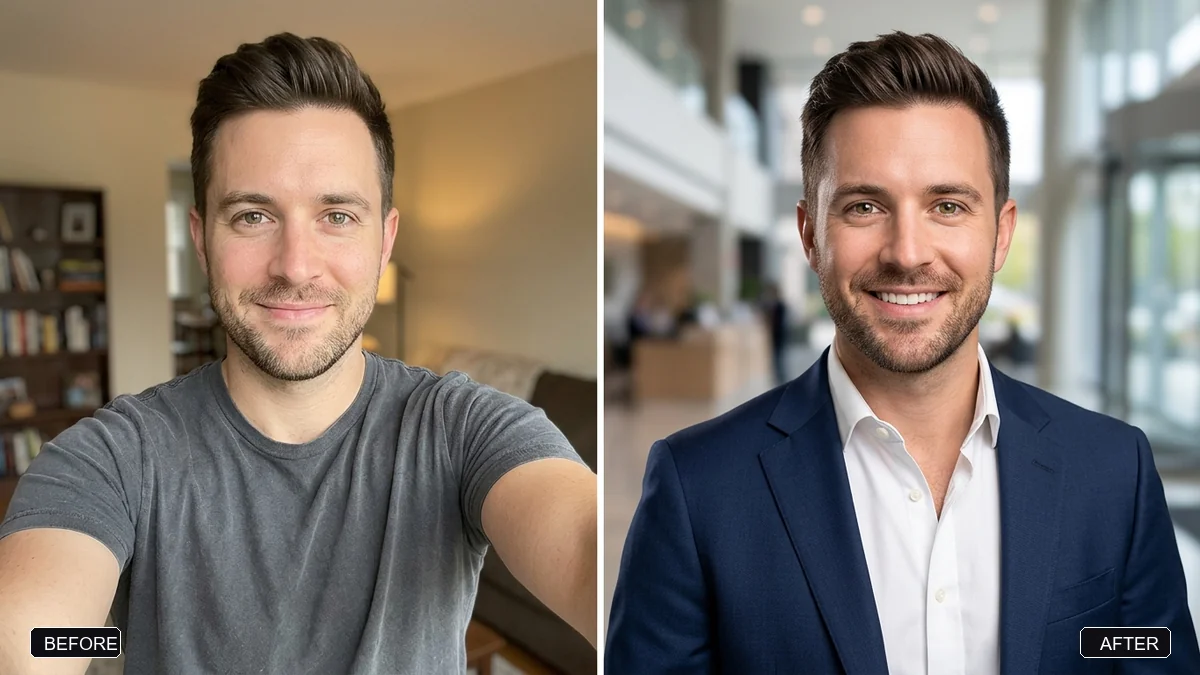
More like this
- Startup founder portraitGemini · ChatGPT
- Professional profile for a clinic websiteGemini · ChatGPT
- Architect at work portraitGemini · ChatGPT
- Healthcare professional portraitGemini · ChatGPT
- Bold creator profile pictureGemini · ChatGPT