- Updated
Startup founder portrait
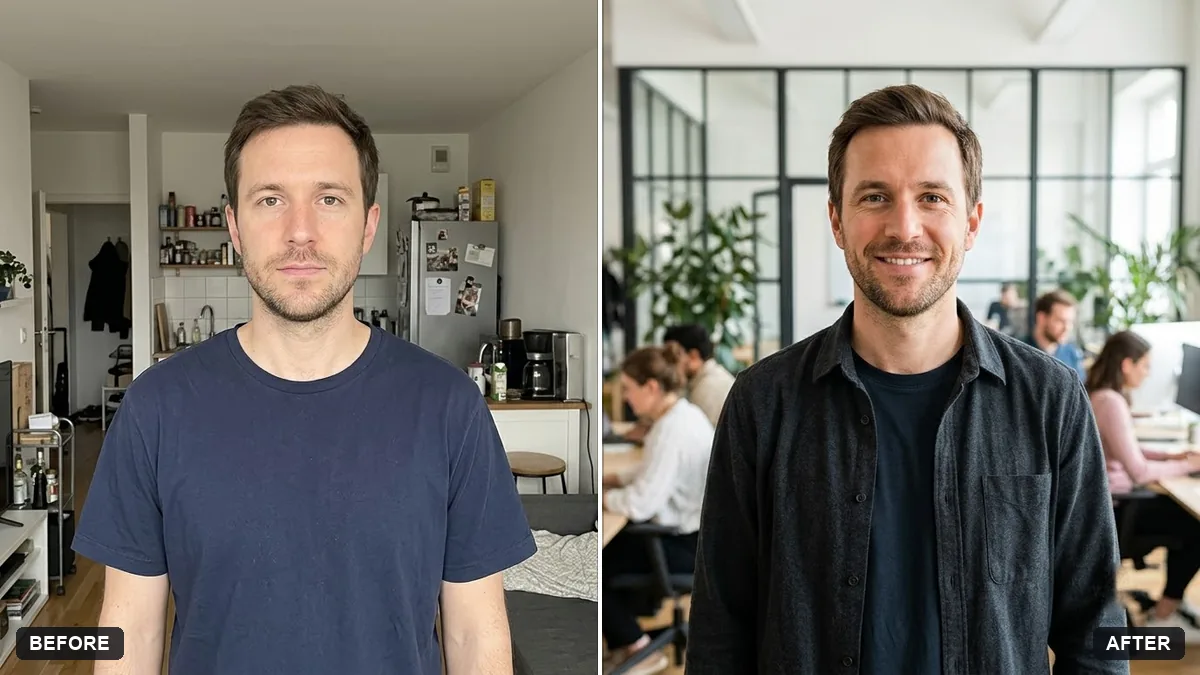
This prompt creates a founder portrait in smart casual clothes standing in a bright modern office with glass walls and softly blurred colleagues. Match the clothing colours to your brand.
Turn this photo into a founder portrait for a press page. Keep my face and features exactly the same.

Wear smart casual clothes in [COLOURS], standing in a bright modern office with glass walls and softly blurred colleagues in the background. Confident, approachable expression, natural light, magazine style.
Match the background to your brand colours for use on your website and press pages.
Your photo goes to the AI app you choose, never to PromptUp.
Get a better result
A magazine-style founder portrait in smart casual clothes, standing in a bright modern glass office with softly blurred colleagues behind and a confident, approachable expression.
Press pages need a portrait that feels confident but approachable, so the prompt asks for natural light, smart casual clothes and a bright office with glass walls. Blurred colleagues behind suggest a real team. Matching colours to your brand, as the tip says, makes it fit your website.
The office looks like a stock photo.
Fix: Add a few true details, such as your product on a screen or your brand colour on a wall.
- The colleagues look odd. Keep them very softly blurred or ask for none. Faces in the background are easy for the AI to distort.
- Your clothes are too formal. Say “smart casual, no tie”, and name the colours, as the prompt allows.
Ask for you mid-conversation at a standing desk, laughing, with a notebook in hand, for a less posed look.
Keep my face exactly the same and make the background a little plainer, so the photo also works on a press page.
More photo editing prompts
See all 334 →


More like this
- Matching team page headshotGemini · ChatGPT
- Write a press releaseChatGPT · Gemini · Claude
- Speaker photo for a conference pageGemini · ChatGPT
- Tech startup logo markGemini · ChatGPT · Midjourney
- Professional profile for a clinic websiteGemini · ChatGPT