- Prompt at a glance
- Category
- Text & chat
- Works with
- Claude · ChatGPT · Gemini
- Length
- 91 words
- Fields to fill
- None. Paste and go.
- Last updated
Add an AI feature to your app with an LLM API
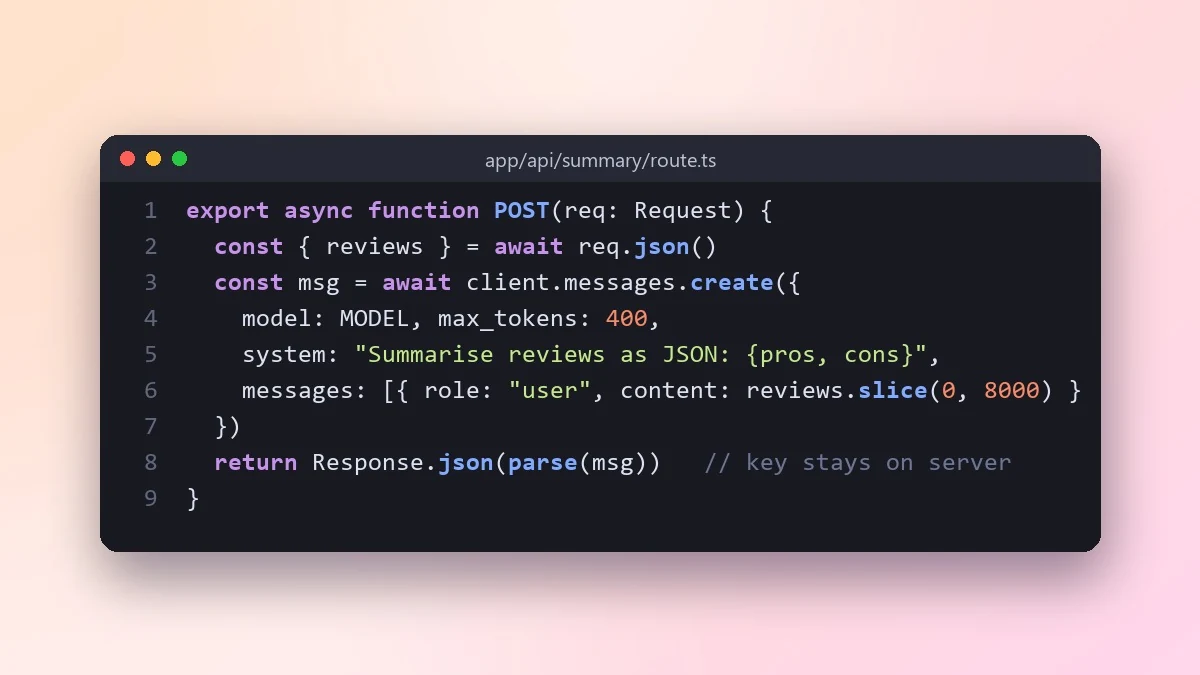
This prompt builds a server-side AI feature, such as summarising reviews, with a clear system prompt, error handling, structured JSON output and cost limits. The API key stays on the server.
Act as a developer who has shipped features using LLM APIs.

Feature: [e.g. summarise customer reviews into pros and cons]
Stack: [e.g. Next.js server route]
API: [e.g. the Claude or OpenAI API]

Write the server-side code that calls the API with a clear system prompt, handles errors, timeouts and rate limits, and returns structured JSON I can render. Keep the API key on the server. Add a simple way to limit cost (input size, caching, per-user limits), and give me five test inputs, including tricky ones, to check the output quality.
Keep the API key on the server, never in frontend code. Anyone can read a key that ships to the browser.
From copy to answer in four steps
- 1
Open Claude and start a new chat.
- 2
Paste the prompt.
- 3
Replace each [BRACKETED] field with your real details and paste in your own text where asked.
- 4
Reply with follow-ups such as "make it shorter" or "make it sound more like me".
About this prompt
Which AI tools work with this prompt?
It is written for Claude, ChatGPT and Gemini. Paste it into your preferred tool and adjust the wording if the result is off.
Should I paste private information into the prompt?
Only what the task needs. Remove names, contact details and other sensitive data before pasting a resume or document into any AI tool.



