- Prompt at a glance
- Category
- Text & chat
- Works with
- Claude · ChatGPT · Gemini
- Length
- 84 words
- Fields to fill
- LANGUAGE, PASTE
- Last updated
Mock an external API in your tests
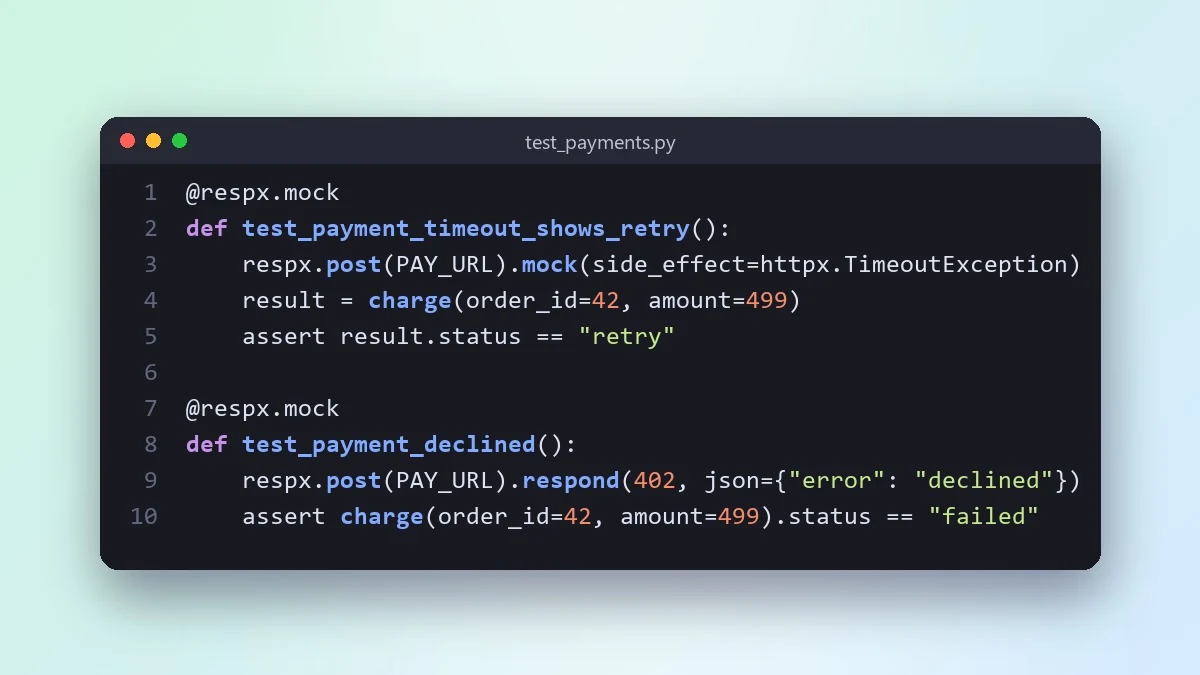
This prompt shows how to test code that calls an outside service, such as a payments API, without hitting the real thing. It covers success, errors, timeouts and bad data, and explains the gap mocks leave.
Act as a senior [LANGUAGE] developer.

My code calls this external service: [e.g. Razorpay payments API]
Code that makes the call:
[PASTE]
Test framework: [e.g. Jest / pytest]

Show me how to test this code without calling the real service. Mock the success case, an error response, a timeout and a malformed response. Keep the mock at the network or client boundary, not deep inside my code. Explain what the mocks can miss and suggest one contract or sandbox test to cover that gap.
Mocks prove your code handles responses. They cannot prove the real API still behaves the same, so keep one real check somewhere.
From copy to answer in four steps
- 1
Open Claude and start a new chat.
- 2
Paste the prompt.
- 3
Replace each [BRACKETED] field with your real details and paste in your own text where asked.
- 4
Reply with follow-ups such as "make it shorter" or "make it sound more like me".
About this prompt
Which AI tools work with this prompt?
It is written for Claude, ChatGPT and Gemini. Paste it into your preferred tool and adjust the wording if the result is off.
What do I need to fill in?
Replace these fields before you send it: LANGUAGE, PASTE. Each field shows an example in the prompt.
Should I paste private information into the prompt?
Only what the task needs. Remove names, contact details and other sensitive data before pasting a resume or document into any AI tool.



