- Prompt at a glance
- Category
- Text & chat
- Works with
- Claude · ChatGPT · Gemini
- Length
- 79 words
- Fields to fill
- PASTE 2 OR 3 REAL JSON RESPONSES, LIBRARY
- Last updated
Create TypeScript types from a JSON response
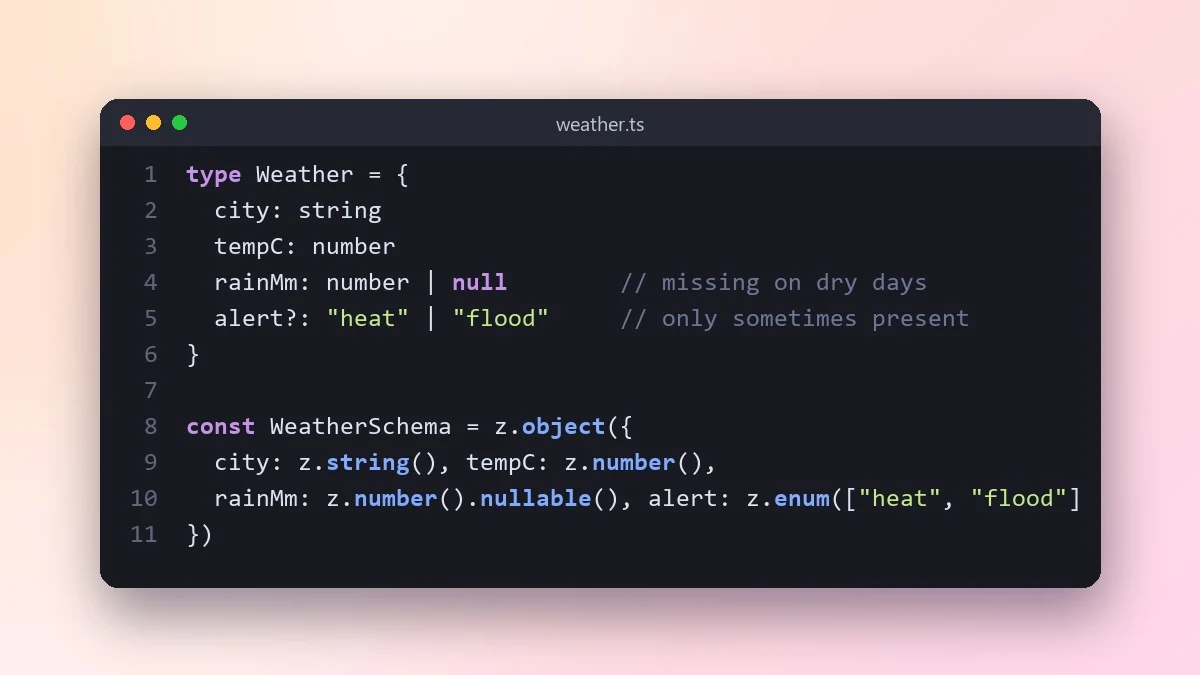
Paste a few real API responses and this prompt writes matching TypeScript types, marking optional and nullable fields. It also adds a runtime validator so bad data is caught before it reaches the rest of your app.
Act as a TypeScript expert.

API response examples:
[PASTE 2 OR 3 REAL JSON RESPONSES]
Where it comes from: [e.g. a weather API]

Write TypeScript types that match the data, marking fields as optional or nullable where the examples differ. Use clear names and union types for fixed values. Then write a runtime validator with [LIBRARY, e.g. Zod] so bad data is caught at the edge of my app, and show how to use both in a fetch call.
Paste more than one response, including an error one. A single example hides which fields are optional.
From copy to answer in four steps
- 1
Open Claude and start a new chat.
- 2
Paste the prompt.
- 3
Replace each [BRACKETED] field with your real details and paste in your own text where asked.
- 4
Reply with follow-ups such as "make it shorter" or "make it sound more like me".
About this prompt
Which AI tools work with this prompt?
It is written for Claude, ChatGPT and Gemini. Paste it into your preferred tool and adjust the wording if the result is off.
What do I need to fill in?
Replace these fields before you send it: PASTE 2 OR 3 REAL JSON RESPONSES, LIBRARY. Each field shows an example in the prompt.
Should I paste private information into the prompt?
Only what the task needs. Remove names, contact details and other sensitive data before pasting a resume or document into any AI tool.



