- Prompt at a glance
- Category
- Text & chat
- Works with
- Claude · ChatGPT · Gemini
- Length
- 87 words
- Fields to fill
- PASTE
- Last updated
Add logging that helps you debug later
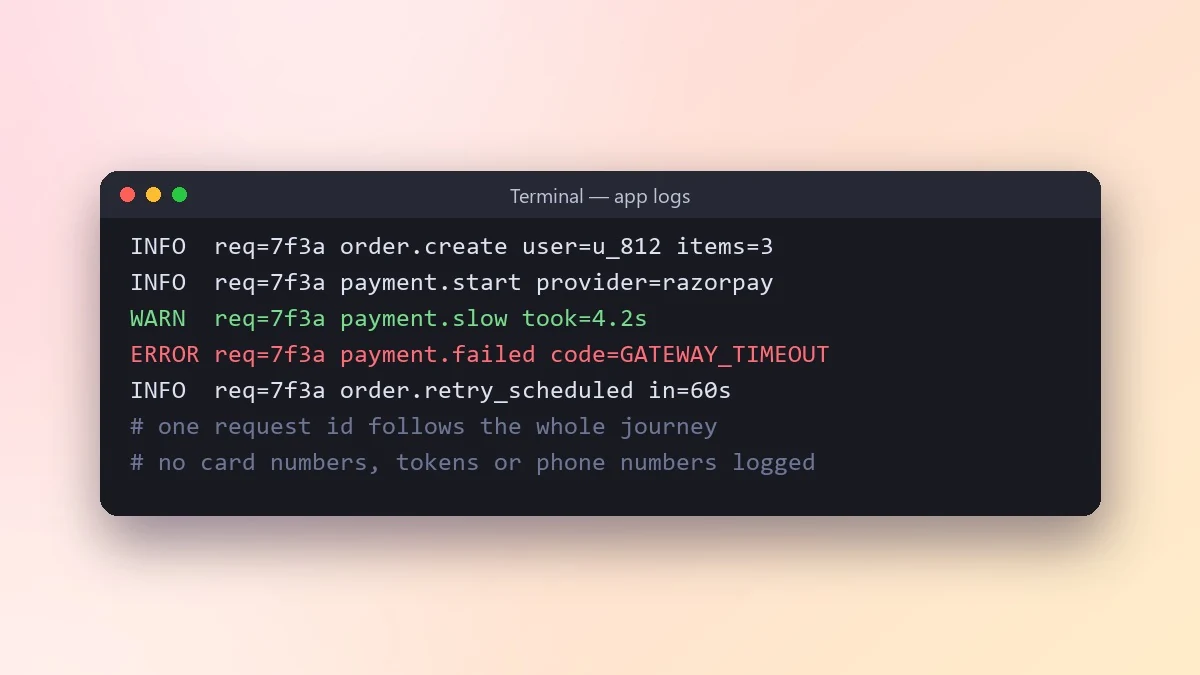
Good logs answer what happened during an incident. This prompt adds log lines for key steps, request IDs, timings and errors at the right levels, and never logs passwords, tokens or personal data.
Act as a senior engineer who has debugged many production incidents.

Code:
[PASTE]
It runs as: [e.g. an API on a server, a nightly job, a serverless function]
Logging tool: [e.g. console, Python logging, pino, or none yet]

Add logging that would let me answer "what happened?" during an incident: key steps, IDs to follow one request, timings for slow calls and clear error context. Use levels properly (debug, info, warn, error). Never log passwords, tokens or personal data. Explain what each log line would tell me.
Add a request or job ID to every log line. It lets you follow one user's journey through thousands of lines.
From copy to answer in four steps
- 1
Open Claude and start a new chat.
- 2
Paste the prompt.
- 3
Replace each [BRACKETED] field with your real details and paste in your own text where asked.
- 4
Reply with follow-ups such as "make it shorter" or "make it sound more like me".
About this prompt
Which AI tools work with this prompt?
It is written for Claude, ChatGPT and Gemini. Paste it into your preferred tool and adjust the wording if the result is off.
What do I need to fill in?
Replace the field before you send it: PASTE. Each field shows an example in the prompt.
Should I paste private information into the prompt?
Only what the task needs. Remove names, contact details and other sensitive data before pasting a resume or document into any AI tool.



