- Prompt at a glance
- Category
- Text & chat
- Works with
- Claude · ChatGPT · Gemini
- Length
- 73 words
- Fields to fill
- PASTE THE SQL, PASTE SCHEMAS
- Last updated
Understand a long SQL query step by step
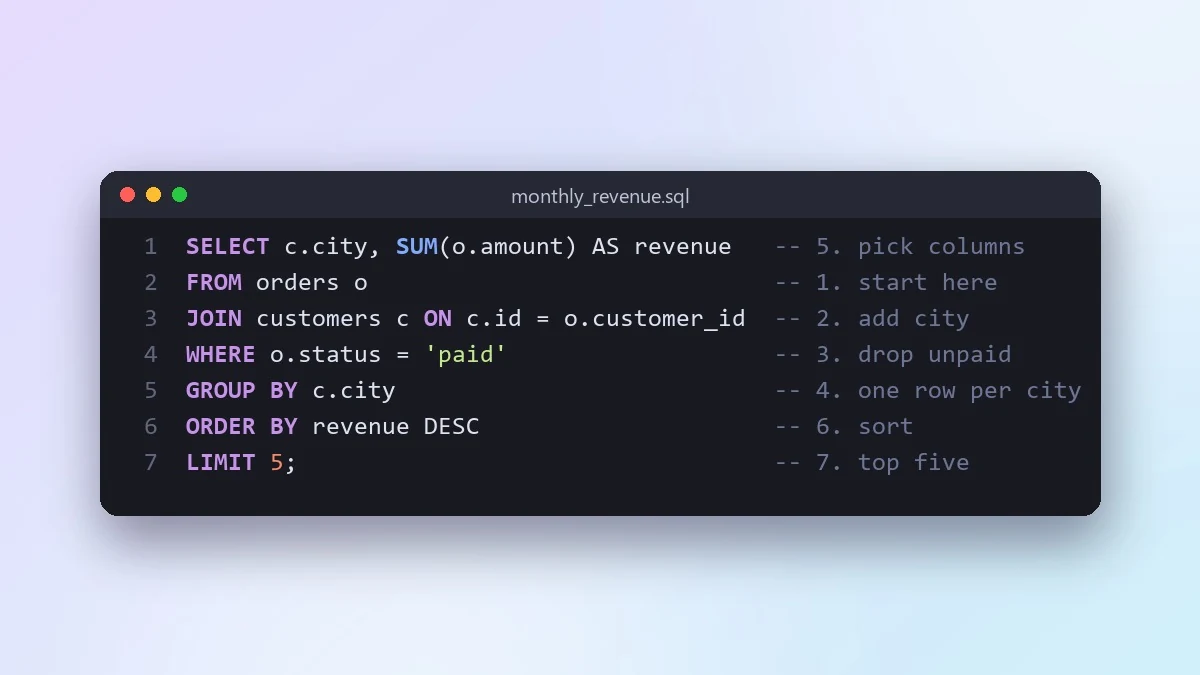
SQL runs in a different order from how it is written. This prompt explains your query step by step in the real order, shows tiny example tables as the data changes and points out join and NULL risks.
Act as a SQL teacher.

Query:
[PASTE THE SQL]
Database: [e.g. PostgreSQL]
Tables involved (optional): [PASTE SCHEMAS]

Explain the query in the order the database actually runs it (FROM, JOIN, WHERE, GROUP BY, HAVING, SELECT, ORDER BY), not the order it is written. Describe what the data looks like after each step with a tiny example table. Then point out any bug risk, like duplicate rows from a join or NULLs being dropped.
Ask for the tiny example tables. Seeing the rows change at each step is what makes SQL click.
From copy to answer in four steps
- 1
Open Claude and start a new chat.
- 2
Paste the prompt.
- 3
Replace each [BRACKETED] field with your real details and paste in your own text where asked.
- 4
Reply with follow-ups such as "make it shorter" or "make it sound more like me".
About this prompt
Which AI tools work with this prompt?
It is written for Claude, ChatGPT and Gemini. Paste it into your preferred tool and adjust the wording if the result is off.
What do I need to fill in?
Replace these fields before you send it: PASTE THE SQL, PASTE SCHEMAS. Each field shows an example in the prompt.
Should I paste private information into the prompt?
Only what the task needs. Remove names, contact details and other sensitive data before pasting a resume or document into any AI tool.



