
- Updated
Design a database schema
This prompt designs a database schema for an application, given the database and the main entities.
Design a database schema for [APPLICATION].

Database: [POSTGRESQL / MYSQL / OTHER]
Main entities and rules: [DESCRIBE]
Most common queries: [QUERIES]
Expected size: [SCALE]

Provide the tables with columns, types, primary and foreign keys, indexes, constraints and a short explanation of key design choices. Point out any trade-offs and future changes to consider.
Describe your top five queries up front so the schema is built for how you will use it.
Get a better result
A schema for your app with tables, columns and types, primary and foreign keys, indexes and constraints, short reasons for the main choices and the trade-offs and future changes to think about.
The common queries and expected size are the two lines that turn a textbook schema into one built for your app. Naming the database matters because types and features differ between PostgreSQL and MySQL. Asking for reasons and trade-offs lets you check the thinking, and the future changes note helps you avoid a design that is hard to change later.
Everything goes into one or two wide tables.
Fix: Ask it to list each thing in your app that has its own life, like a user, an order or a payment, and give each a table.
- There are no constraints, only columns. Ask for NOT NULL, UNIQUE and CHECK rules for your business rules, such as “a booking ends after it starts”.
- Deleting a user breaks or wipes too much. Ask what should happen to related rows when a parent row is deleted, and to pick cascade, restrict or soft delete per table.
Ask how to keep a record of changes, such as price history or status changes, without slowing the main tables.
Write my five main queries against this schema and point out any that need an extra index or a design change.
More chat & writing prompts
See all 465 →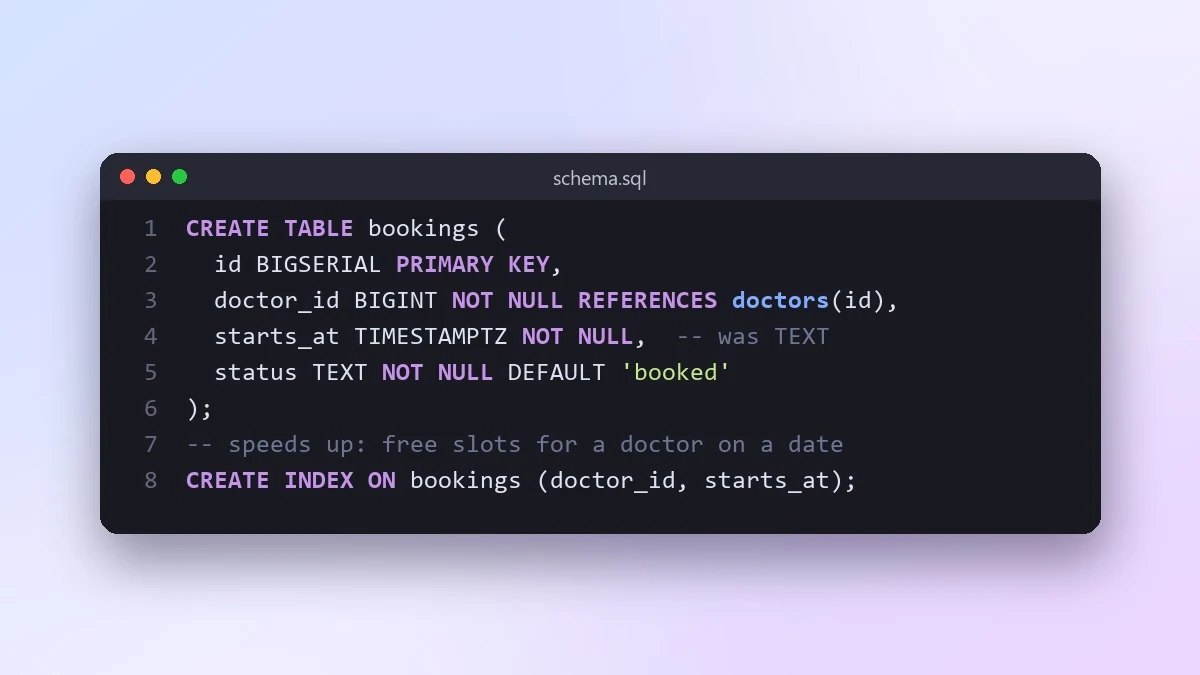



More like this
- Understand a long SQL query step by stepClaude · ChatGPT · Gemini
- Speed up a slow SQL queryChatGPT · Gemini · Claude
- Write an SQL query from plain EnglishClaude · ChatGPT · Gemini
- Speed up a slow API endpoint or functionClaude · ChatGPT · Gemini
- Check a UI component for accessibilityClaude · ChatGPT · Gemini