- Prompt at a glance
- Category
- Text & chat
- Works with
- Claude · ChatGPT · Gemini
- Length
- 88 words
- Fields to fill
- WHAT IT IS, PASTE HTML / JSX AND CSS
- Last updated
Check a UI component for accessibility
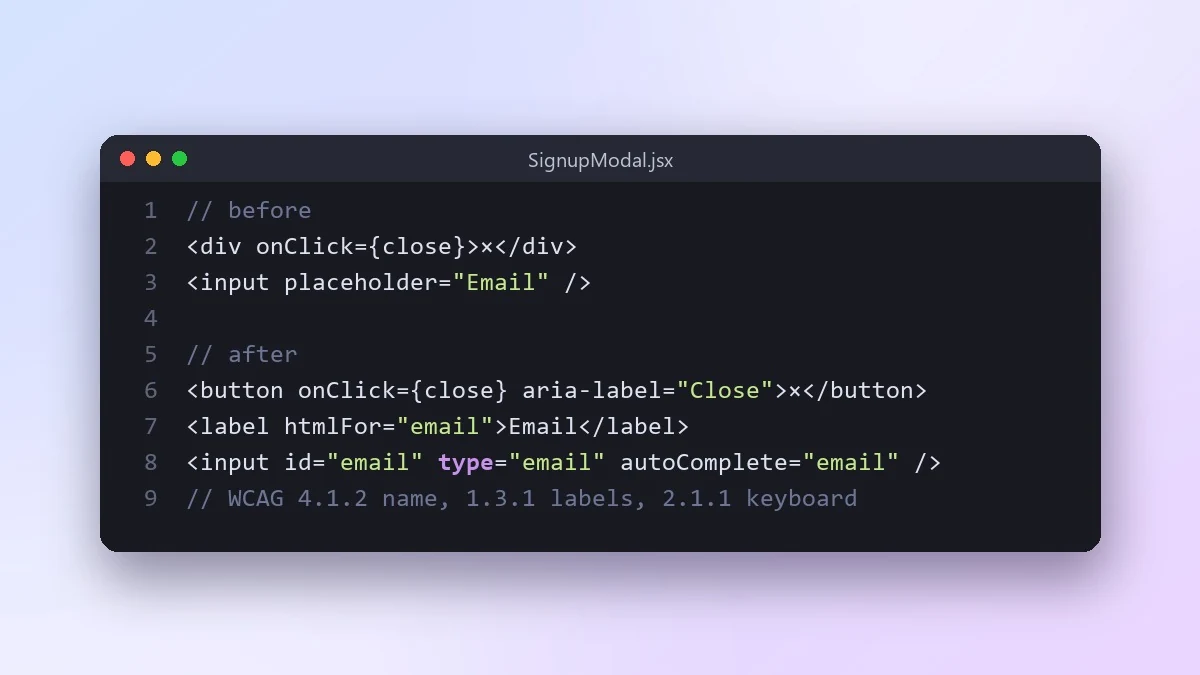
This prompt audits one component for accessibility: keyboard use, focus order, screen reader labels, contrast and error messages. Each issue comes with the WCAG rule, who it affects and the fixed code.
Act as an accessibility specialist who knows WCAG 2.2 AA.

Component: [WHAT IT IS, e.g. a signup modal with a form]
Code:
[PASTE HTML / JSX AND CSS]

Check keyboard use, focus order and focus trap, labels and names for screen readers, colour contrast, error messages, alt text and motion. For every issue, give the WCAG rule, who it affects, and the fixed code. Order them by impact on real users, and tell me how to test each fix with only a keyboard and a free screen reader.
Afterwards, try the component using only the Tab and Enter keys. It is the fastest real test you can do.
From copy to answer in four steps
- 1
Open Claude and start a new chat.
- 2
Paste the prompt.
- 3
Replace each [BRACKETED] field with your real details and paste in your own text where asked.
- 4
Reply with follow-ups such as "make it shorter" or "make it sound more like me".
About this prompt
Which AI tools work with this prompt?
It is written for Claude, ChatGPT and Gemini. Paste it into your preferred tool and adjust the wording if the result is off.
What do I need to fill in?
Replace these fields before you send it: WHAT IT IS, PASTE HTML / JSX AND CSS. Each field shows an example in the prompt.
Should I paste private information into the prompt?
Only what the task needs. Remove names, contact details and other sensitive data before pasting a resume or document into any AI tool.



