- Prompt at a glance
- Category
- Text & chat
- Works with
- Claude · ChatGPT · Gemini
- Length
- 79 words
- Fields to fill
- STACK, WHAT IT IS, DESCRIBE
- Last updated
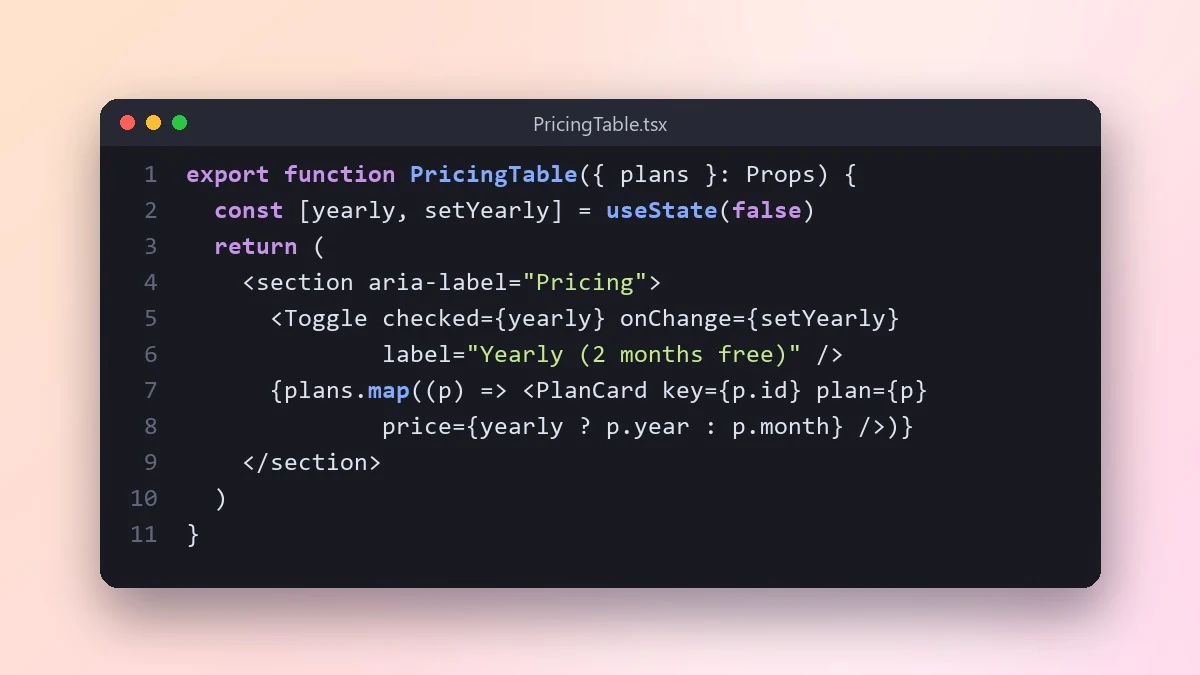
Build a React component from a description
Describe the component, its data and how it should behave, and this prompt writes one self-contained React component with TypeScript, accessible markup and a mobile layout, plus a usage example.
Act as a senior frontend developer using [STACK, e.g. React with TypeScript and Tailwind].

Component: [WHAT IT IS, e.g. a pricing table with monthly and yearly toggle]
Props and data: [DESCRIBE]
Behaviour: [e.g. yearly shows 2 months free, highlights the middle plan]
Style: [e.g. clean, rounded cards, works on mobile]

Write one self-contained component with typed props, accessible markup, keyboard support and a mobile layout. Keep state minimal. Add a small usage example and list any assumption you made.
Paste an existing component from your project and say "match this style" for code that fits in.
From copy to answer in four steps
- 1
Open Claude and start a new chat.
- 2
Paste the prompt.
- 3
Replace each [BRACKETED] field with your real details and paste in your own text where asked.
- 4
Reply with follow-ups such as "make it shorter" or "make it sound more like me".
About this prompt
Which AI tools work with this prompt?
It is written for Claude, ChatGPT and Gemini. Paste it into your preferred tool and adjust the wording if the result is off.
What do I need to fill in?
Replace these fields before you send it: STACK, WHAT IT IS, DESCRIBE. Each field shows an example in the prompt.
Should I paste private information into the prompt?
Only what the task needs. Remove names, contact details and other sensitive data before pasting a resume or document into any AI tool.



