- Prompt at a glance
- Category
- Text & chat
- Works with
- Claude · ChatGPT · Gemini
- Length
- 87 words
- Fields to fill
- ENDPOINT OR FUNCTION, TIME, TARGET, PASTE, PASTE OR DESCRIBE
- Last updated
Speed up a slow API endpoint or function
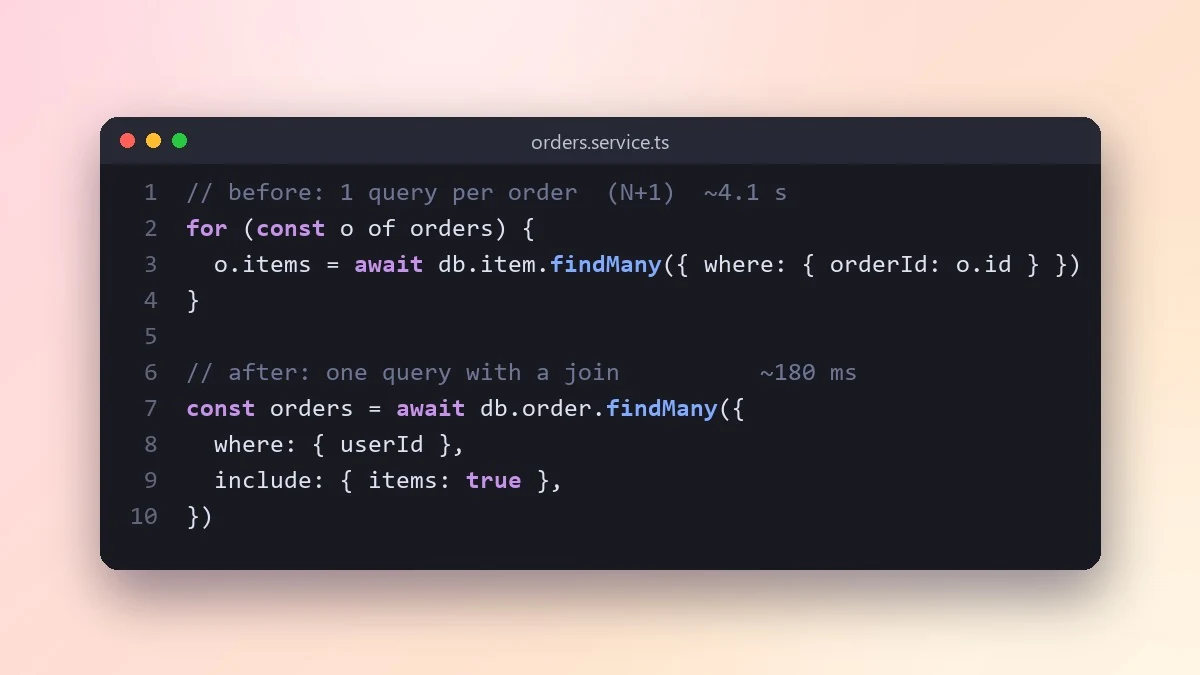
This prompt works like a performance review: it finds the biggest slowdowns first, estimates what each one costs, and shows the fix. Paste the code, the queries it runs and real timing numbers if you have them.
Act as a performance engineer. This [ENDPOINT OR FUNCTION, e.g. GET /orders] takes [TIME, e.g. 4 seconds] and should take under [TARGET, e.g. 300 ms].

Code:
[PASTE]

Database queries or ORM calls it makes: [PASTE OR DESCRIBE]
Data size: [e.g. 200k orders, 5k users]

Find the biggest slowdowns first (N+1 queries, missing indexes, loops inside loops, repeated work, large payloads). For each, estimate how much time it costs, show the fix, and tell me how to measure before and after. Change only what gives a real gain.
Paste real timing numbers or a profiler output if you have them. Guesses about performance are often wrong.
From copy to answer in four steps
- 1
Open Claude and start a new chat.
- 2
Paste the prompt.
- 3
Replace each [BRACKETED] field with your real details and paste in your own text where asked.
- 4
Reply with follow-ups such as "make it shorter" or "make it sound more like me".
About this prompt
Which AI tools work with this prompt?
It is written for Claude, ChatGPT and Gemini. Paste it into your preferred tool and adjust the wording if the result is off.
What do I need to fill in?
Replace these fields before you send it: ENDPOINT OR FUNCTION, TIME, TARGET, PASTE, PASTE OR DESCRIBE. Each field shows an example in the prompt.
Should I paste private information into the prompt?
Only what the task needs. Remove names, contact details and other sensitive data before pasting a resume or document into any AI tool.



