How to write a system prompt, and why it beats repeating yourself every chat
Published

Short answerA system prompt is an instruction you set once that applies to every message in that chat, custom GPT, or AI feature, instead of a rule you repeat each time. Write it as role, tone, rules, and what to refuse, and keep it short enough to actually follow.
If you've ever typed "remember, keep it short" or "don't use jargon" at the start of every single message, you've been doing by hand what a system prompt does automatically. This guide explains what a system prompt actually is, when to use one instead of a normal prompt, and how to write one that holds up over a long conversation.
What a system prompt is
A system prompt is an instruction that sits above the conversation and applies to everything the AI says in it, rather than a line you type as part of your message. You'll run into it in a few places:
- Custom instructions. ChatGPT, Claude and Gemini all let you set standing preferences, such as your job, your tone, and things to avoid, that apply to every new chat.
- Custom GPTs, Gems and Projects. When you build a custom assistant in ChatGPT, Gemini or Claude, the "instructions" field you fill in in the builder is a system prompt for that assistant specifically.
- Apps built on an AI model. If you've ever used a chatbot on a company website that always answers in character, stays on topic, and refuses certain questions, a system prompt is almost always what's doing that.
The difference from an ordinary prompt is scope. A normal prompt asks for one answer. A system prompt shapes every answer that follows it.
System prompt vs custom instructions: which one you need
These overlap, and the terms get used loosely, but they solve slightly different problems:
| Best for | Where it lives | |
|---|---|---|
| Custom instructions | Things true about you across every chat: your job, your writing style, your pet peeves | Your account settings, applies everywhere |
| System prompt | Rules for one specific assistant, tool or feature: its job, its tone, what it must never do | A single custom GPT, Gem, Project, or app |
If you want ChatGPT to stop writing long intros in every chat you have, that's a custom instruction. If you're building an AI feature that answers customer questions about returns and should never give legal advice, that's a system prompt.
For the personal version, the custom instructions builder interviews you about your job, your style, and your goals, and turns the answers into something you can paste straight into your settings.
The four parts of a good system prompt
A system prompt that tries to cover everything tends to be the one the model follows least consistently. Keep it to four parts:
- Role. What is this assistant, and who is it for.
- Tone. How should it sound: formal, casual, short answers, long ones.
- Rules and limits. What it must always do, and what it must never do.
- What to refuse or escalate. Topics it should decline, or hand off to a person.
You are [ROLE, e.g. a support assistant for an online bookshop].
You help [WHO, e.g. customers asking about orders, returns and recommendations].

Tone: [TONE, e.g. warm, brief, plain English, no corporate language].

Rules:
- [RULE, e.g. Always ask for the order number before giving order-specific help]
- [RULE, e.g. Never promise a refund; say a human will confirm it within 24 hours]
- [RULE, e.g. Keep answers under 4 sentences unless the customer asks for more detail]

Refuse or escalate:
- [TOPIC, e.g. Legal complaints or anything about a damaged product someone was hurt by] -> say you're passing it to a person, and stop there.

If you don't know something, say so instead of guessing.
The system prompt writer prompt builds this same structure for you: tell it the purpose, the users and the rules, and it writes the full prompt in the right shape.
Writing rules the model will actually follow
A few patterns make a real difference to how closely the model sticks to your rules:
- Be specific about what to avoid, not vague. "Don't sound like a corporate email" is weaker than "no sign-offs, no 'I hope this finds you well', no bullet points in a greeting."
- Put the most important rule first. Models weigh earlier instructions a little more heavily, especially in a long system prompt.
- State limits as actions, not feelings. "Never give a price without checking the price list" is something a model can follow. "Be careful about pricing" isn't.
- Keep it shorter than you think you need. A ten-rule system prompt is harder to follow consistently than a four-rule one. Cut anything that isn't a real failure you've seen happen.
If you're building this into an app
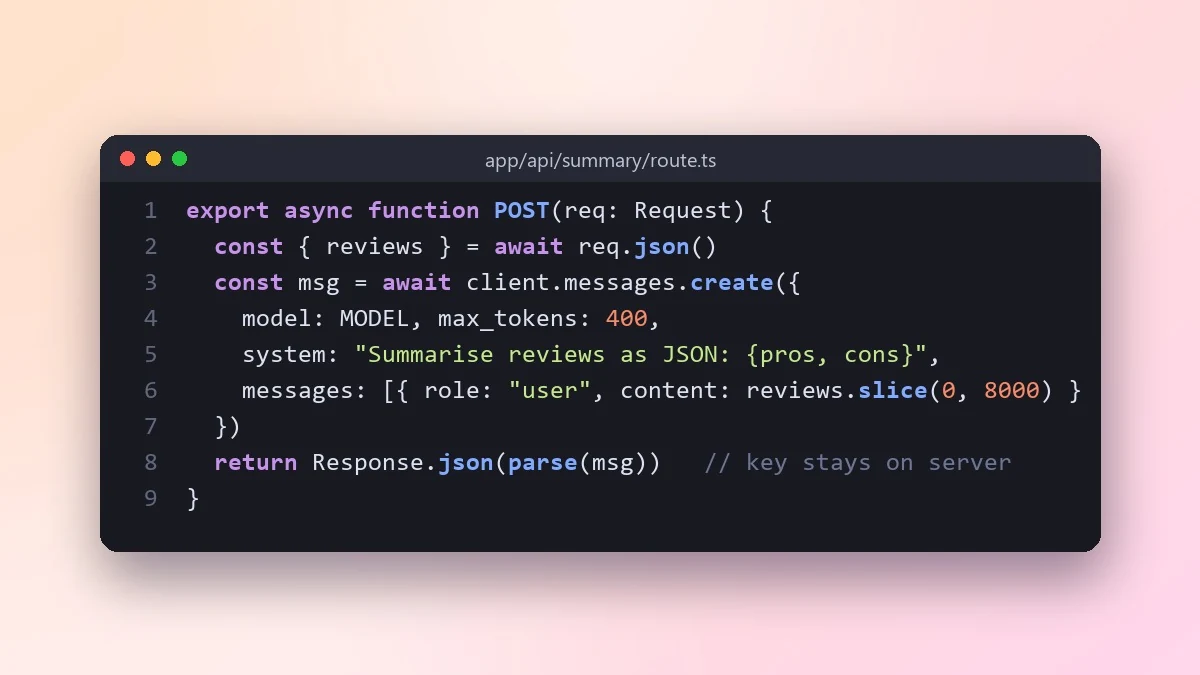
If your system prompt is part of a product rather than a personal chat, treat it the way you'd treat any other code: test it, and don't assume the model will refuse things you didn't explicitly tell it to refuse. The add an AI feature with an LLM API prompt is a useful starting brief if you're writing the system prompt for a feature you're shipping, not just a chat you're having.
Common mistakes
Writing it like a wish list. "Be helpful, friendly, accurate and concise" says nothing a model can act on differently. Replace adjectives with rules: what should it actually do in a specific situation.
No fallback for the unexpected. If a user asks something outside the scope you planned for, say what happens: refuse, escalate, or answer plainly that it's outside what this assistant covers.
Testing only the happy path. Try to break your own system prompt with an off-topic question or a request to ignore the rules, before anyone else does.
Forgetting it's not a secret. Assume a determined user can get a model to repeat its system prompt back. Don't put anything in it you wouldn't want a customer to read.
Where to go from here
For the basics of writing any AI prompt, see what is prompt engineering. If you're delegating a task to a person rather than an AI, the delegate a task clearly prompt uses the same idea of setting scope and limits up front. More ready-made prompts are free in the chat and writing prompts collection, and the prompt builder can turn your own rules into a structured system prompt.
Quick checklist
- Role, tone, rules, and what to refuse: that's the whole structure.
- Specific actions, not vague adjectives.
- Put your most important rule first.
- Keep it to a handful of rules, not a long list.
- Test it with questions outside the scope you planned for.




Comments
No comments yet. Be the first to share what worked for you.