Claude Duet: Anthropic's proactive AI agent, and how to brief it well
Published
Short answerClaude Duet is a research preview from Anthropic that works on tasks in the background and messages you when something needs your attention or approval. It runs on Claude Opus 5.5, needs your sign-off before anything irreversible, and is currently limited to a US waitlist on Pro and Max plans.
On 21 October 2026, Anthropic opened a research preview of Claude Duet, a new kind of Claude that doesn't wait for you to open a chat. It checks your connected accounts every so often and works on things in the background, then messages you first when it has something to report or needs your go-ahead.
That's a different habit to build than prompting a normal chat window. This guide covers what Duet actually does, who can try it, and how to brief it so it does the right things without you having to watch over its shoulder.
What Claude Duet does
According to Anthropic's announcement and the coverage that followed, Duet is:
- Proactive, not reactive. Instead of starting from your message, it works through tasks on its own schedule and reaches out when it's done or stuck.
- Built on Claude Opus 5.5. You don't choose the model; Duet decides how much effort a task needs.
- Connected to your accounts. It can use Claude's Marketplace connectors, including Gmail and Slack, to read messages and calendars and act on them.
- Gated before anything irreversible. Sending a message, spending money, signing something, or deleting data all need your explicit approval first.
- Limited for now. It's a waitlisted research preview, currently for Claude Pro and Max subscribers in the US, as a standalone app on iOS and Android and through claude.ai. Team and Enterprise access is expected later.
Anthropic is upfront that it's early: Duet can misjudge urgency or misread a thread, and personal errands like booking travel are weaker than the inbox and calendar work it was built for.
The real skill: briefing it, not chatting with it
With a normal chat, a vague prompt just gets a vague answer you can immediately fix. With an agent that acts while you're away, a vague brief can mean it either does nothing useful or does the wrong thing confidently. Three things matter most:
- Say what it should know about you. Your role, your priorities, and what "urgent" means for you specifically.
- Say exactly where the line is. What it can decide alone, and what it must always ask you about first, even beyond Anthropic's own payment/send/sign/delete rule.
- Give it a check-in rhythm. When and how it should summarise what it did, so you're not caught out by a wall of notifications.
A starter brief for Duet
Before you let it loose on your inbox or calendar, write it a short brief. The custom instructions prompt is a good base for this, adapted for a proactive agent instead of a chat assistant:
I'm setting you up as my proactive assistant for [AREA, e.g. my inbox and calendar].

About me: I'm a [ROLE] and my main priority right now is [PRIORITY].

What counts as urgent for me: [EXAMPLES, e.g. a client reply within 2 hours, a meeting conflict, an invoice over a certain amount].

What you can act on without asking me first: [LIST, e.g. drafting replies, flagging emails, rescheduling internal meetings].

What you must always check with me before doing: [LIST, e.g. anything sent to a client, anything involving money, cancelling a meeting].

Check-in rhythm: summarise what you've done and what's waiting for my approval once a day at [TIME], not as a stream of separate messages.
Fill in the brackets honestly rather than broadly. "Anything involving money" is a safer starting line than "use your judgement", even though Duet asks before payments anyway: the clearer your own rules are, the fewer surprises you'll get.
Give it one task at a time, with a clear "done"
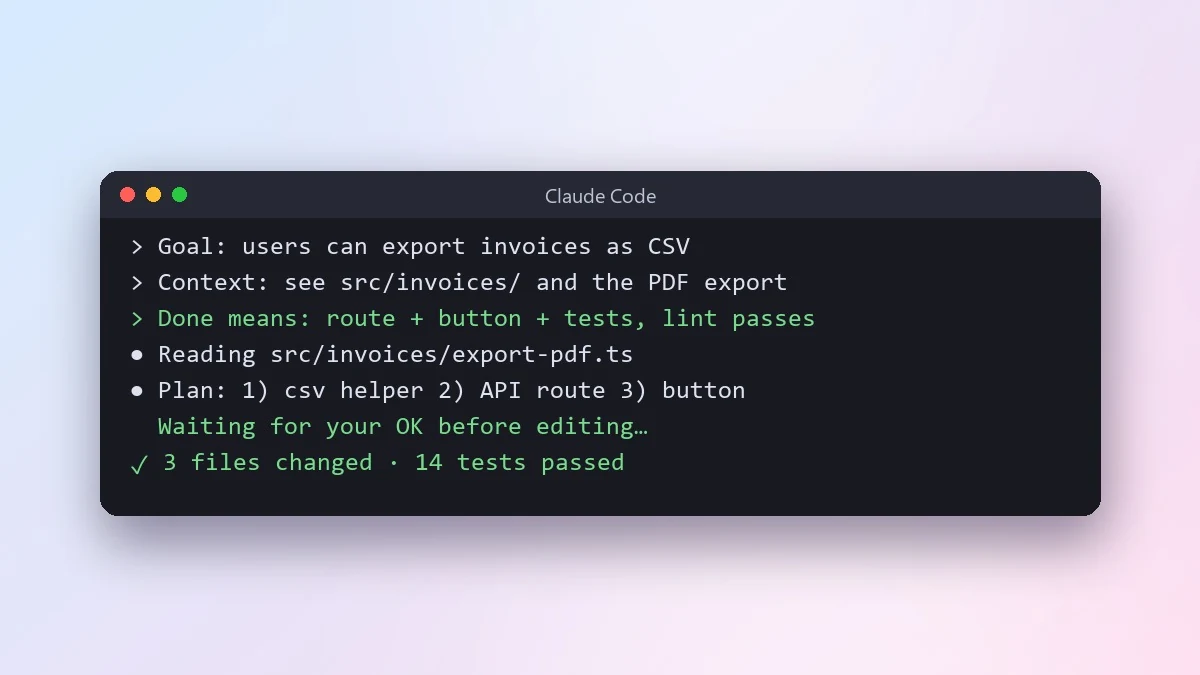
The same discipline that works for Claude Code agents works here. Borrow the structure from the agent task brief prompt and adapt it for everyday tasks instead of code:
Task: [WHAT SHOULD BE TRUE WHEN DONE, e.g. every unread email from a client is flagged and has a draft reply waiting for me].

Context: [WHERE TO LOOK, e.g. the "Clients" label in Gmail].

Constraints: [e.g. don't send anything, don't reply to anyone not already in the Clients label].

When you're done, tell me: what you found, what you drafted, and anything you weren't sure about.
A task with a visible finish line is much easier for Duet to report back on clearly, and easier for you to check in ten seconds.
Build its daily rhythm like a habit
Duet is most useful for small, repeated jobs, not one-off requests. The daily habit prompt and the morning routine prompt are written for people, but the same structure, a trigger, a small action, a way to track it, works well for designing what you want Duet checking every day: inbox at 8am, calendar conflicts before each meeting, invoice follow-ups once a week.
Before you turn it on
- Start with one account, not all of them. Connect Gmail or your calendar first, see how it behaves for a few days, then add more.
- Write your "never without asking" list down, even if some of it overlaps with Anthropic's own safeguards.
- Check the waitlist and plan. It's US-only for now, and needs a Pro or Max subscription.
- Read anything it drafts before it's used elsewhere. A proactive agent still makes mistakes; it's just making them while you're not watching.
Where to go from here
If you want to get more out of the model underneath Duet, see our Claude Opus 5.5 prompting guide. For more chat prompts you can use with Claude today, browse the chat and writing prompts collection, or let the prompt builder write one for you.
Quick checklist
- Write a short brief: your role, what's urgent, what it can decide alone, what it must always ask about.
- Give it one task with a visible "done", not an open-ended instruction.
- Set a daily check-in rhythm instead of letting it message you constantly.
- Start with one connected account before adding more.
- Remember it's a US-only, waitlisted research preview on Pro and Max for now.
Prompts to try
 Build custom instructions about yourselfChatGPT · Gemini · Claude
 Write a system prompt for an AI assistantChatGPT · Gemini · Claude
 Build a habit you can actually keepChatGPT · Gemini · Claude
 Design a morning routine that fits youChatGPT · Gemini · Claude
 Give an AI coding agent a clear task briefClaude Code · Cursor
More prompts on this topic
- Write a CLAUDE.md file for your projectClaude Code · Cursor



Comments
No comments yet. Be the first to share what worked for you.