- Updated
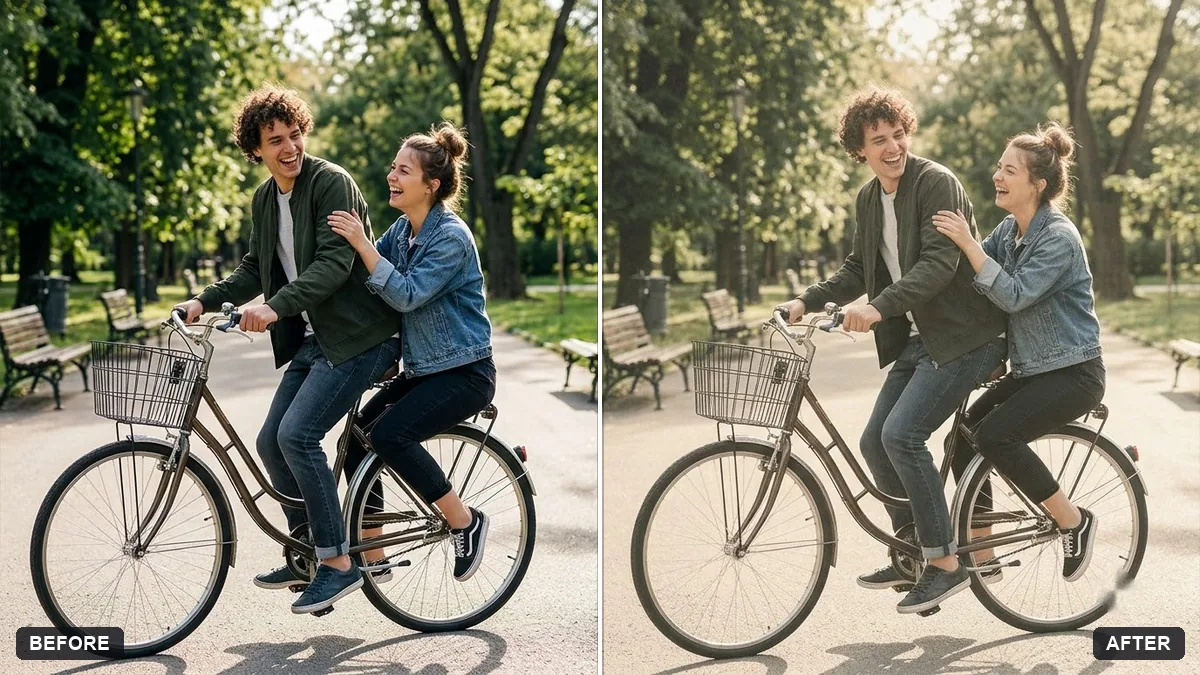
Bright and airy photo preset
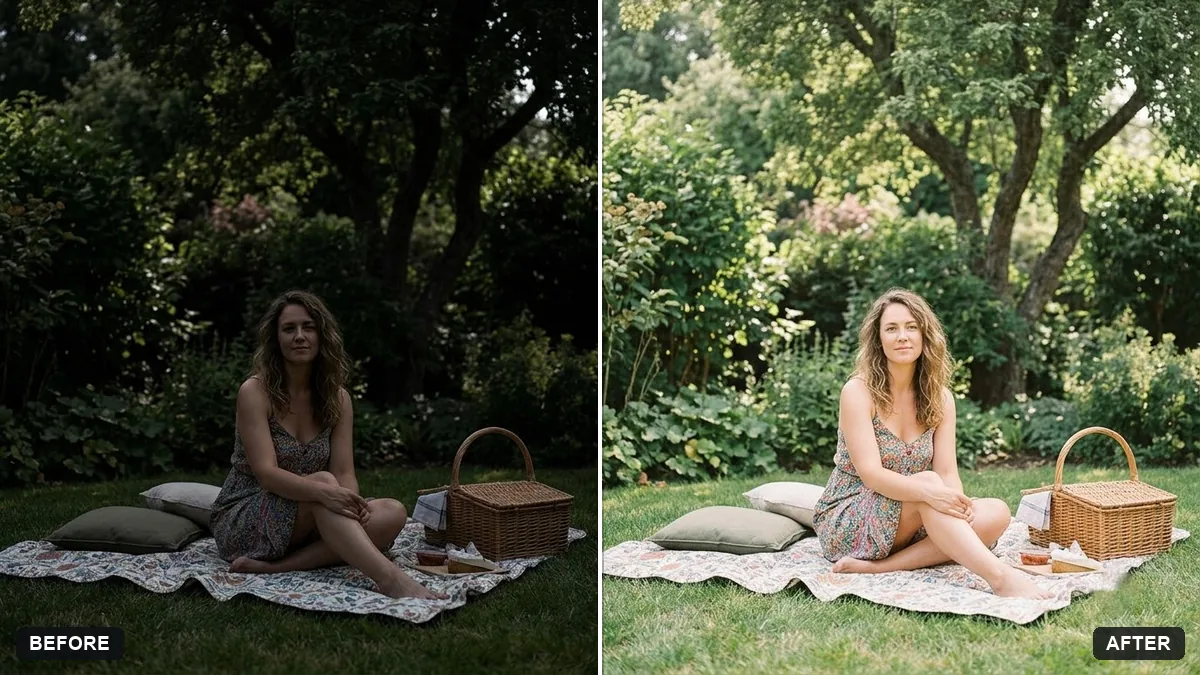
This prompt lifts the shadows, keeps highlights soft without clipping and adds gentle colours and a light film softness, with natural skin tones. It suits light interiors, weddings and lifestyle photos.
Edit this photo to look bright and airy. Lift the shadows, keep highlights soft without clipping, use [PASTEL / WARM] whites and gentle colours, and add a light film softness.

Skin tones must stay natural. Do not change the content of the photo.
Great for light interiors, weddings and lifestyle photos with soft natural light.
Your photo goes to the AI app you choose, never to PromptUp.
Get a better result
The same photo, lighter and softer: lifted shadows, gentle highlights, pastel or warm whites and a light film softness, with natural skin tones and nothing added to or removed from the scene.
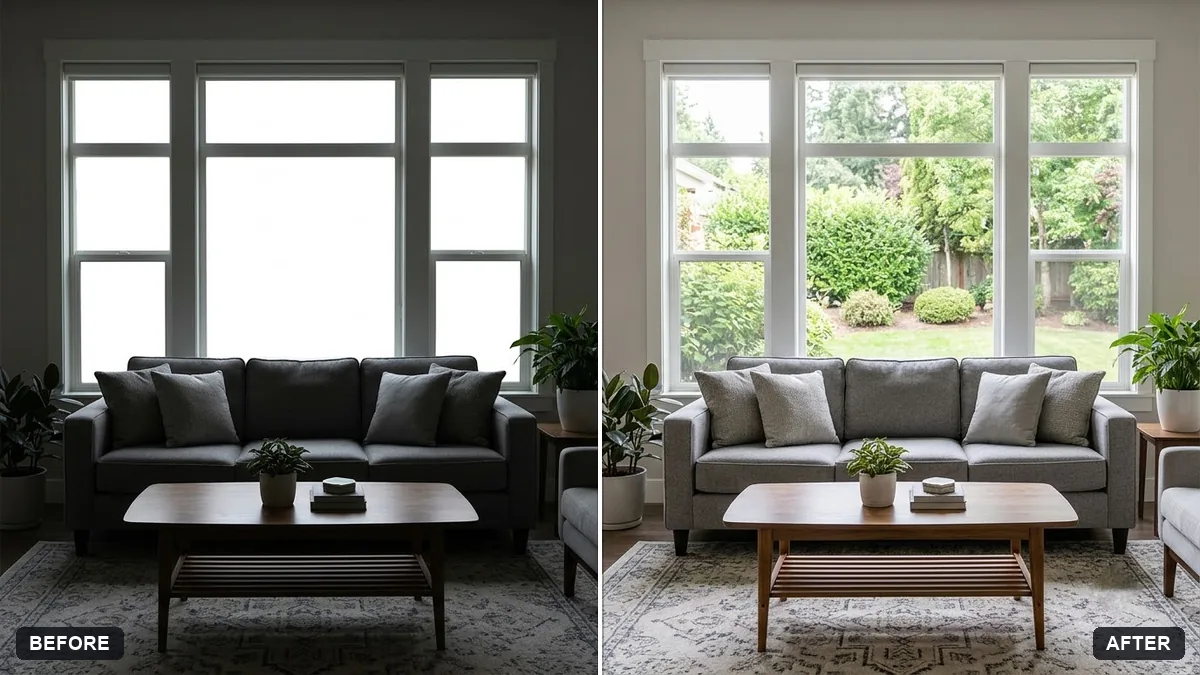
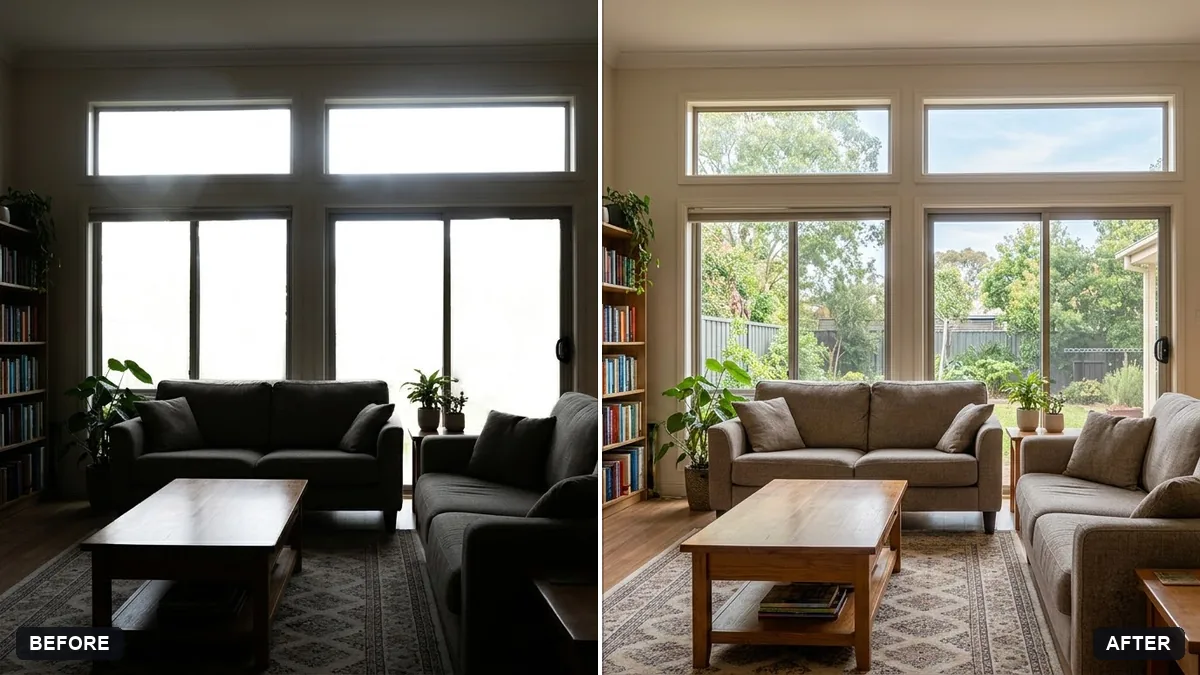
Highlights wash out and window or sky detail disappears.
Fix: Keep “highlights soft without clipping” in the prompt and add “keep detail visible in the windows and sky”. Start from a photo that is not already overexposed.
- Skin turns pale, grey or orange. Choose the warm whites option for people in warm light, and repeat “skin tones must stay natural”. Compare against the original before posting.
- The photo looks flat and faded, not airy. Ask for “keep gentle contrast and a few true darks, so it feels bright but not washed out”.
For a cosier look, swap the whites for “warm cream” and add “slightly deeper shadows and a soft golden tone”. Keep the same keep-the-content-unchanged line at the end.
Keep everything else exactly as in the original photo. Only change what I asked for.
More photo editing prompts
See all 334 →
More like this
- Cinematic colour grade with vignetteGemini · ChatGPT
- Match colours across a photo setGemini · ChatGPT
- Teal and orange movie lookGemini · ChatGPT
- Long-exposure look for a night cityGemini · ChatGPT
- Double exposure portraitGemini · ChatGPT