- Updated
Tote bag design mockup
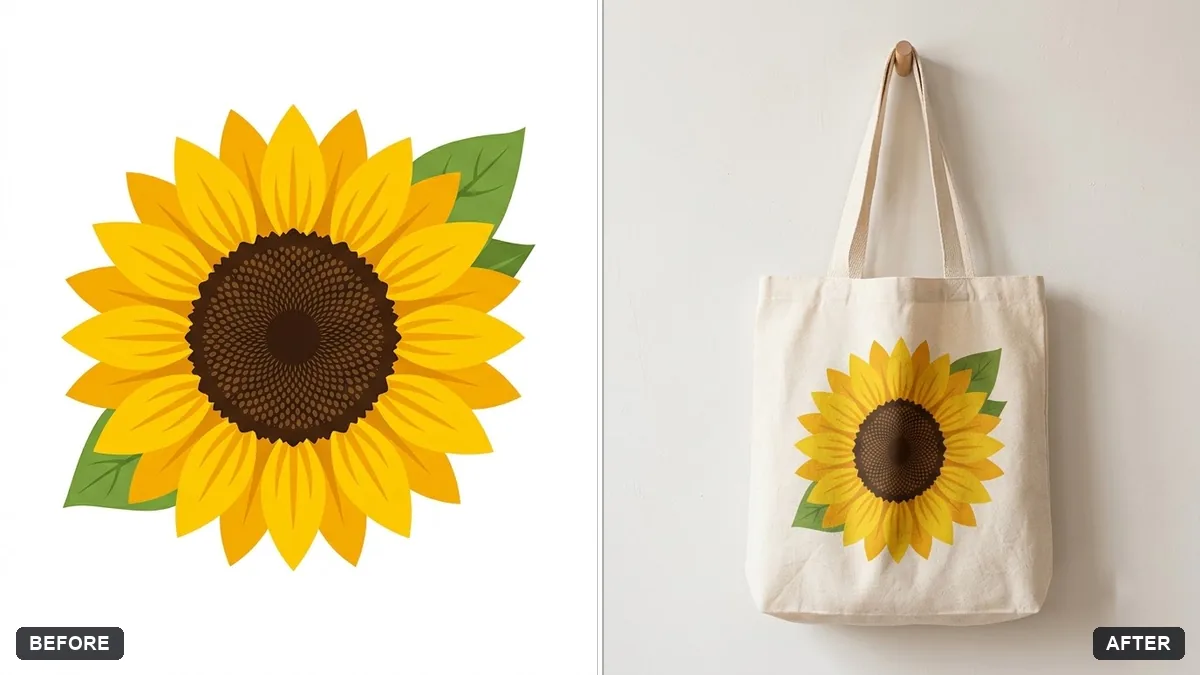
This prompt places your artwork on a cotton tote bag hanging on a wall or doorknob, with fabric texture and folds, in a bright lifestyle mockup that keeps the colours and layout exact.
Place the design from this image on a natural cotton tote bag hanging on a [WALL / DOORKNOB], with soft folds, fabric texture and a subtle shadow. Keep the artwork colours and layout exact.

Bright, clean lifestyle mockup.
Ask for a lifestyle version worn on a shoulder as well as a flat lay.
Your photo goes to the AI app you choose, never to PromptUp.
Get a better result
Your artwork printed on a natural cotton tote bag hanging from a wall hook or doorknob, with soft fabric folds, a visible weave and a gentle shadow, in a bright and clean lifestyle setting.
The artwork is stretched across the folds.
Fix: Ask for “print stays flat and undistorted, only the fabric folds slightly around it”, and keep the design in the middle of the bag.
- The colours look washed out on the cotton. Say “keep the exact artwork colours, printed ink on natural cotton, no fading”, then compare with your file.
- The bag looks plastic, not cloth. Add “woven canvas texture, stitched seams, matte finish, soft handles”.
Ask for the same bag on a person’s shoulder in a street scene with the face out of frame, so it shows size and scale.
Keep the bag and the wall. Make the print about a third smaller and move it slightly above the centre for a balanced look.
Guides on this topic
More photo editing prompts
See all 334 →
More like this
- Screenshot on a laptop mockupGemini · ChatGPT
- Pet food bag mockupGemini · ChatGPT · Midjourney
- Coffee bag packaging mockupIdeogram · ChatGPT · Gemini
- Poster in a frame mockupGemini · ChatGPT
- Billboard advertising mockupGemini · ChatGPT