- Updated
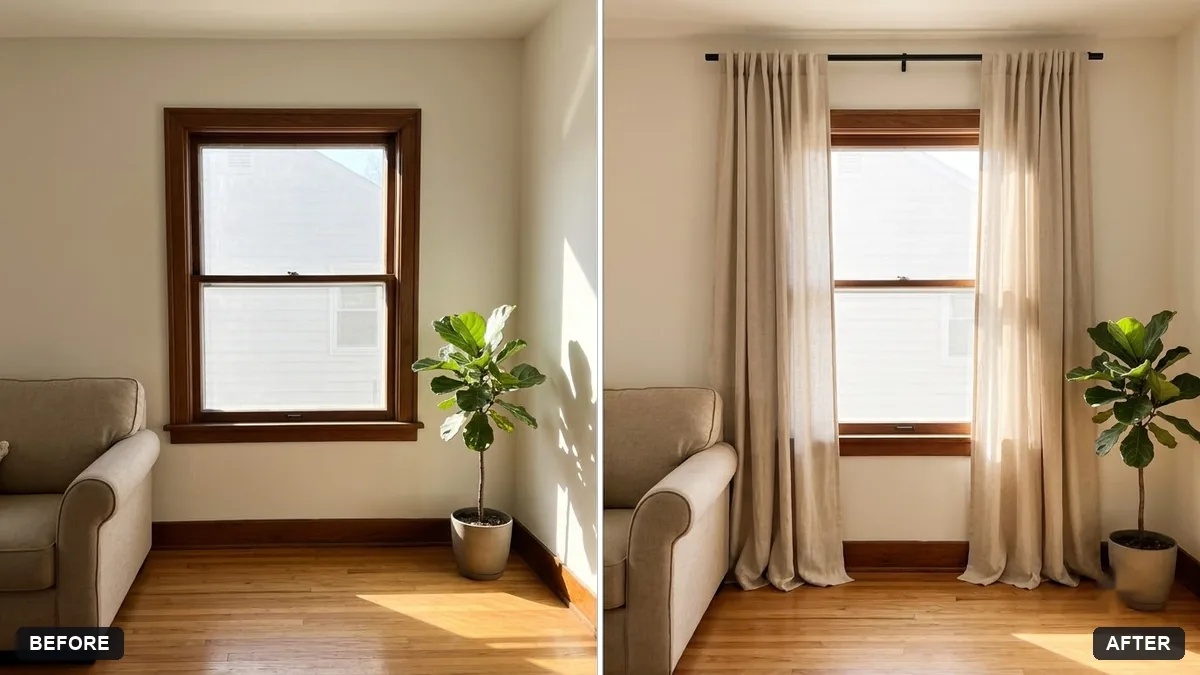
Preview new curtains
This prompt adds floor-length curtains in a fabric you choose with natural folds and correct length, with soft light shining through.
Add floor-length [COLOUR / PATTERN] curtains in a [LINEN / VELVET] fabric to the window in this room photo, with natural folds, correct length and soft light shining through.

Keep the rest of the room unchanged.
Say the fabric and pattern so the folds and texture look right.
Your photo goes to the AI app you choose, never to PromptUp.
Get a better result
Your room photo with floor-length curtains in your chosen colour and fabric, with natural folds, correct length and soft light coming through, and the rest of the room unchanged.
The curtains are too short or end above the floor.
Fix: Say “hang from just below the ceiling and just touch the floor”, and note whether the window has a rail.
- The fabric looks flat, like a printed sheet. Name the fabric and fullness, such as “heavy velvet with deep folds” or “light linen that lets the sun through”.
- The pattern is scaled wrongly. Describe it, for example “thin vertical stripes, 3 cm apart”, or leave the pattern out and choose a plain colour first.
Ask for one version in daylight with the curtains open and one with them closed and the room lamp on. It shows how the fabric works for both light and privacy.
Keep the room and the furniture unchanged. Use fuller, softer folds, and make the colour a little darker so it contrasts with the wall.
Guides on this topic
More photo editing prompts
See all 334 →
More like this
- Preview a rug in your roomGemini · ChatGPT
- Garden makeover previewGemini · ChatGPT
- Preview outdoor evening lightingGemini · ChatGPT
- Preview a house on an empty plotGemini · ChatGPT
- Balcony garden makeover previewGemini · ChatGPT