AI Polaroid photo prompts: soft flash, white border and real instant-film feel
Published
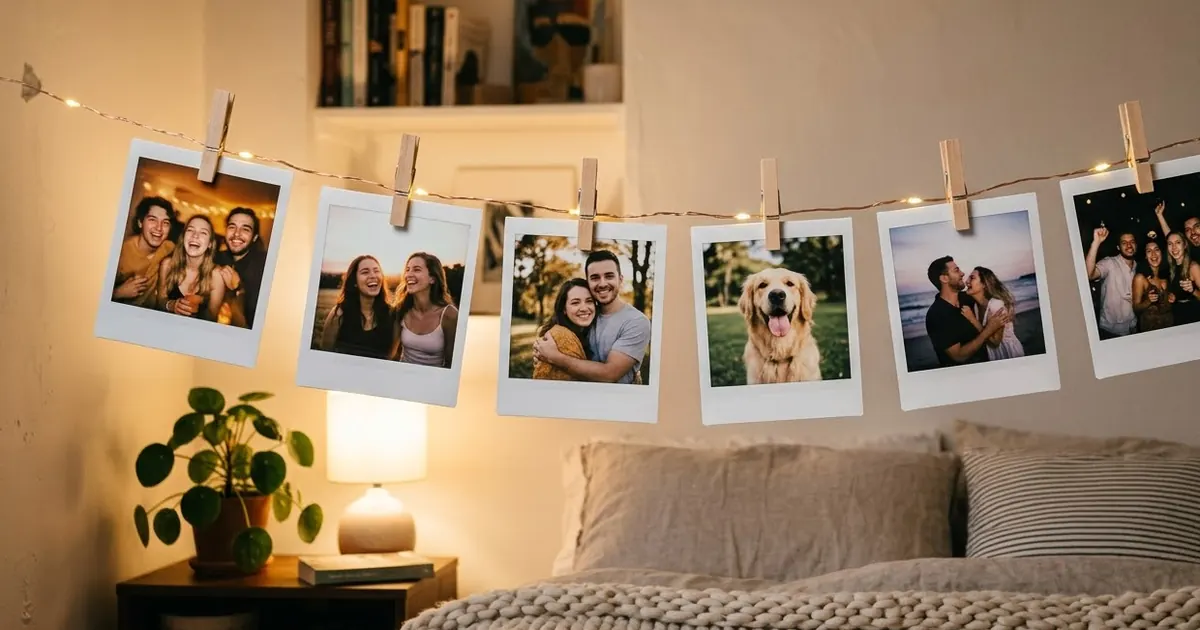
Short answerUpload a clear photo, tell the AI to keep every face the same, then ask for the three things that make a Polaroid look real: direct on-camera flash, slightly faded warm colours and a thick white border. Write any caption yourself afterwards.
Polaroid-style AI photos are everywhere on Instagram again. Gemini's Nano Banana model made them easy: upload a normal phone photo and it comes back looking like an instant print pinned to a wall. The look also fits the bigger 2026 mood of photos that feel real and a little imperfect instead of glossy.
A lot of results look like a filter pasted on a phone photo, though. Real instant film has a few clear features, and if you name them, the result looks much more convincing.
What makes a photo look like a Polaroid
- Direct flash. Bright faces, a quick fall-off into a darker background, small hard shadows behind people.
- Faded, warm colours. Slightly green or yellow shadows, soft highlights, never deep black.
- Soft focus. Instant cameras aren't razor sharp. A little softness helps.
- The square frame and thick white border, wider at the bottom.
The main prompt
This builds on our Polaroid frame prompt:
Turn this photo into a realistic instant-film Polaroid. Keep every face, expression and pose exactly the same.

Look: direct on-camera flash, bright faces, background falling into shadow, small hard shadows behind people. Slightly faded warm colours, soft highlights, gentle green-yellow shadows, light grain, a little soft focus.
Frame: square photo inside a thick white instant-film border, wider at the bottom.
Show it as a physical print lying on [SURFACE, e.g. a wooden table with a coffee mug at the edge].
No text on the border.
"No text on the border" matters. AI still misspells handwriting, and a wrong name on a keepsake ruins it. Add your caption in a photo editor instead.
Ideas people are sharing
Friends' night. A group photo at a dinner or a party works best with flash. Add "slight red-eye, someone mid-laugh, a candid moment".
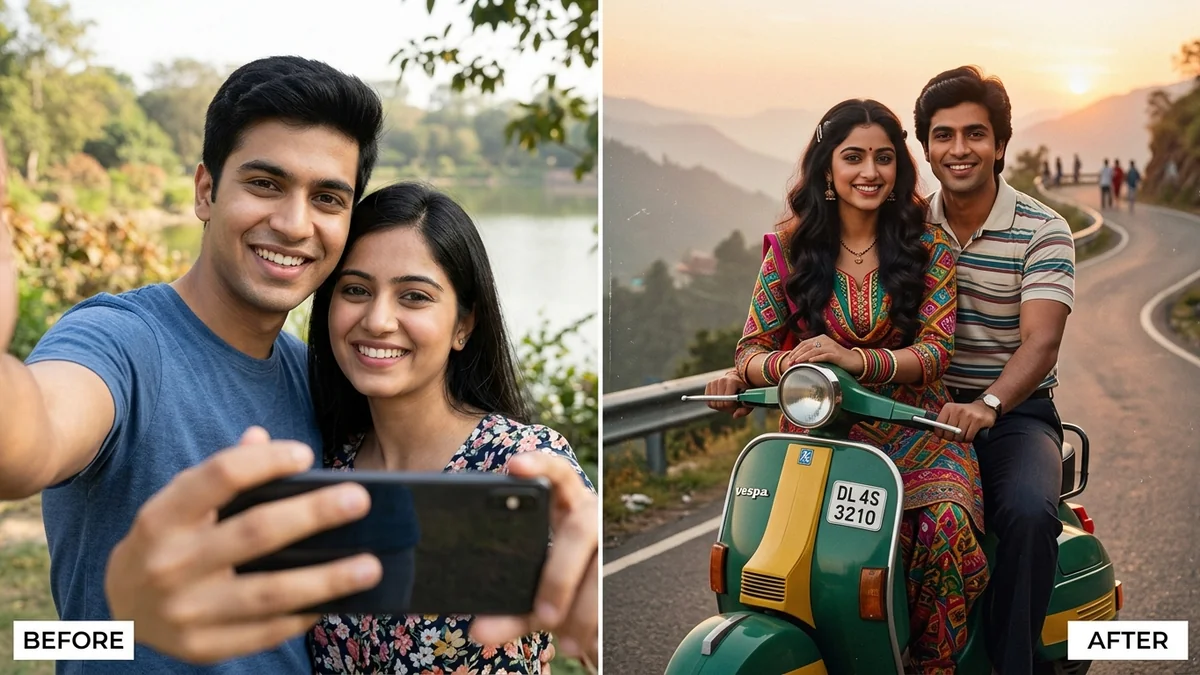
Couples. A photo taken at arm's length. Add "warm evening, fairy lights behind, a slightly tilted frame". For a retro twist, try the 80s couple prompt.
Pets. Dogs and cats look great with flash. Say "keep the fur colour and markings exactly the same".
A wall of memories. Ask for "six instant photos pegged on a string with fairy lights, each showing a different photo I uploaded". Upload up to six photos in one message.
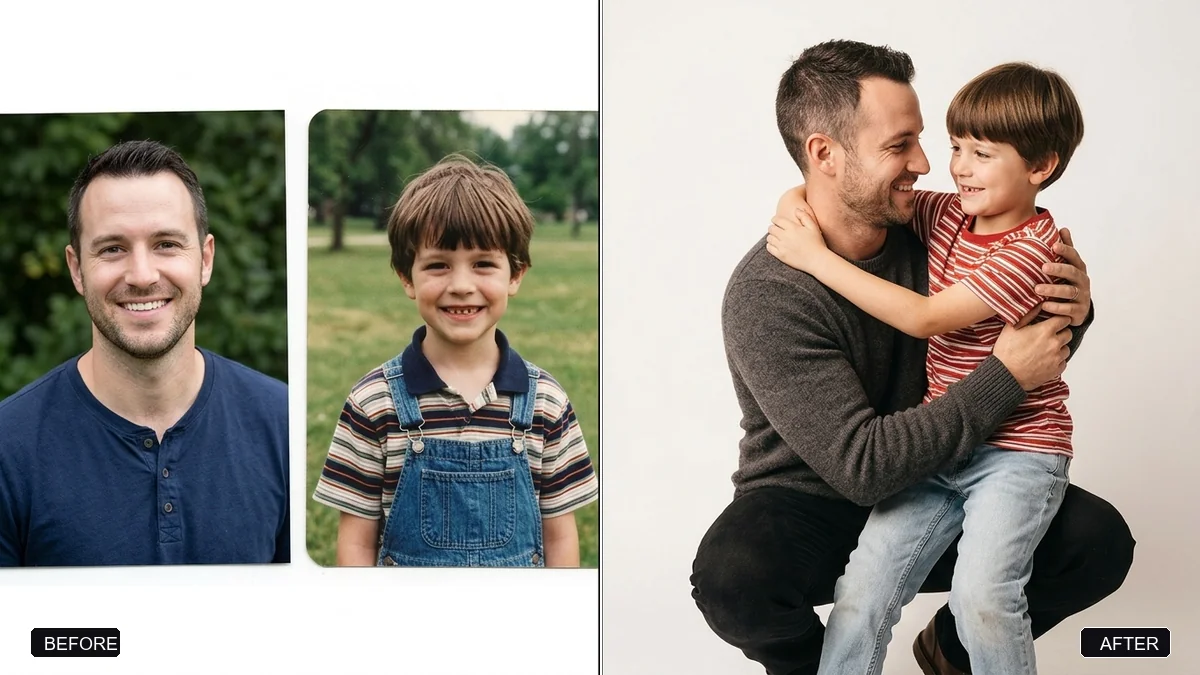
You and your younger self. The Polaroid finish is the classic look for the hug your younger self trend.
Travel shots
Instant photos suit holidays. Try this with a travel photo:
Keep me and my face exactly the same. Turn this photo into an instant-film Polaroid lying on a map of [PLACE], next to a train ticket and a pair of sunglasses. Direct flash look on the photo, warm afternoon light on the table. No readable text on the ticket.
For a different keepsake style, use the couple travel postcard prompt.
Avoid the celebrity Polaroid
Some versions of this trend put you next to a film star. Making a realistic photo of a real person who wasn't there can mislead people and may break the tool's rules. Stick to photos of you and people who have agreed to it.
Fixing common problems
It looks too clean. Add "light film grain, soft focus, faded blacks", or run it through the add film grain prompt.
Faces changed. Put "Keep every face exactly the same" first.
The border is too thin or is missing. Say "a thick white border, wider at the bottom, like real instant film".
Colours are too strong. Ask for "muted colours, soft contrast".
Where to go from here
For more nostalgic looks, see our film look AI prompts and Y2K camcorder prompts. All the prompts here are free in the photo editing prompts collection, and the prompt builder can make a custom version.
Quick checklist
- Keep faces the same, first line.
- Direct flash, faded warm colours, soft focus.
- Thick white border, wider at the bottom.
- No text in the prompt; add captions later.
- Only photos of people who agreed.


Comments
No comments yet. Be the first to share what worked for you.