Hug your younger self: AI prompts for the viral childhood photo trend
Published
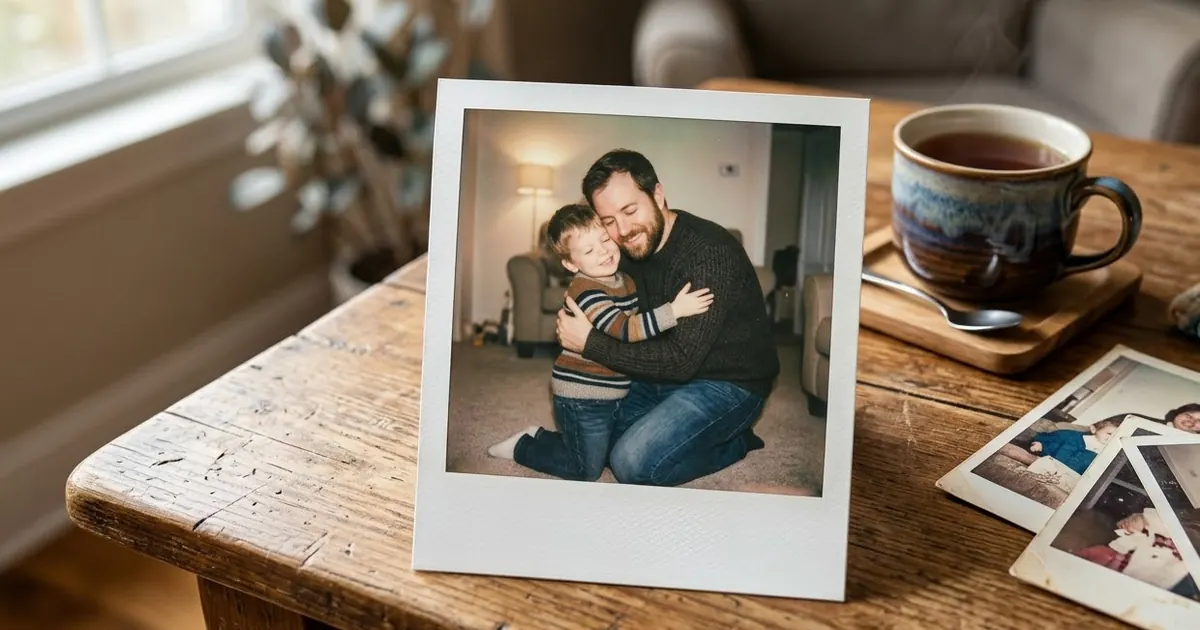
Short answerUpload a clear photo of you now and one of you as a child, tell the AI to keep both faces exactly as they are, then describe one simple scene, one light source and the hug itself. A plain background and a soft Polaroid finish make it look like a real keepsake.
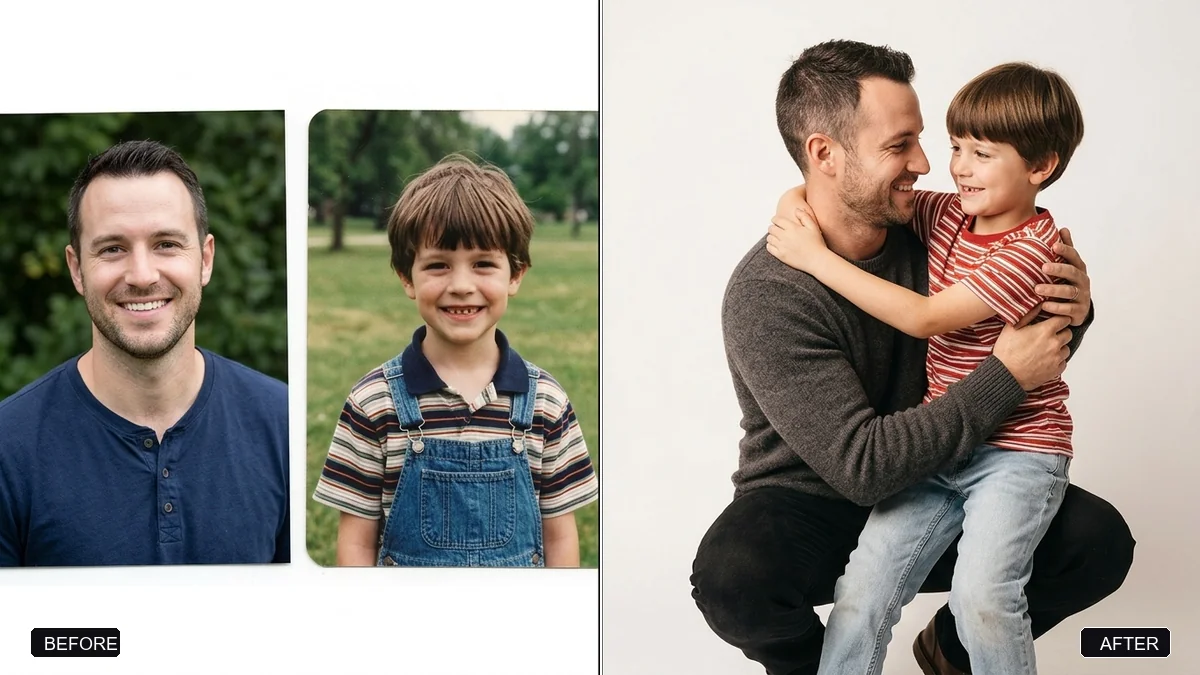
The "hug my younger self" trend is one of the most shared AI photo ideas right now. You put a photo of yourself today next to a photo of you as a child, and the AI makes a picture of the two of you meeting. It has spread across Instagram and TikTok, mostly through Gemini's Nano Banana image model. It even reached the news when Shashi Tharoor shared a picture of himself hugging his 22-year-old self.
It looks simple, but many results come out wrong. The child looks like a stranger, the adult's face changes, or the two people are lit so differently that they look pasted together. The prompts below fix those problems.
What you need
- A clear photo of you now. Front-facing, in daylight, without sunglasses or a heavy filter.
- A childhood photo where your face is visible. Old prints are fine. Photograph them flat, in daylight, without glare. If the photo is faded or damaged, restore it first with the 1950s family photo colourising prompt or a similar cleanup prompt.
- Gemini or ChatGPT, or any image tool that accepts two reference images.
Upload both photos in the same message. Say which one is which. "The first photo is me today; the second is me at age six" stops the AI mixing them up.
The main prompt
This is based on our hug younger self prompt:
Use the two photos I uploaded. The first photo is me today; the second is me as a child, around age [AGE].

Create one realistic photo of my adult self kneeling down and gently hugging my younger self. Keep both faces exactly as they are in the photos: same features, same skin tone, same hair. Do not make the child look like a different child.

Setting: [SETTING, e.g. a simple living room with a sofa and a window].
Light: soft daylight from the window, falling on both of us the same way.
Mood: warm and quiet, both of us smiling with our eyes closed or looking at each other.
Style: natural photography, 35mm lens, soft focus background, true skin texture. No text.
"Falling on both of us the same way" does the most work in this prompt. When the light doesn't match, the picture looks like a collage.
The Polaroid version
Most of the shared versions have a Polaroid finish. Add these lines at the end of the main prompt, or run your finished picture through the Polaroid frame prompt:
Finish it as an instant photo: a white Polaroid-style border, slightly faded warm colours, soft on-camera flash, a little grain. Plain white curtain background fading to soft blue. Keep both faces unchanged.
Leave the handwriting on the white border out of the prompt. AI tools still misspell words. Write the caption yourself in any photo editor.
Other poses that work
The hug is the classic, but these are just as shareable:
- Holding hands, walking away. Shot from behind, so faces matter less. Say "both seen from behind, walking down a village lane at sunset".
- Sitting side by side. "Sitting next to each other on the front steps of [PLACE], sharing an ice cream." This works well if you have a photo of the house you grew up in.
- Teaching moment. "My adult self helping my younger self ride a bicycle." Good for parents who want to share it with their own children.
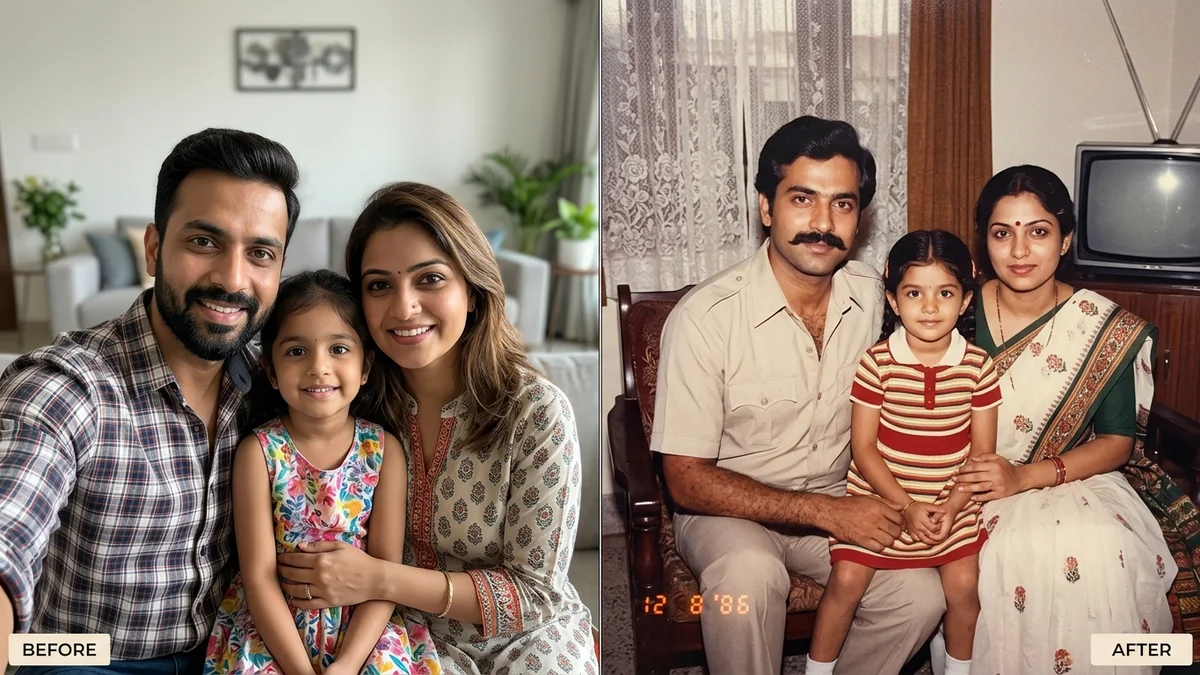
- The same frame, 25 years apart. "Recreate the exact pose, clothes and background from the childhood photo, with my adult self standing beside the child." This is the most faithful version, because the AI copies a real photo.
Fixing common problems
The child doesn't look like you. The childhood photo is too small or blurry. Crop it to just your face and upper body, and upload it again. Then add: "the child's face must match the second photo exactly".
Your adult face changed. Put "Keep both faces exactly as they are" as the first line, not the last.
The sizes look wrong. Give the age. A four-year-old and a ten-year-old are very different heights next to an adult.
It looks too perfect. Add "slight film grain, natural skin, a little motion in the hair". Very smooth skin is the quickest giveaway of an AI picture.
Make it move
A still photo is enough for most people. If you want a short clip for a Reel or a WhatsApp status, take the finished picture into a video tool with a gentle motion prompt. The old family photo comes alive prompt works well: slow movement, a small smile, no big actions. Keep it to 5 seconds. Faces start to drift in longer clips.
A note on sharing
This is a picture of you, so there's little to worry about. If you make one for a parent or a friend, ask them first and use photos they're happy to share. Some apps that promote this trend ask for payment or broad photo permissions. You can make it in the free Gemini app with the prompts above.
Where to go from here
If you like nostalgic edits, try our 80s AI photo trend prompts and the 2016 aesthetic prompts. All the prompts in this post are free in the viral AI photo trend collection, and the prompt builder can write a custom version for your own photos.
Quick checklist
- One clear photo of you now, one clear childhood photo.
- Say which photo is which.
- "Keep both faces exactly as they are" first.
- Give the child's age.
- One light source that falls on both of you.
- Add the caption yourself, not in the prompt.
Comments
No comments yet. Be the first to share what worked for you.