The 80s AI photo trend: prompts for retro Bollywood, family album and couple portraits
Published
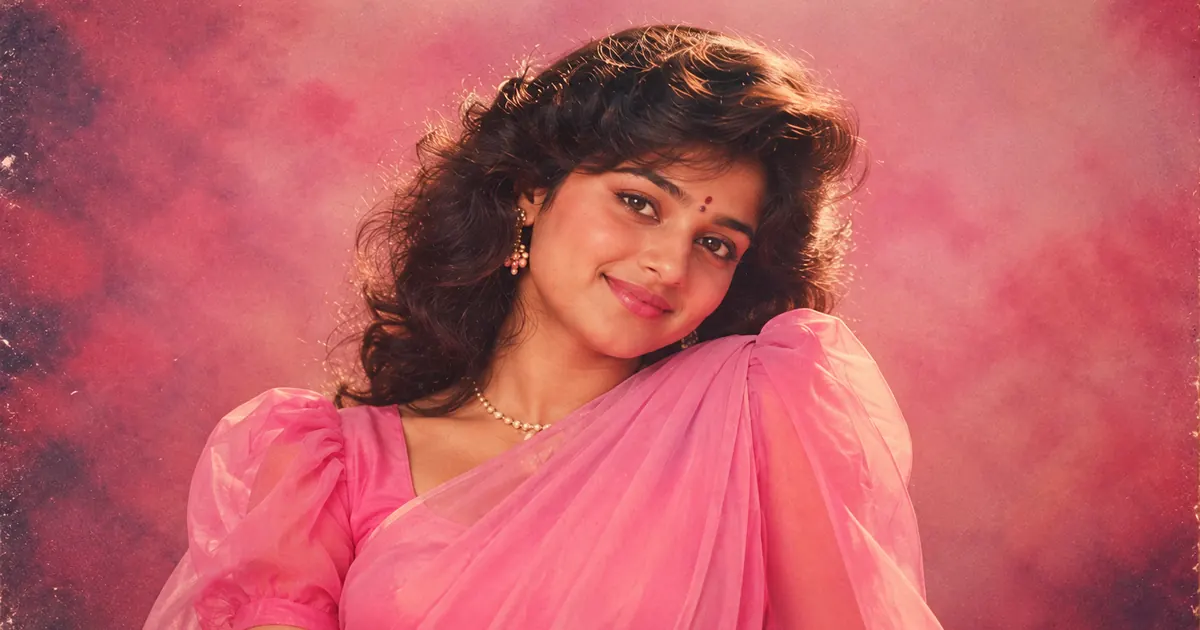
Short answerUpload one clear photo, tell the AI to keep your face exactly the same, then describe an 80s outfit, hairstyle and setting, and finish with the film look: warm faded colours, soft glow, light grain. The film look is what makes it read as 80s.
Scroll Instagram or Reels for a few minutes and you'll see it: ordinary selfies turned into portraits that look like they were pulled from a 1980s family album or a film magazine. Feathered hair, chiffon sarees, painted studio backdrops, on-camera flash and warm, faded colour. It's been one of the biggest recurring AI photo trends of 2026, and in India it has grown into its own styles: Bollywood posters, Kerala-era portraits, couple shots on a scooter.
You can make one in a couple of minutes in Gemini or ChatGPT. This guide gives you the prompts, explains why they work, and shows how to fix the usual problems.
What makes a photo look 80s
Old clothes alone don't do it. Most "80s" results that look fake have the right outfit but a crisp, modern camera look. Three things sell the era:
- The film look. Warm, slightly faded colours, a soft glow, light grain and a small vignette.
- The light. Direct on-camera flash for family photos, or soft, hazy studio light for portraits.
- The setting. A painted studio backdrop, a CRT TV and lace curtains, a scooter on a hill road.
Hair and clothes come after those. Put all three in your prompt and the result looks like a scan, not a costume.
Start with the right photo
- One clear, front-facing photo, face fully visible, no sunglasses.
- Even light, like daylight from a window.
- No beauty filter. It confuses the AI about your real features.
Only use photos of yourself or of people who have agreed.
The Bollywood film-magazine portrait
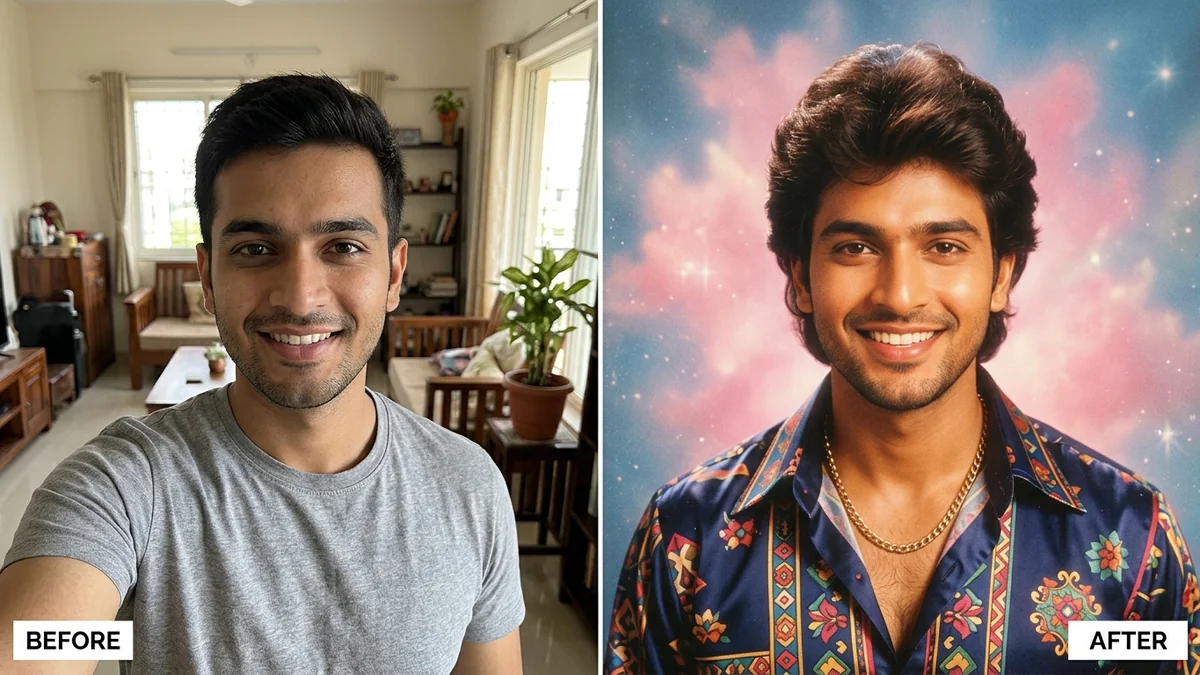
This is the most shared version of the trend. Upload your photo and paste the 1980s Bollywood portrait prompt:
Transform this photo of me into an authentic 1980s Bollywood film-magazine portrait. Keep my face, facial features, skin tone, and expression exactly the same — it must clearly be me.

Styling: [OUTFIT, e.g. a chiffon saree with puffed sleeves / a wide-collar shirt and flared trousers], voluminous 80s hairstyle, period makeup. Background: [SETTING, e.g. a painted studio backdrop with soft pink haze].

Look: warm faded film colours, soft-focus glow, light film grain, and a slight vignette, like a scanned 1980s magazine print. Portrait 4:5.
"It must clearly be me" near the start matters. The AI treats the first lines as the most important.
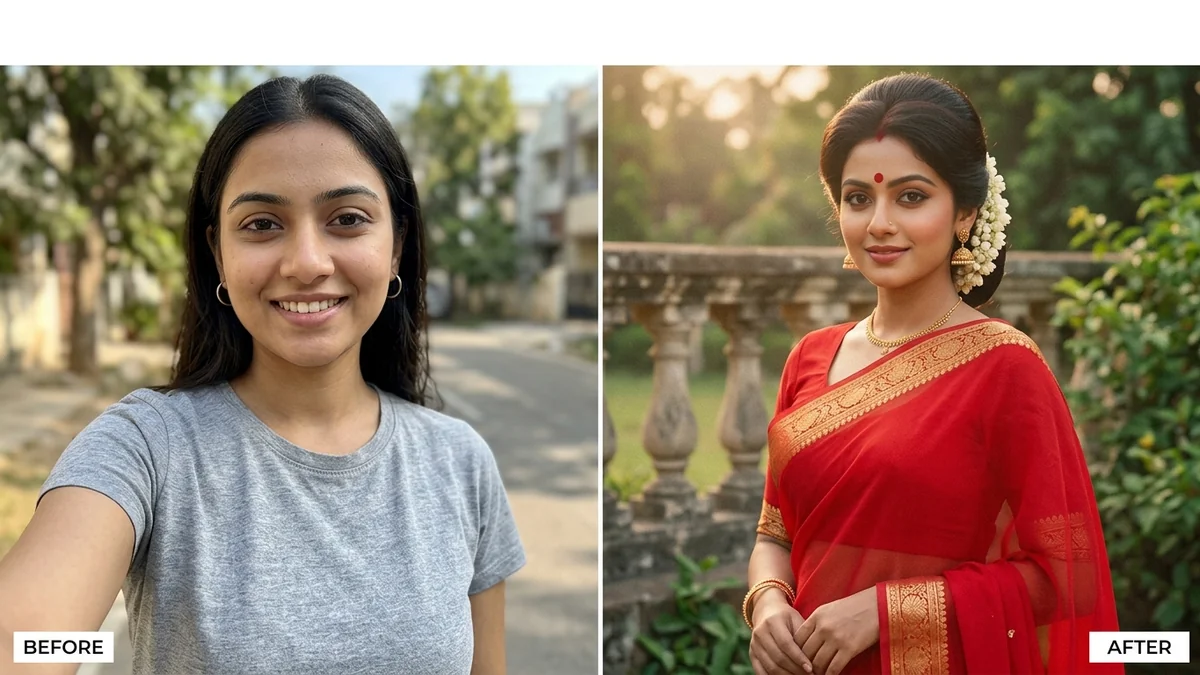
The 80s saree look
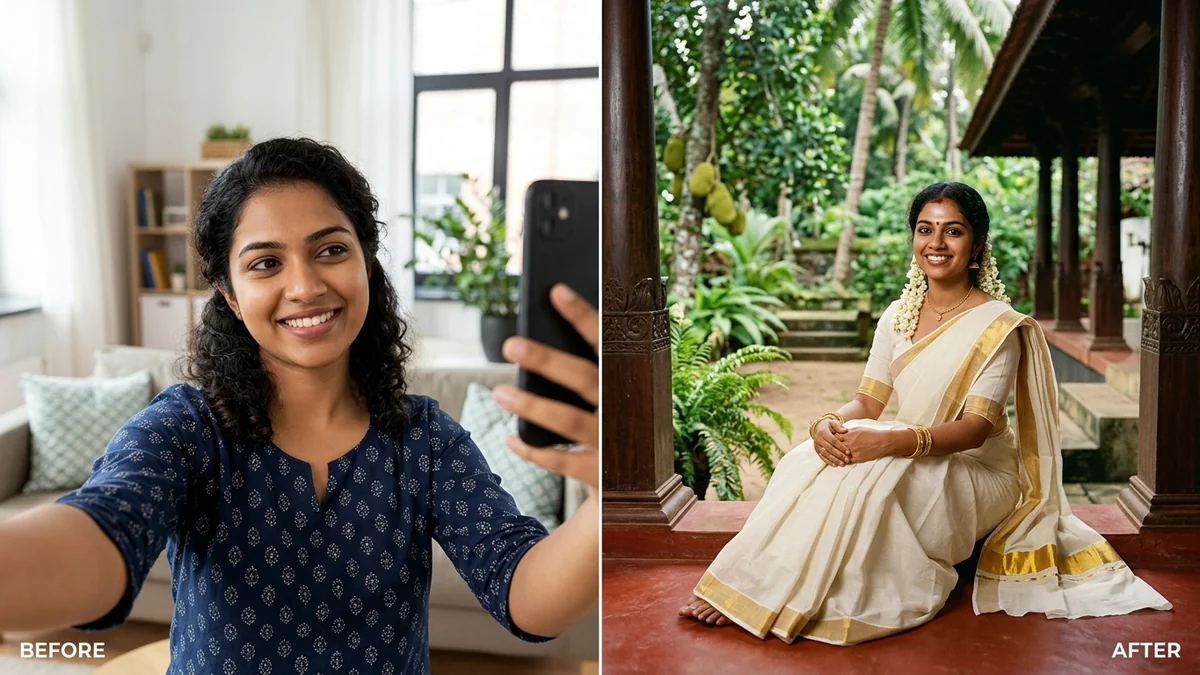
For a softer, film-still feel, the 80s retro saree prompt adds jasmine in the hair, a bindi and a garden setting. Name the fabric: "red chiffon with a gold border" and "Kanjeevaram silk" give very different pictures.
Regional versions
The trend in India is not one look. The 1980s Kerala portrait prompt uses a kasavu set-mundu and the verandah of an old nalukettu house. Swap in your own region the same way:
- Tamil Nadu: "a silk saree with temple jewellery, in front of a studio backdrop of painted pillars"
- Bengal: "a white saree with a red border, a courtyard with a tulsi plant"
- Punjab: "a phulkari dupatta, a mustard field and a tube well"
Describe the place the way someone from there would remember it. Small details, like red-oxide floors or a wall calendar, do more than the word "traditional".
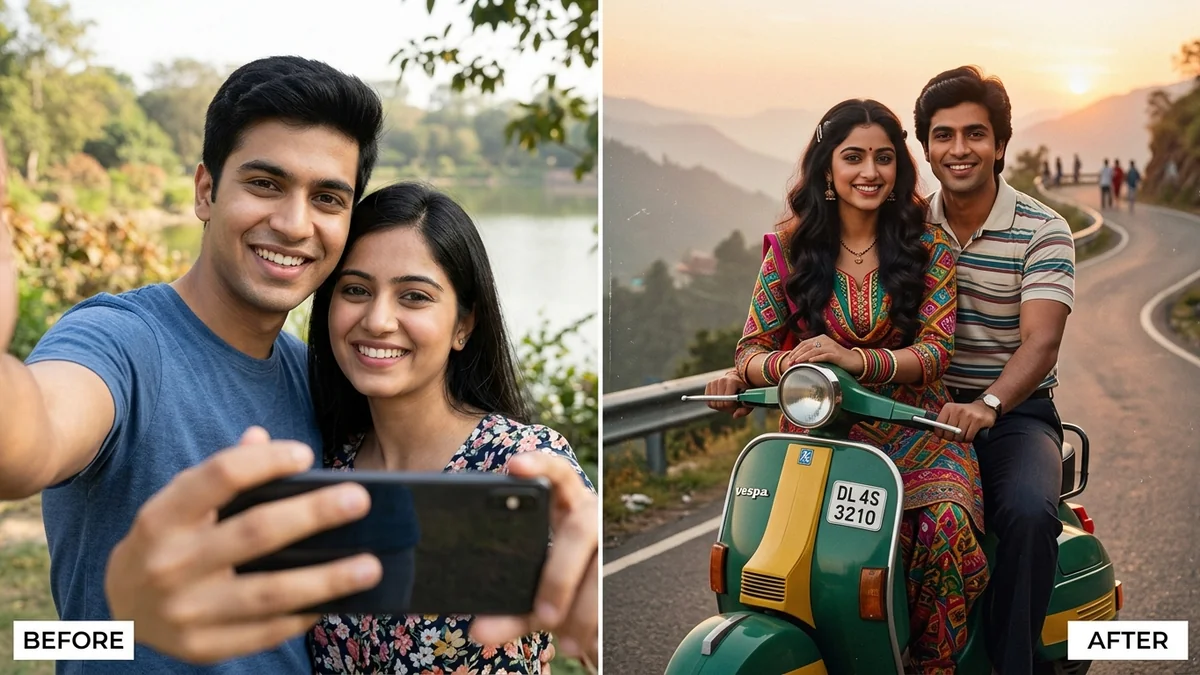
The couple portrait
Upload two photos in the same message, then paste the 1980s couple prompt. Fill in the scene, such as "sitting on a scooter on a hill road" or "sharing an umbrella in the rain", and an outfit for each person. Use clear, well-lit faces in both photos, or one face will drift.
The family album photo
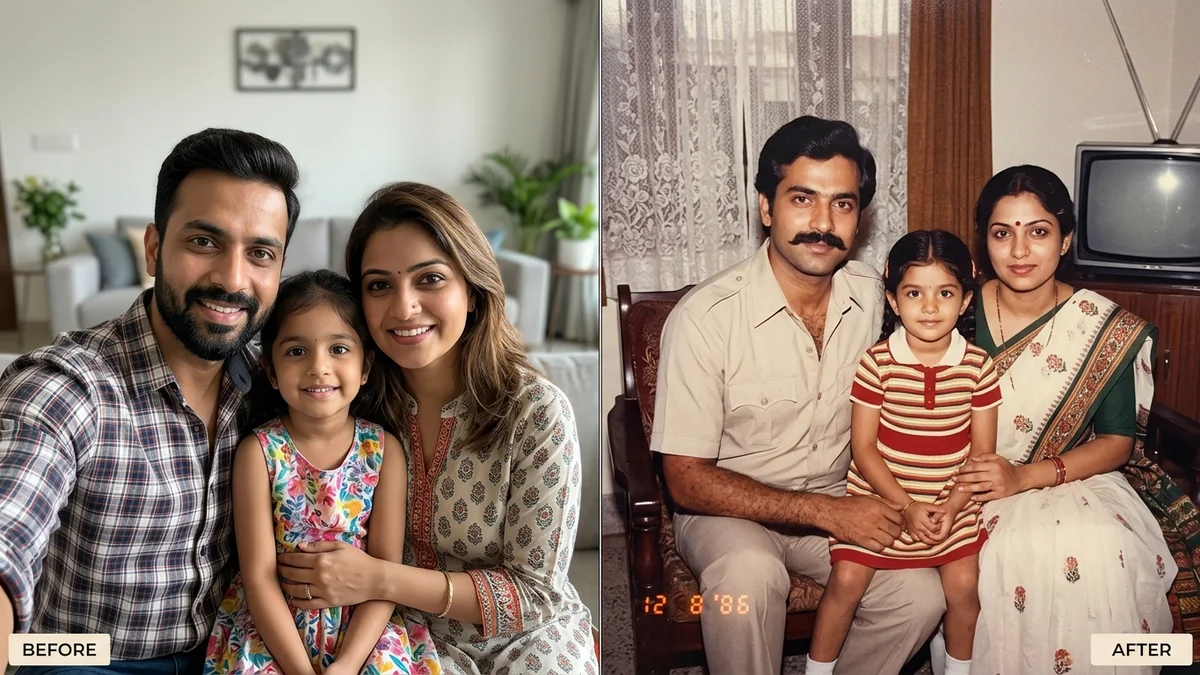
The 1980s family album prompt turns a group photo into a flash-lit print with rounded corners and an orange date stamp. It works best with two to six people. For bigger groups, add "do not remove anyone", then count the faces in the result.
Fixing common problems
It doesn't look like me. Reply: "Keep my exact face from the original photo. Only change the clothes, hair and background."
It looks modern, just with old clothes. Add the film look again: "warm faded colours, soft glow, light grain, slight vignette, like a scanned print from 1985".
The skin looks plastic. Add "natural skin texture, no smoothing".
Someone is missing from the group. Say "keep all [NUMBER] people from the original photo".
The date stamp or text is wrong. Keep it short and in quotes, or leave it out and add it later in a photo editor.
Change one thing at a time so you know what helped. Our guide on how to edit an AI prompt walks through this.
Make it move
For a short reel, take your finished portrait into a video tool and use the cinematic memory pan prompt. It adds a slow pan, drifting light and film grain while keeping faces the same. A soft old song underneath finishes it.
More retro looks
PromptUp keeps every prompt from this trend in one place: the 1980s retro photo prompts page, plus the wider set of viral AI photo trend prompts. They're free, and you can copy each one with a single tap. If you want a different decade or style, the prompt builder writes a new one for you.
Quick checklist
- One clear, front-facing photo without filters.
- "Keep my face exactly the same" at the start.
- Outfit, hair and setting from the 80s.
- The film look: warm faded colours, soft glow, light grain, vignette.
- Portrait 4:5 for Instagram.
- Only photos of people who have agreed.
Prompts to try
More prompt guides
 25 September 2026AI action figure prompts: turn your photo into a boxed toy, a chibi figurine or a brick minifigure
 25 September 2026ChatGPT Images 2.5 and Sketch: how to write prompts that work with your drawing
 25 September 2026Diwali 2026 AI photo prompts: festive portraits, family photos, rangoli and shop banners
Comments
No comments yet. Be the first to share what worked for you.