- Updated
A Day in 1987 (VHS home video)
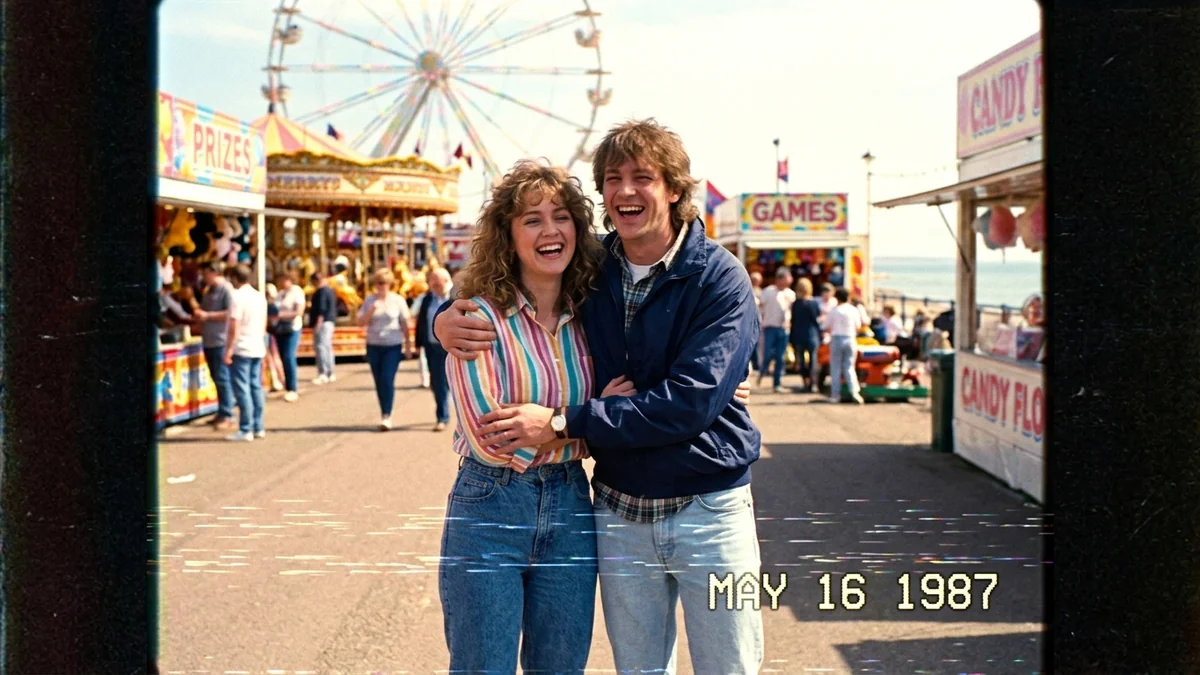
This prompt recreates a 1987 VHS home video of a subject and place you choose, with quick handheld clips, laughing at the camera and soft, blurry VHS detail. It works in Seedance, Veo and Kling.
1987 VHS camcorder home video of [SUBJECT, e.g. a young couple] spending a day at [PLACE, e.g. a crowded beach fair].

Quick handheld clips: laughing at the camera, eating snacks, riding a small Ferris wheel. Soft blurry VHS detail, colour bleed, tracking lines, warm washed-out colours, and an on-screen date stamp "[DATE, e.g. MAY 16 1987]" in the corner.

Ambient crowd sounds and wind hitting the camera mic. 4:3 frame.
Start from your own photo (image-to-video) to put yourself in the 80s clip.
Get a better result
A VHS-style home video from 1987: quick handheld clips of a couple at a beach fair, with colour bleed, tracking lines, a date stamp in the corner, crowd sounds and wind on the microphone, in a 4:3 frame.
The clip looks like a modern video with a filter on top.
Fix: Keep the VHS details (colour bleed, tracking lines, 4:3) and ask for quick handheld clips. Starting from your own photo helps.
- The date stamp shows wrong or unreadable digits. Use short text like “MAY 16 1987” in quotes and keep it to one corner. If the digits are wrong, add the stamp in an editor.
- All the clips look like the same shot. List the moments: “laughing at the camera, eating snacks, riding a small Ferris wheel”, and ask for quick cuts between them. Home videos feel like a string of moments.
- Clothes and objects look modern. Name the period: “shoulder-padded jackets, high-waisted jeans, a boxy camcorder reflected in a shop window”. Era details sell it.
Change the place to “a living room birthday party with a CRT TV and balloons” and the clips to cutting a cake and blowing out candles. It fits a family birthday video.
Low-resolution 1987 camcorder footage, soft focus, slightly shaky, 4:3 frame.
Guides that use this prompt
More video generation prompts
See all 489 →
More like this
- VHS camcorder still (90s home video)Gemini · ChatGPT
- 1980s Kerala-era portraitGemini · ChatGPT
- 80s retro saree lookGemini · ChatGPT
- 1980s Bollywood retro portraitGemini · ChatGPT
- 1980s vintage Bollywood couple photoGemini · ChatGPT