- Updated
Aesthetic Day-in-the-Life vlog
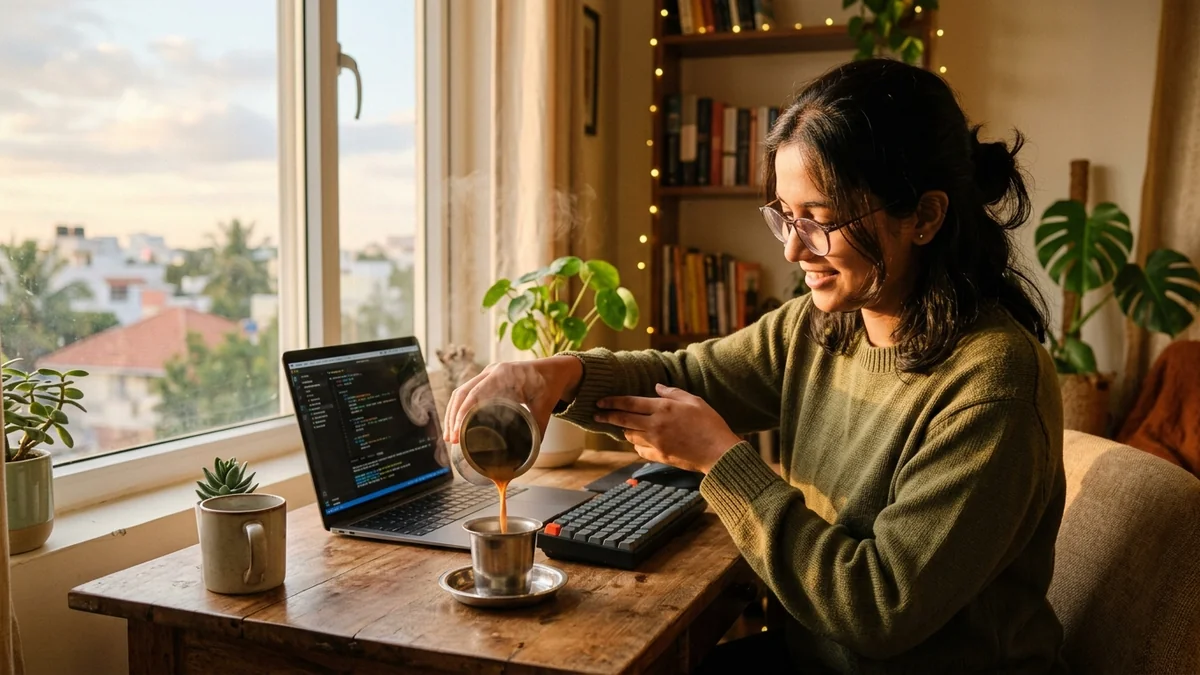
This prompt builds a vlog montage of a subject in a city you choose: making filter coffee at sunrise, typing by a window, riding the metro and eating street food in the evening. It works in Veo, Kling and Seedance.
Aesthetic day-in-my-life vlog montage of [SUBJECT, e.g. a young software engineer] in [CITY, e.g. Hyderabad]: making filter coffee at sunrise, typing on a laptop by a window, riding the metro, and eating street food in the evening.

Soft natural light, a warm film-like grade, handheld close-ups of hands and details, and smooth cuts between moments.

Gentle lo-fi music and quiet ambient sounds. Vertical 9:16, 10 seconds.
Generate each moment as its own clip, then join them in CapCut for a longer vlog.
Get a better result
A 10-second vertical day-in-the-life montage in your city: morning coffee, typing by a window, a metro ride and street food, with a soft natural light, a warm film-like grade and handheld details.
Too many moments squeezed into one clip look rushed.
Fix: Make each moment its own 8-second clip, then join them in CapCut.
- The laptop screen shows scrambled code or text. Say “the laptop screen shows only a soft glow, no readable text anywhere”. Unreadable text is distracting.
- The person looks different in each scene. Show mostly hands, a coffee cup and the back of a head. When the face must appear, start each clip from the same reference photo.
- The city looks generic, so it could be anywhere. Name local details. For Hyderabad that could be “filter coffee in a steel tumbler, a metro platform, a cart selling mirchi bajji”. Real details make it yours.
Add “write a 30-word voiceover to read over these clips, in a casual tone, with one line per moment”. Narration ties clips together better than music alone.
Show hands, cups and the back of a head instead of faces. Keep every screen as a soft glow with no text, and add the local street details I named.
More video generation prompts
See all 489 →

More like this
- Scroll-stopping Reel openerVeo · Kling · CapCut
- AI street interview (vox pop)Veo · Kling
- Bring a portrait to life with a gentle smileKling · Veo · Seedance
- Bring an old black-and-white photo to lifeKling · Veo · Seedance
- Bullet-time frozen momentSeedance · Kling