- Updated
Wedding photo in cinematic slow motion
This prompt animates your wedding photo in slow motion, with the veil or a fabric such as a dupatta floating softly.
Animate this wedding photo in slow motion: the veil or [DUPATTA / FABRIC] floats softly, petals drift through the air, the couple share a loving look then a gentle smile. Keep both faces and outfits exactly the same. Soft golden light, slow cinematic push-in, romantic music mood, 6 seconds.
Petals, veils and confetti add life without changing faces.
Get a better result
A 6-second slow-motion clip from your wedding photo: the veil or dupatta floats, petals drift past, and the couple share a loving look and a gentle smile, with a slow push-in in golden light.
The faces morph during the loving look.
Fix: Say “the heads barely move, only the veil, the petals and a small smile change”. Less face movement means fewer changes to the faces.
- Petals drift across the faces and break them up. Ask for “petals falling behind and beside the couple, never in front of their faces”.
- Too many actions in six seconds. Choose one look and one smile. The tool needs time to move each, and the music mood in the prompt gives no real audio, so add a track in an editor.
Ask for “everything still except the dupatta and a few petals, camera locked”. A near-still clip is the safest way to avoid face changes and looks lovely as an invitation background.
Almost freeze the couple. Only the veil, the petals and one small smile move, the camera pushes in slowly and the faces stay exactly as in the photo.
Guides that use this prompt
More video generation prompts
See all 489 →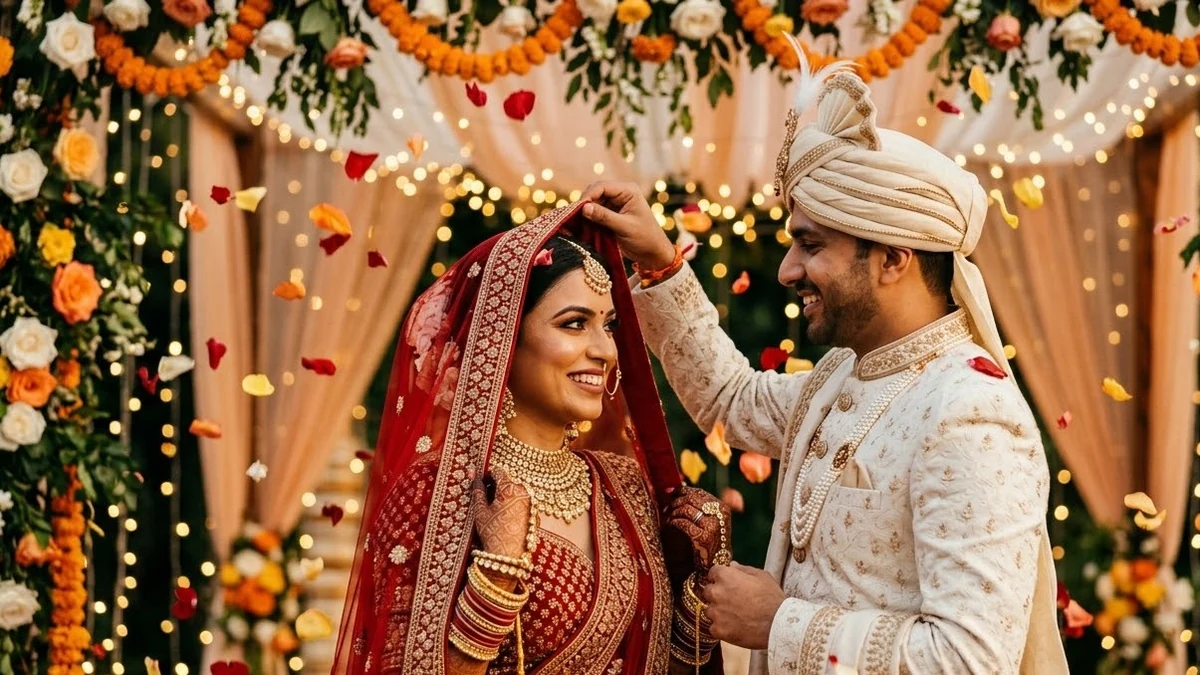


More like this
- Editorial wedding portrait of a coupleGemini · ChatGPT
- Pre-wedding scene for a coupleGemini · ChatGPT
- Wedding save-the-date cardGemini · ChatGPT · Midjourney
- Write a wedding speechChatGPT · Gemini · Claude
- Samurai duel in falling petalsKling · Veo · Seedance