- Updated
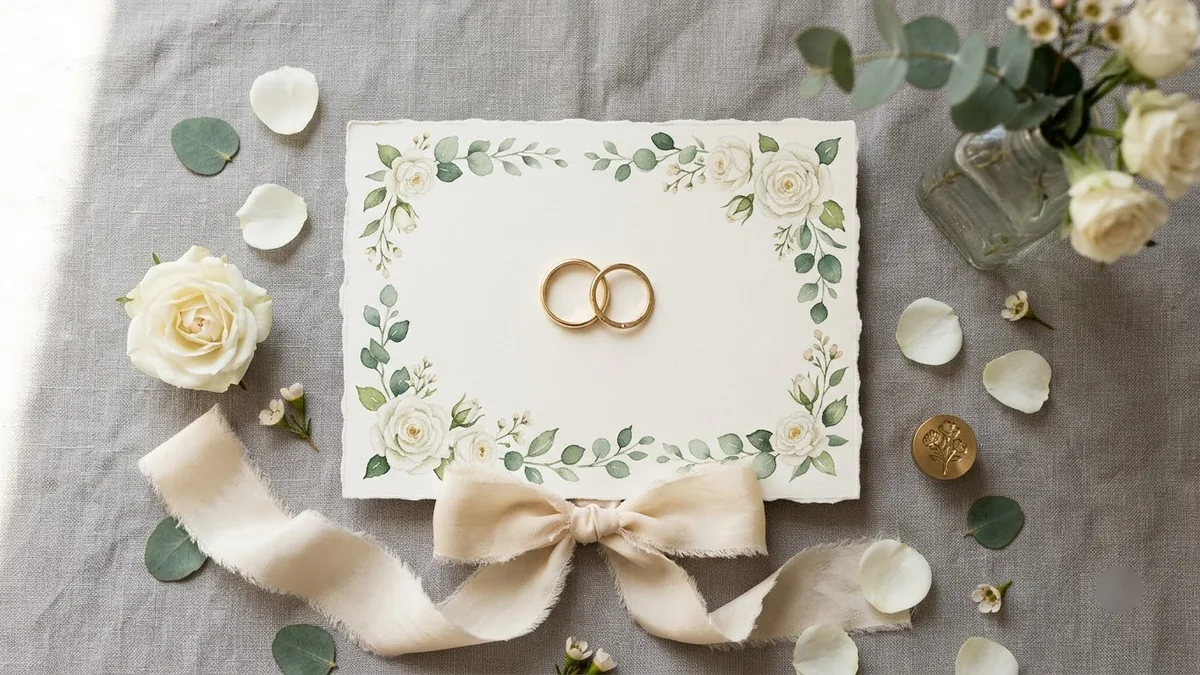
Wedding save-the-date card
This prompt creates a save-the-date card for two named people with a date and city. Check every name and date in the result.
Elegant save-the-date card for [NAME] and [NAME], [DATE], [CITY]. [MINIMAL / FLORAL / VINTAGE] style, cream paper texture, fine botanical line drawings of [FLOWERS] in the corners, refined serif and script lettering, muted [COLOUR] palette, luxurious stationery look. --ar 5:7
Specify the exact date and names in the prompt and check spelling before you print.
Get a better result
A portrait-shaped save-the-date card on cream paper with fine botanical line drawings in the corners, refined serif and script lettering and a muted palette, carrying the couple’s names, date and city.
The names or the date come out misspelled.
Fix: Fill the brackets exactly as you want them printed, and write the date in words, such as “14 February 2027”. Check every letter before you share it.
- The flowers are generic instead of the ones you want. Name the flowers and where they sit: “peonies and eucalyptus in the top-left and bottom-right corners”.
- The script lettering is so decorative that it is hard to read. Ask for “names in elegant script, date and city in plain serif capitals”. Mixing the two keeps the details legible.
- The card looks too busy for the minimal style you picked. Add “at least 40 percent empty space, drawings small and fine”. Stationery looks expensive when it has room to breathe.
Replace “paper texture” with “smooth digital background” and ask for “a 9:16 version for sending by WhatsApp”. Many guests will see the card on a phone first.
Fix the spelling so both names, the date and the city read exactly as in my prompt, letter by letter. Keep the design the same.
Guides that use this prompt
More image generation prompts
See all 347 →

More like this
- Engagement portrait for a coupleGemini · ChatGPT
- Editorial wedding portrait of a coupleGemini · ChatGPT
- Wedding highlight teaserVeo · Kling · Seedance
- Write a wedding speechChatGPT · Gemini · Claude
- Mehendi hands close-upGemini · ChatGPT