- Prompt at a glance
- Category
- Text & chat
- Works with
- Claude · ChatGPT · Claude Code
- Length
- 94 words
- Fields to fill
- PASTE THE FILE WITH <<<<<<< ======= >>>>>>> MARKERS
- Last updated
Resolve a Git merge conflict safely
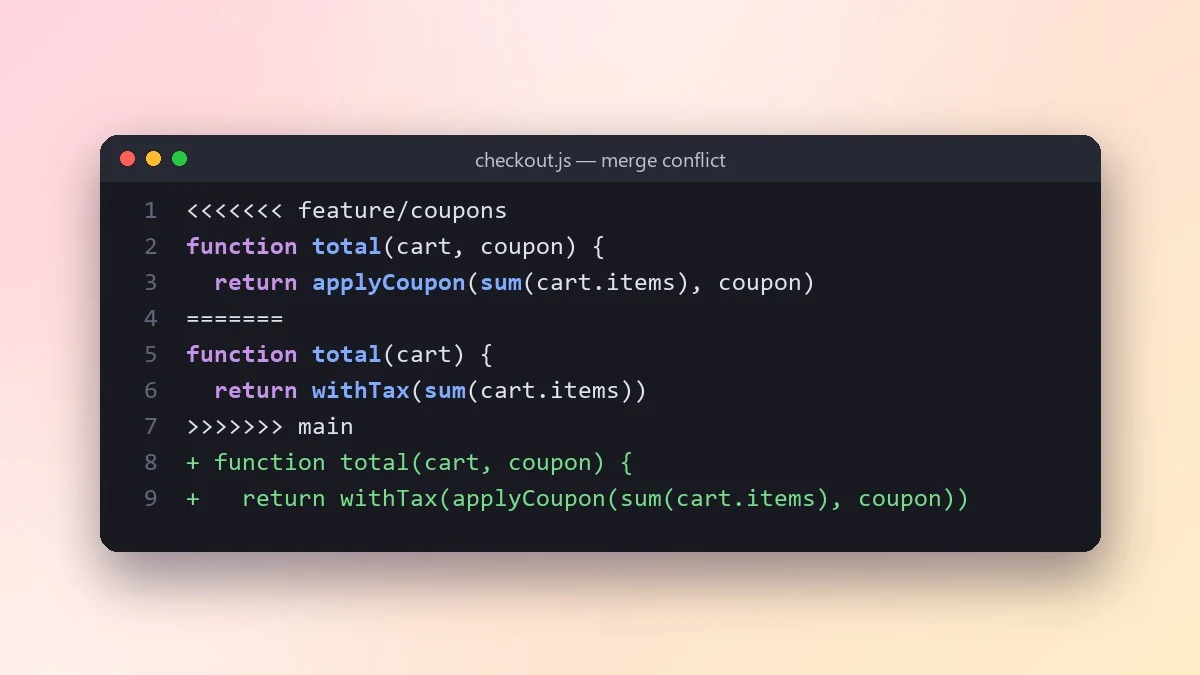
This prompt explains what each side of a Git conflict was trying to do, then merges them so both changes survive. It also gives the git commands to finish the merge and a quick test to check nothing broke.
Act as a senior developer helping me resolve a Git merge conflict.

What my branch does: [e.g. adds discount codes at checkout]
What the other branch does: [e.g. refactors checkout into smaller functions]

Conflicted file with markers:
[PASTE THE FILE WITH <<<<<<< ======= >>>>>>> MARKERS]

Explain what each side changed and why they clash. Then give me the merged version that keeps both intentions, and point out any line where you had to choose one side. Finish with the exact git commands to mark it resolved and a quick test to confirm nothing broke.
Describe what each branch was trying to do. The AI resolves conflicts much better when it knows the intent, not just the lines.
From copy to answer in four steps
- 1
Open Claude and start a new chat.
- 2
Paste the prompt.
- 3
Replace each [BRACKETED] field with your real details and paste in your own text where asked.
- 4
Reply with follow-ups such as "make it shorter" or "make it sound more like me".
About this prompt
Which AI tools work with this prompt?
It is written for Claude, ChatGPT and Claude Code. Paste it into your preferred tool and adjust the wording if the result is off.
What do I need to fill in?
Replace the field before you send it: PASTE THE FILE WITH <<<<<<< ======= >>>>>>> MARKERS. Each field shows an example in the prompt.
Should I paste private information into the prompt?
Only what the task needs. Remove names, contact details and other sensitive data before pasting a resume or document into any AI tool.