Debugging prompts that get a real answer from ChatGPT or Claude
Published
Short answerPasting an error message alone usually gets a generic guess. Giving the AI the full trace, both environments and what you expected, in that order, gets a specific answer you can actually check.
"It's broken, here's the error" is the most common way developers prompt an AI tool about a bug, and it's also why the answer that comes back is often a generic list of things to try rather than an actual diagnosis. The model is filling in everything you didn't tell it: what the code is meant to do, what's different between where it works and where it doesn't, what you've already ruled out.
The fix isn't a cleverer question. It's giving the model the same information a human colleague would need before they could help: the full error, the relevant code, and what "working" looks like. The five prompts below are built around specific, common bug patterns, and each one asks for that context in a fixed order.
Why "here's my error, fix it" falls short
A bare error message is the last line of a much longer story. The model can't see the environment it ran in, what changed recently, or what you expected instead. Without that, it has to guess at the most common cause for that error message in general, which is often not the cause in your specific case. Structure fixes this by making you supply the missing parts before you ask for the fix.
Finding the real cause in a stack trace
A stack trace points at where something crashed, which isn't always where the actual mistake is. The stack trace root cause prompt:
Act as a senior [LANGUAGE, e.g. Python / Django] developer helping me debug.

Error and full stack trace:
[PASTE THE STACK TRACE]

The code it points to:
[PASTE THE RELEVANT FILE OR FUNCTION]

What I expected to happen: [EXPECTED, e.g. the order saves and returns 201]

Walk the trace from the bottom up and tell me which line actually causes the failure, not just where it crashes. Give the most likely root cause, one or two other possible causes, a minimal fix as a code diff, and one check I can run to confirm the fix worked.
Paste the whole trace, not just the last line or the part you think is relevant. The real cause is frequently a few frames above where the crash is reported, and trimming the trace is how that gets missed.
"It works on my machine" bugs
This is one of the most frustrating categories precisely because the code is identical in both places. The works locally, fails in production prompt asks for both environments side by side, which is what actually narrows this down:
Act as a senior engineer who has debugged many "works on my machine" problems.

What fails in production: [SYMPTOM, e.g. image upload returns 500 on the live site]
Local setup: [e.g. Node 22, SQLite, .env file]
Production setup: [e.g. Node 20 on Vercel, Postgres, env vars in dashboard]
Logs or error: [PASTE]
Code involved: [PASTE]

List the differences between the two environments that could cause this, ranked by likelihood (env vars, versions, file paths, permissions, timezones, build step, caching). For the top three, tell me exactly how to check it and what the fix would be.
The more precisely you describe both environments, including versions and how environment variables are set, the faster this narrows down. Most of these bugs turn out to be one of the categories the prompt already lists.
A test that fails at random
Flaky tests are their own kind of annoying, because the obvious workaround, adding a sleep or a retry, hides the actual bug instead of fixing it. The flaky test prompt rules that shortcut out directly, and asks for a deterministic rewrite instead.
If you can, run the test in a loop and paste two different failures rather than just one. The pattern between two separate failures is usually what points at the real cause, whether that's shared state between tests, test order, or an async wait that isn't actually waiting for the right thing.
Tracking down a memory leak
A slow, creeping memory leak is hard to spot from a single snapshot. The memory leak prompt asks for the symptom in numbers (how much memory, over how long) and the suspicious code, then gives you both a likely fix and a concrete way to confirm it with a heap snapshot comparison. The common culprits it looks for first: listeners that never get removed, caches with no size limit, and timers that keep running after the thing they belonged to is done.
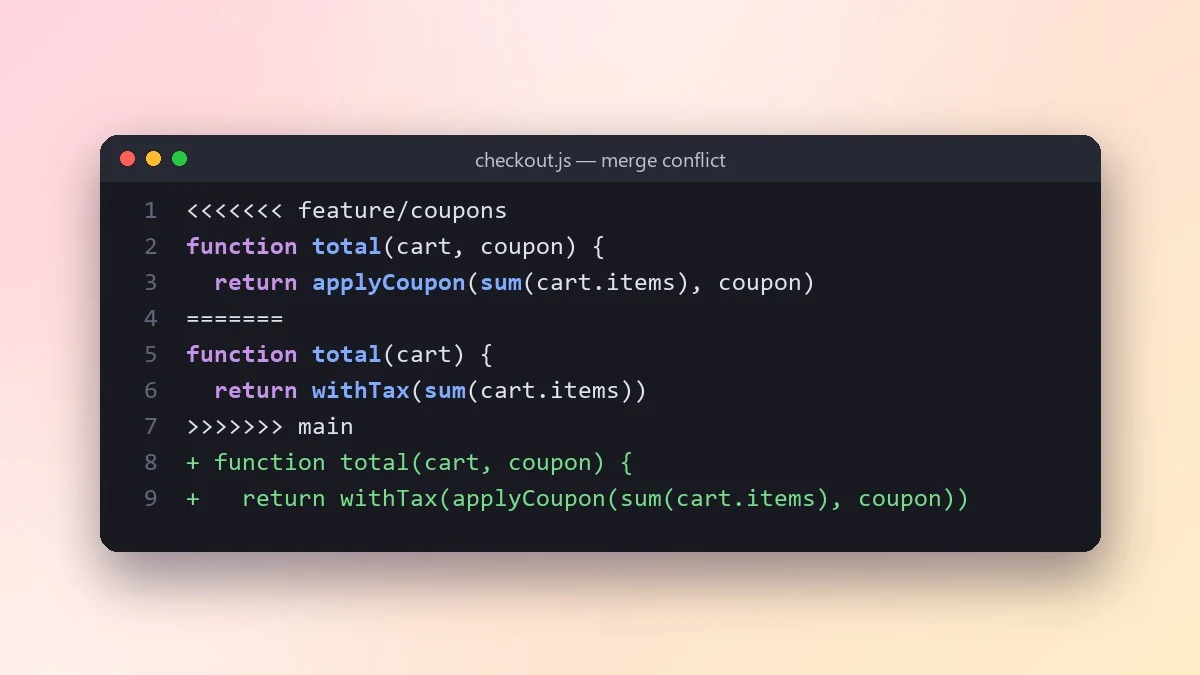
A merge conflict you don't want to get wrong
Git shows you the conflicting lines, not what either branch was trying to do, which is exactly the part that matters for resolving a conflict safely. The merge conflict prompt asks you to describe each branch's intent before pasting the conflict markers, so the merged result can keep both changes rather than silently dropping one.
Making this a habit
The common thread across all five: paste more than the error. Code, both environments if relevant, and what you expected. It's slightly more typing up front, and it reliably saves a much longer back-and-forth where the model is just guessing at what you left out.
Where to go from here
For prompts built around a specific editor instead of general debugging, see Cursor AI coding prompts. These five and more are in the AI coding prompts collection, and the prompt builder can help you adapt any of them to your own stack.
Quick checklist
- Paste the full error or trace, not just the last line.
- Include the relevant code, not only the error message.
- Say what you expected to happen, not just what went wrong.
- For environment-specific bugs, describe both setups side by side.
- Ask for a way to confirm the fix, not just the fix itself.
Prompts to try
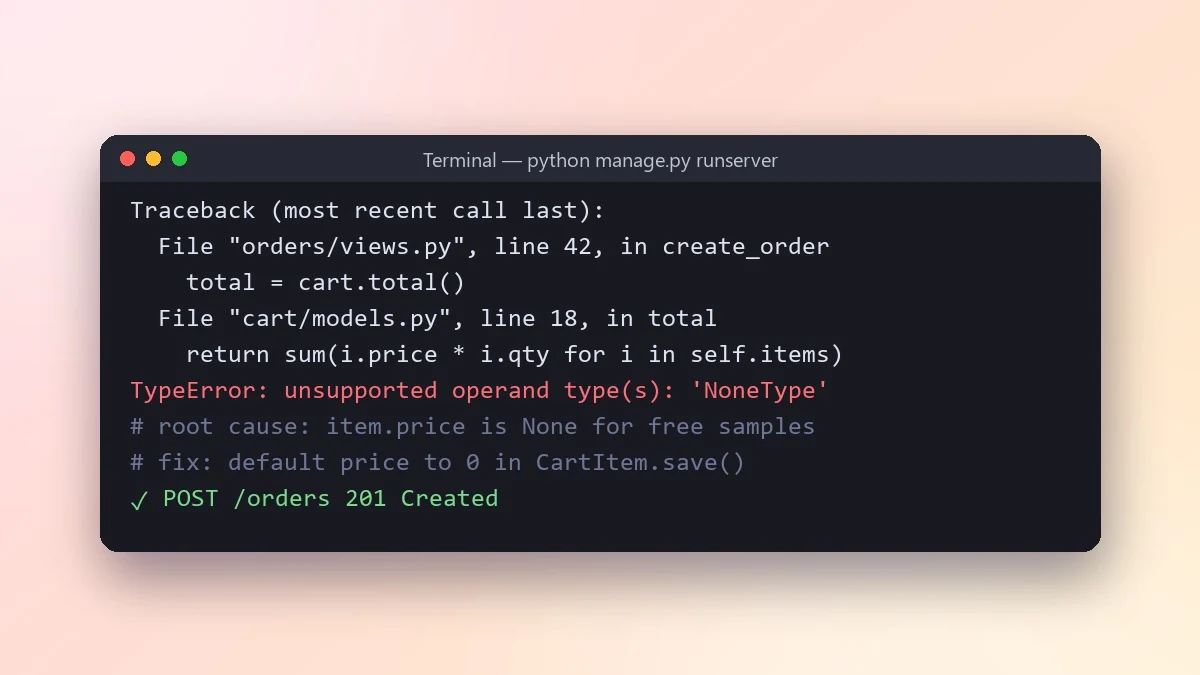 Find the root cause from a stack traceClaude · ChatGPT · Gemini
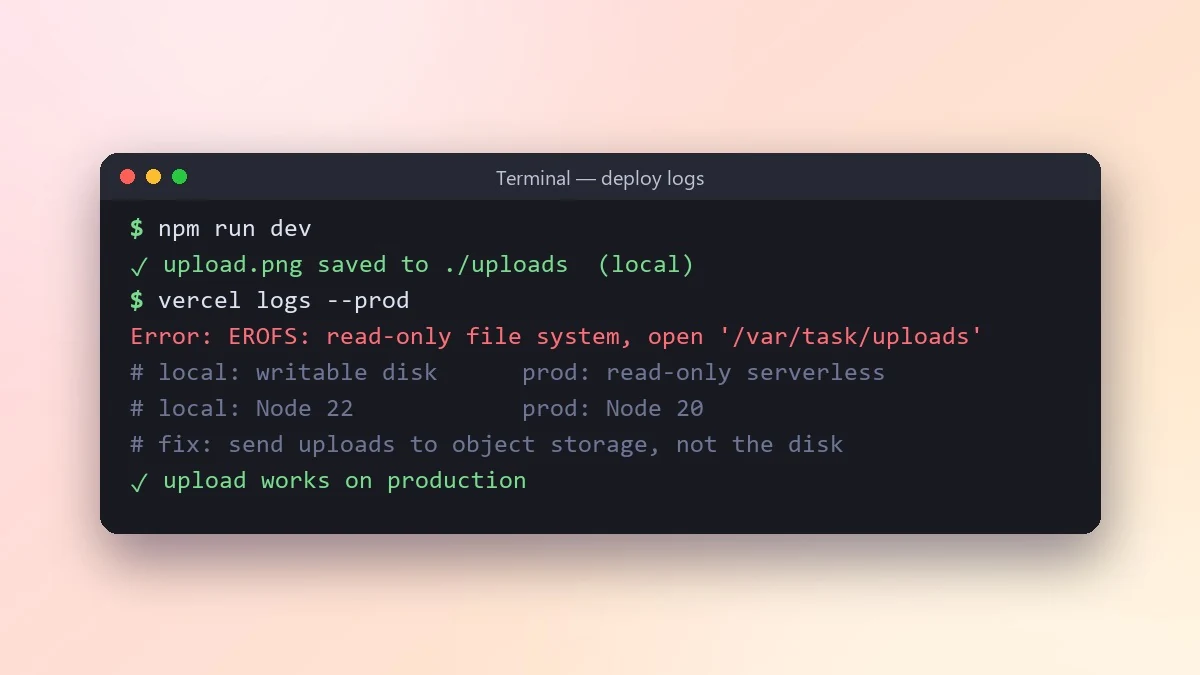 Fix a bug that works locally but fails in productionClaude · ChatGPT · Gemini
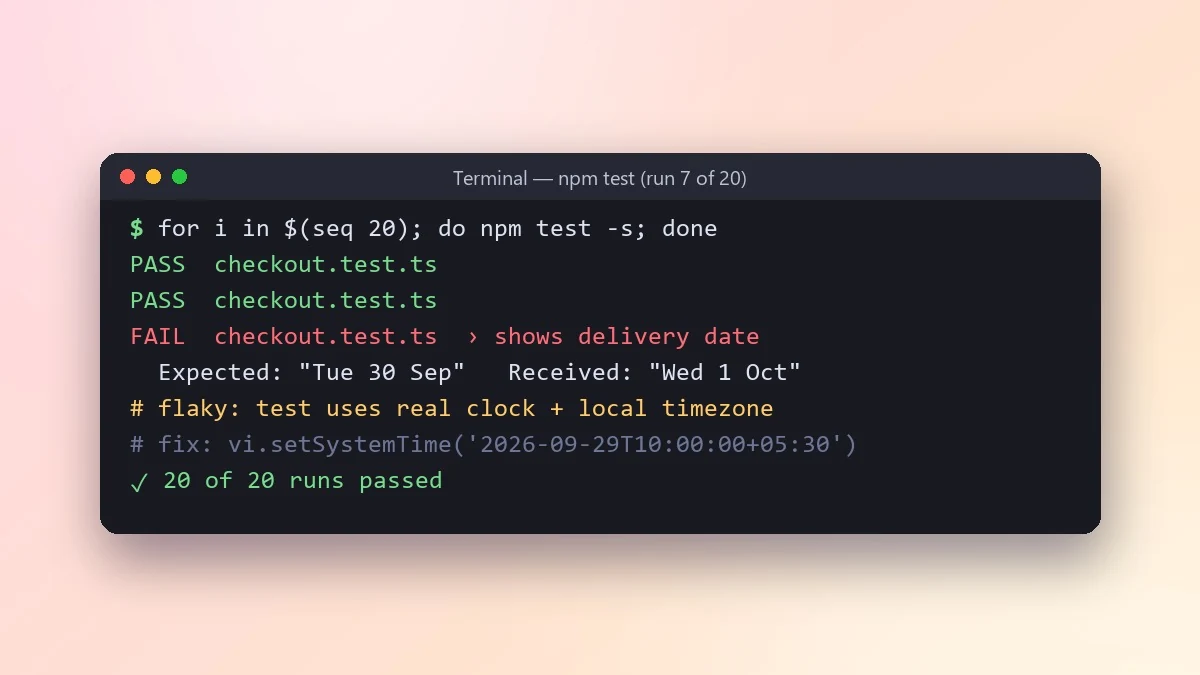 Fix a flaky test that passes and fails at randomClaude · ChatGPT · Gemini
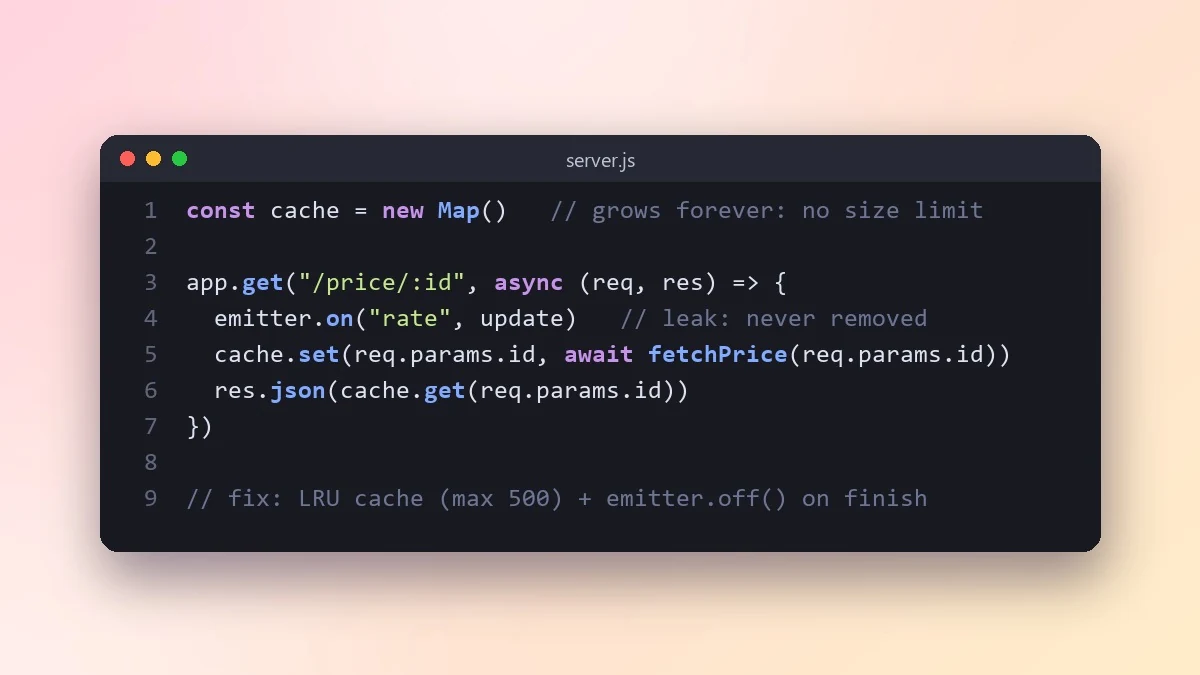 Track down a memory leakClaude · ChatGPT · Gemini
 Resolve a Git merge conflict safelyClaude · ChatGPT · Claude Code
More prompts on this topic
- Turn a fixed bug into a regression testClaude · ChatGPT · Claude Code
- Write a clear bug reportChatGPT · Gemini · Claude
- Senior engineer code review & debuggingAny chatbot



Comments
No comments yet. Be the first to share what worked for you.