Cursor and Claude Code: the prompts that keep an AI coding agent in line
Published

Short answerAn AI coding agent works best when you give it the project's rules once, a clear task brief every time, and a line that stops it taking shortcuts, such as deleting a failing test instead of fixing the bug. These prompts cover the rules file, the brief, refactors and tests.
Cursor and Claude Code both let an AI agent read, write and run code across your project, not just answer a question about one file. That's useful, but it also means a vague prompt doesn't just give you a bad answer, it can produce a bad change that gets committed. These five prompts cover the two moments that matter most: setting the agent's standing rules once, and briefing it clearly every time you hand it a task.
Set the rules once, instead of repeating yourself
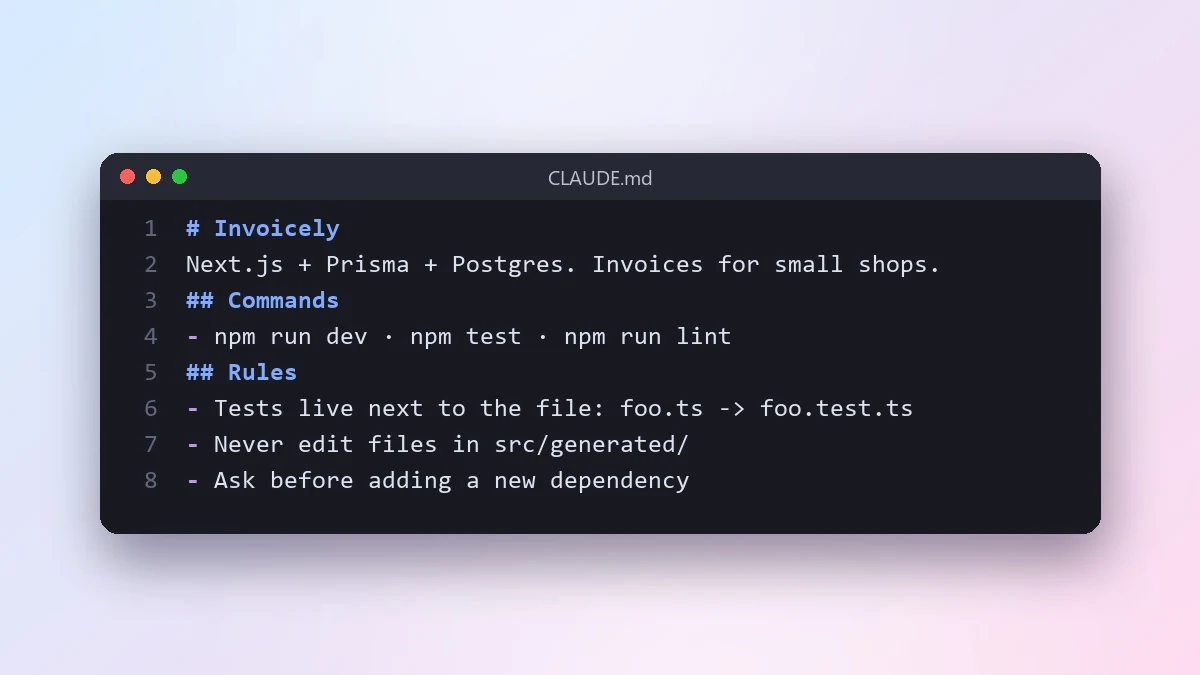
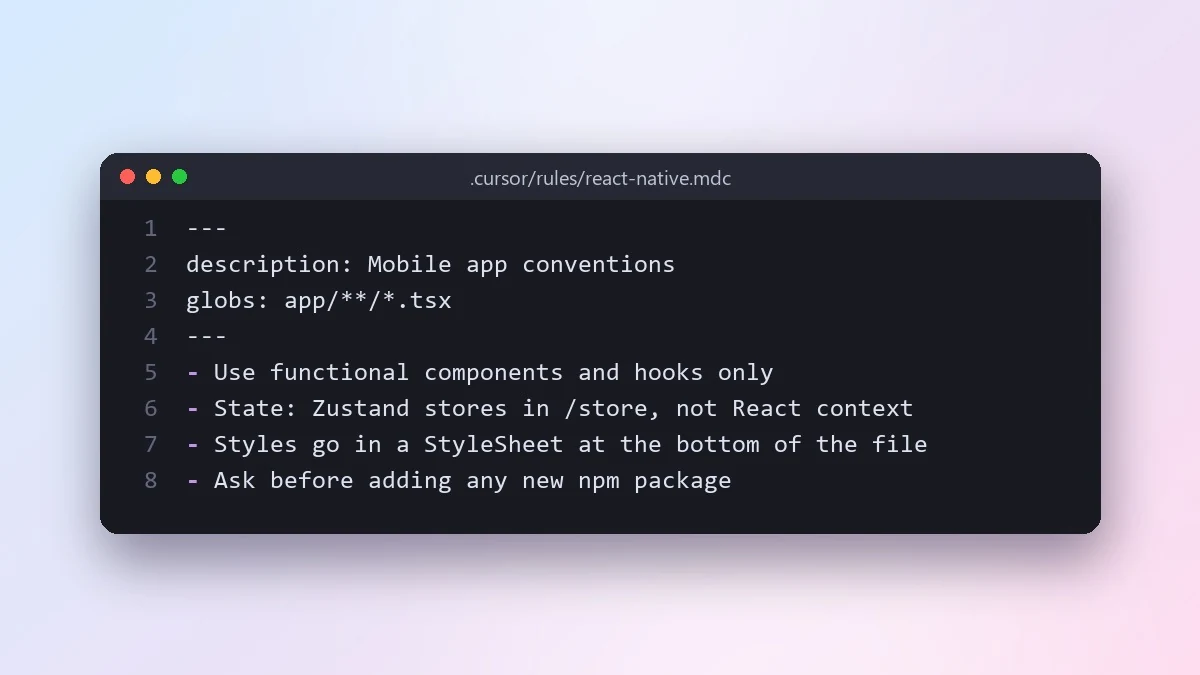
Both tools support a rules file that the agent reads automatically: CLAUDE.md for Claude Code, and files under .cursor/rules for Cursor. Writing one properly means you stop repeating the same corrections in every conversation.
Help me write a CLAUDE.md file for this project, so an AI coding agent works the way my team does.

Project: [WHAT IT DOES]
Stack: [e.g. Next.js, TypeScript, Prisma, Postgres]
Commands: [HOW TO INSTALL, RUN, TEST, LINT, BUILD]
Rules we follow: [e.g. no default exports, tests live next to the file they test, never edit generated files by hand]
Things the AI keeps getting wrong: [LIST THEM]
This is the CLAUDE.md file prompt from the library, and the tip attached to it is worth repeating here: short beats long. If a rule keeps being ignored, make it more specific rather than adding more text around it. The Cursor rules file prompt does the same job for .cursor/rules, and adds a good habit: add a rule every time the agent makes the same mistake twice, because rules written from a real mistake tend to stick better than rules written in advance.
Brief every task like you mean it
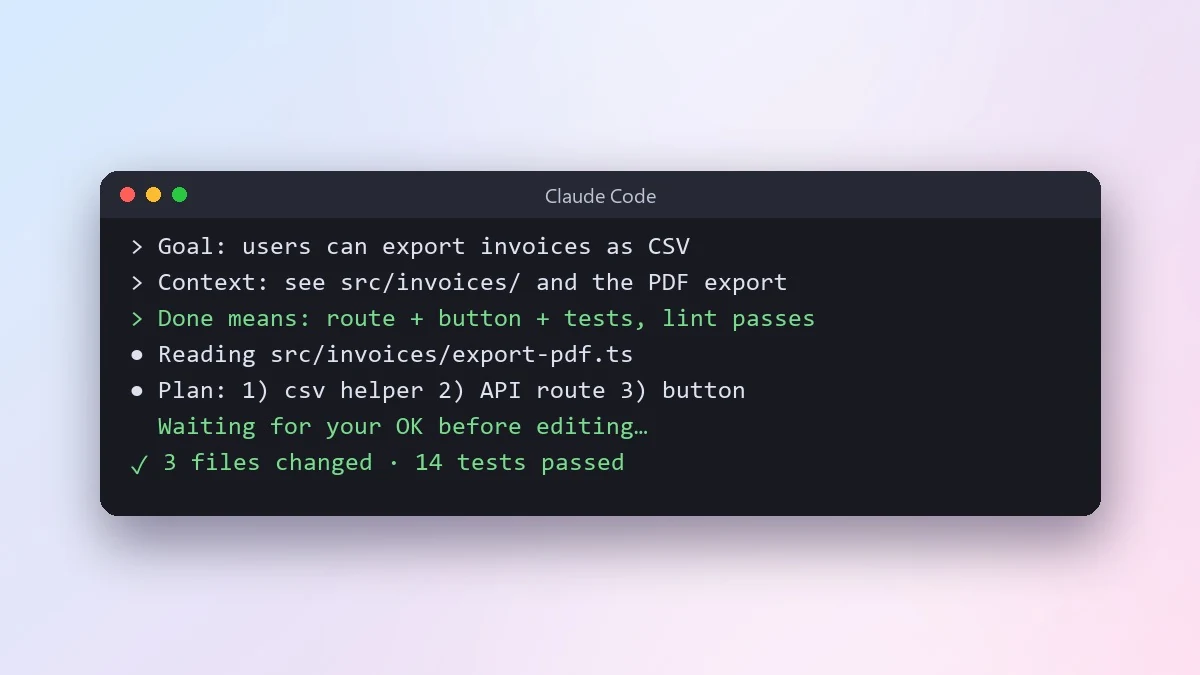
A rules file sets standing behaviour. A task brief sets the boundary for one piece of work, and this is where most agent problems actually come from: a goal with no sense of when it's finished.
Goal: [WHAT SHOULD BE TRUE WHEN DONE, e.g. users can export their invoices as CSV]
Context: [WHERE IN THE CODE, e.g. see src/invoices/ and the existing PDF export]
Constraints: [e.g. no new dependencies, keep the API backward compatible]
Done means:
- [e.g. new endpoint with tests]
- [e.g. button on the invoices page]
- [e.g. existing PDF export still works unchanged]
This is the agent task brief prompt from the library. The "done means" list is the single biggest improvement you can make to an agent's results, because it tells the agent exactly when to stop, rather than leaving it to guess how far "add CSV export" should go.
Stop it from taking shortcuts on tests
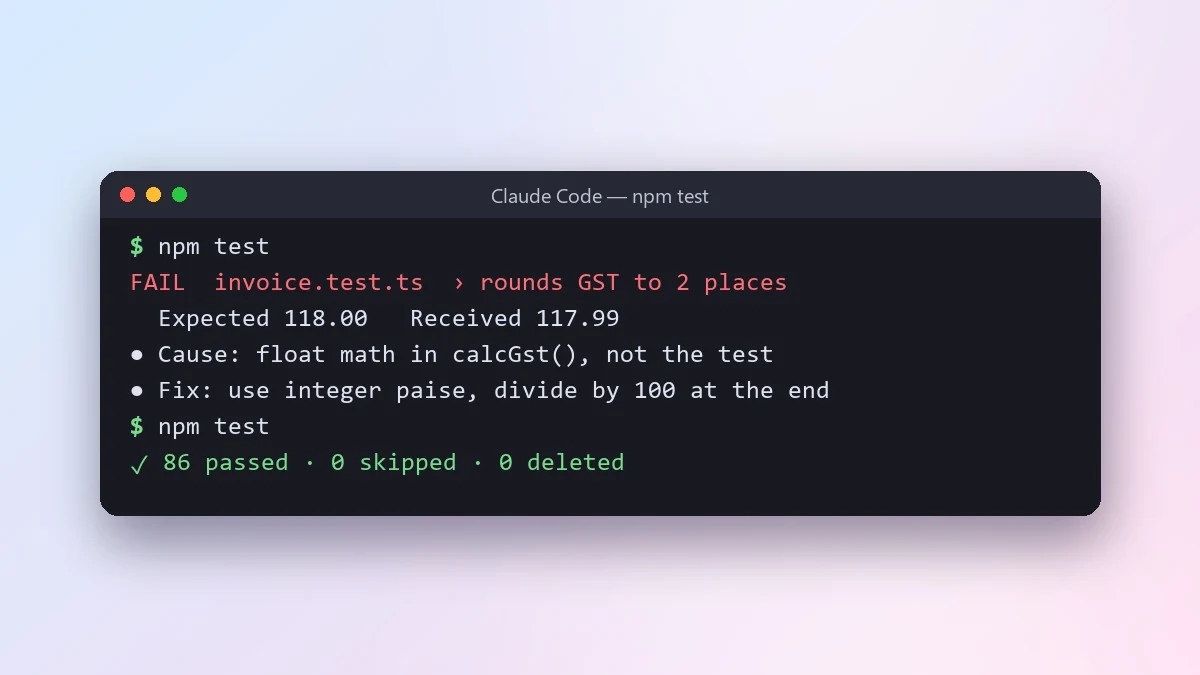
Left unguided, an agent fixing a failing test suite can take the easy way out: loosen an assertion, skip the test, or delete it. None of those fix the actual bug. Say this explicitly, every time:
Run [TEST COMMAND, e.g. npm test] and fix the failing tests.

Rules:
- Find out why each test fails before changing anything.
- If the code is wrong, fix the code. If the test is outdated, explain why before changing it.
- Never delete a test, skip it, or loosen an assertion just to make it pass.
This is the fix failing tests prompt. The rule against deleting or loosening a test matters more than it looks: without it, an agent under pressure to show a green test suite will sometimes take the shortcut rather than find the real fix.
Do a large refactor in steps you can actually review
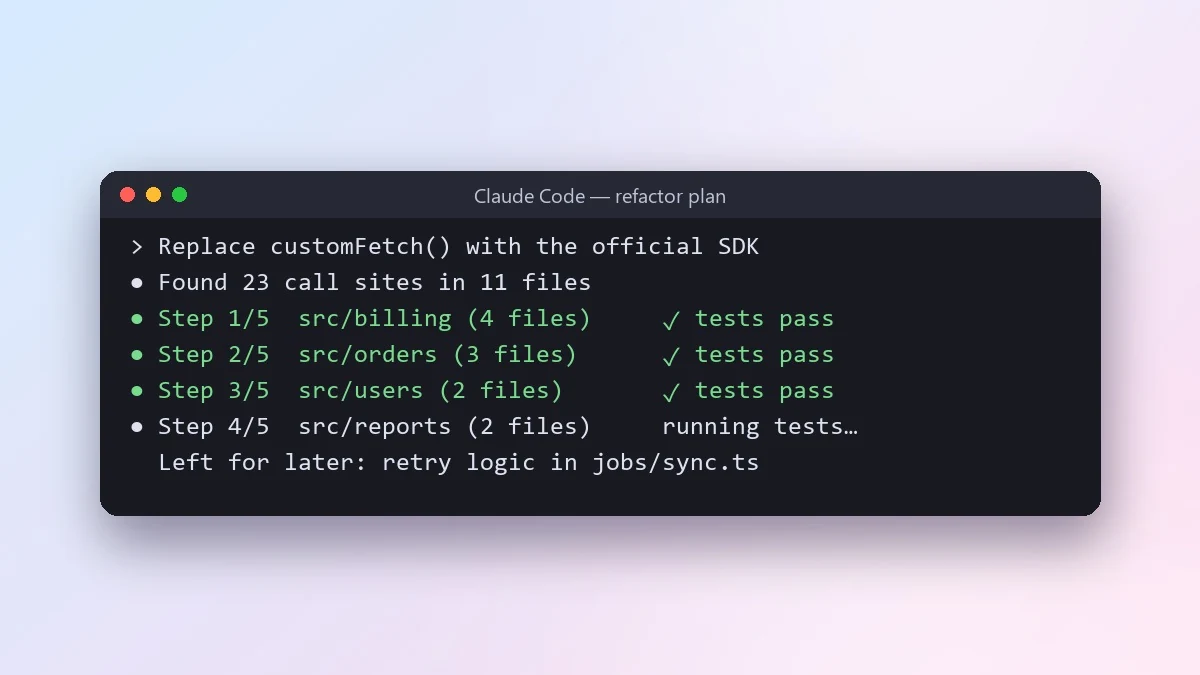
A refactor across many files is exactly the kind of task that goes wrong quietly, because by the time something breaks, you've lost track of which change caused it.
Refactor goal: [e.g. replace our custom fetch wrapper with the official SDK across the app]
Scope: [FOLDERS OR FILES]
Must not change: [e.g. public API, database schema, UI behaviour]

First, find every place this touches and show me the list with a plan split into small steps, each one leaving the app in a working state.
This is the safe large refactor prompt. Commit after each step rather than at the end. If step 7 goes wrong, you only lose step 7, not the whole refactor.
Putting it together
A practical order for a new feature: check the rules file is current, write a task brief with a "done means" list, let the agent work, then ask it to run the tests itself before it reports back. For anything that touches more than a few files, ask for the step-by-step plan first and review that before the agent starts changing code, rather than reviewing the diff after the fact.
Common mistakes
Writing the rules file once and never updating it. Add to it the moment the agent repeats a mistake. A rules file that doesn't grow isn't doing its job.
Giving a goal with no "done means". This is the single most common cause of an agent doing either too little or far too much.
Not naming the test command. "Fix the tests" without saying how to run them wastes a round trip while the agent guesses at your setup.
Reviewing only the final diff on a big refactor. Ask for the plan first. A plan is far easier to catch a bad idea in than a 40-file diff.
Where to go from here
If you're deciding which model to run these prompts through, see our guide to Claude Sonnet 5.5 for coding, which covers effort levels and settings for agent-style coding work. All the prompts above are free in the AI coding prompts collection, and the prompt builder can turn your own project details into a rules file or task brief.
Quick checklist
- Write the rules file once, and add to it every time the agent repeats a mistake.
- Give every task a "done means" list, not just a goal.
- Name the exact test command and ban shortcuts like deleting or skipping a test.
- For a big refactor, review the step-by-step plan before the agent starts, and commit after each step.
Prompts to try
 Write a CLAUDE.md file for your projectClaude Code · Cursor
 Write Cursor project rules for your codebaseClaude Code · Cursor
 Give an AI coding agent a clear task briefClaude Code · Cursor
 Let an AI agent fix failing tests properlyClaude Code · Cursor
 Do a large refactor in small safe stepsClaude Code · Cursor



Comments
No comments yet. Be the first to share what worked for you.