GPT-6.1 Sol: what changed, where to find it, and prompts that suit it
Published

Short answerGPT-6.1 Sol is OpenAI's upgraded everyday work model, aimed at coding, professional tasks and using a computer, at a much lower price than GPT-6 Astra. You'll find it in ChatGPT Work and Codex on paid plans, not yet in ordinary chat. It works best when you hand it a whole task with a clear finish line.
At its DevDay event on 29 September 2026, OpenAI introduced GPT-6.1 Sol, an upgrade to the GPT-6 Sol model that came out a week earlier (Unite.AI). The same event brought a new $500-a-month Pro plan. Here is what changed, where you can use Sol 6.1, and how to get good work out of it.
What GPT-6.1 Sol is
OpenAI pitches Sol 6.1 as close to GPT-6 Astra on agent-style coding, professional work and computer-use tasks, at roughly a fifth of Astra's price (Yahoo Finance). In plain words: it's built to take a multi-step job, like "clean up this spreadsheet and turn it into a summary deck", and carry it through.
It arrives just after OpenAI shelved GPT-6.1 Astra over safety concerns, so for now Sol 6.1 is the newest model OpenAI is pushing for real work.
Where you can use it
| Where | Who |
|---|---|
| ChatGPT Work | Plus, Pro, Business, Enterprise and Edu |
| Codex | Plus, Pro, Business, Enterprise and Edu |
| Ordinary ChatGPT chat | Not yet |
| API | Developers, as gpt-6.1-sol, at $2 per million input tokens and $10 per million output |
The new $500 Pro plan
OpenAI also added Pro 500, a $500-a-month plan with 25 times the Plus usage allowance and a speed tier called Ultrafast, which OpenAI says can run Codex and Work at up to 300 tokens a second (Digital Trends). Reports say some perks on the existing $200 Pro plan were trimmed at the same time.
Unless you run long coding jobs all day, you don't need it. Plus already gets Sol 6.1 in Work and Codex.
How to prompt GPT-6.1 Sol
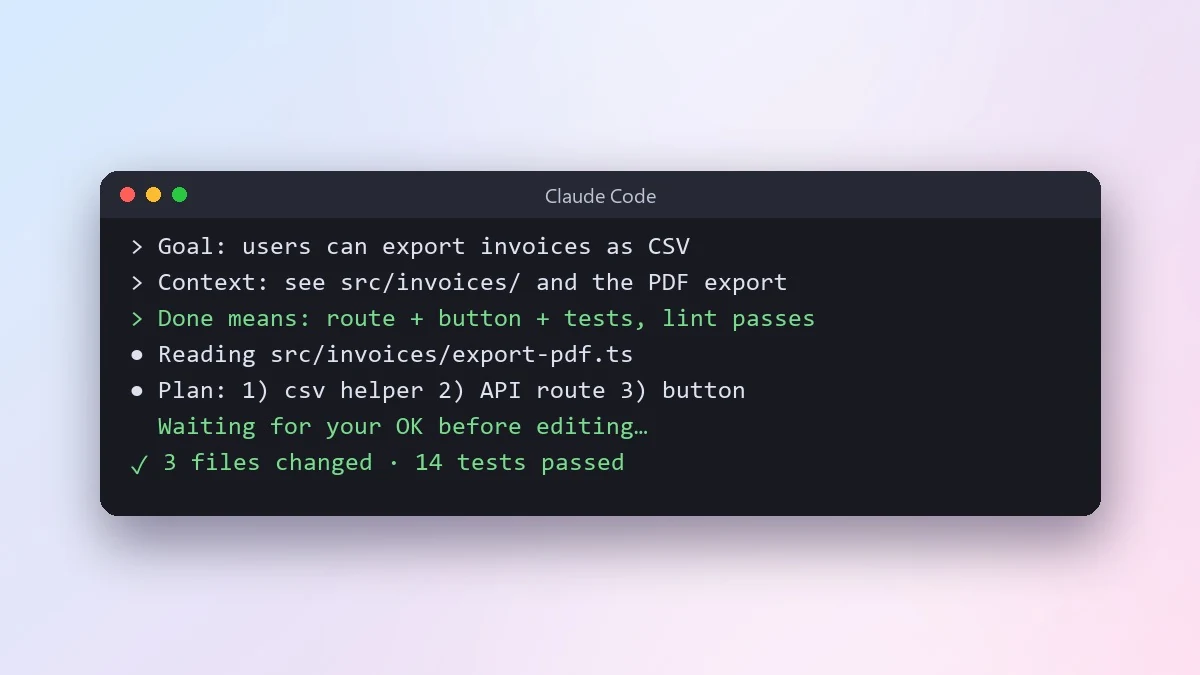
A model built for multi-step work needs a brief, not a question. Four parts cover most jobs.
1. The outcome. What file, answer or change should exist at the end. 2. The material. Paste it, attach it, or name the connected app it lives in. 3. The rules. What it must not change, and what to do if something's missing. 4. The check-in. When it should stop and ask you.
A weak prompt:
Make a report from my sales sheet.
A brief that suits Sol 6.1 in ChatGPT Work:
Outcome: a one-page weekly sales report as a document, plus one chart.
Material: the attached sheet "Sales_Week_39".
Rules: use only the numbers in the sheet. Don't round totals.
If a column is empty, say so in the report instead of filling it in.
Check-in: before writing, list the three biggest changes from last week
and wait for me to confirm.
The weekly status report prompt and the spreadsheet dashboard plan prompt give you ready-made versions of this.
For Codex, the same four parts apply to code:
Outcome: all tests in /tests/payments pass.
Rules: don't change public function names. Don't touch /migrations.
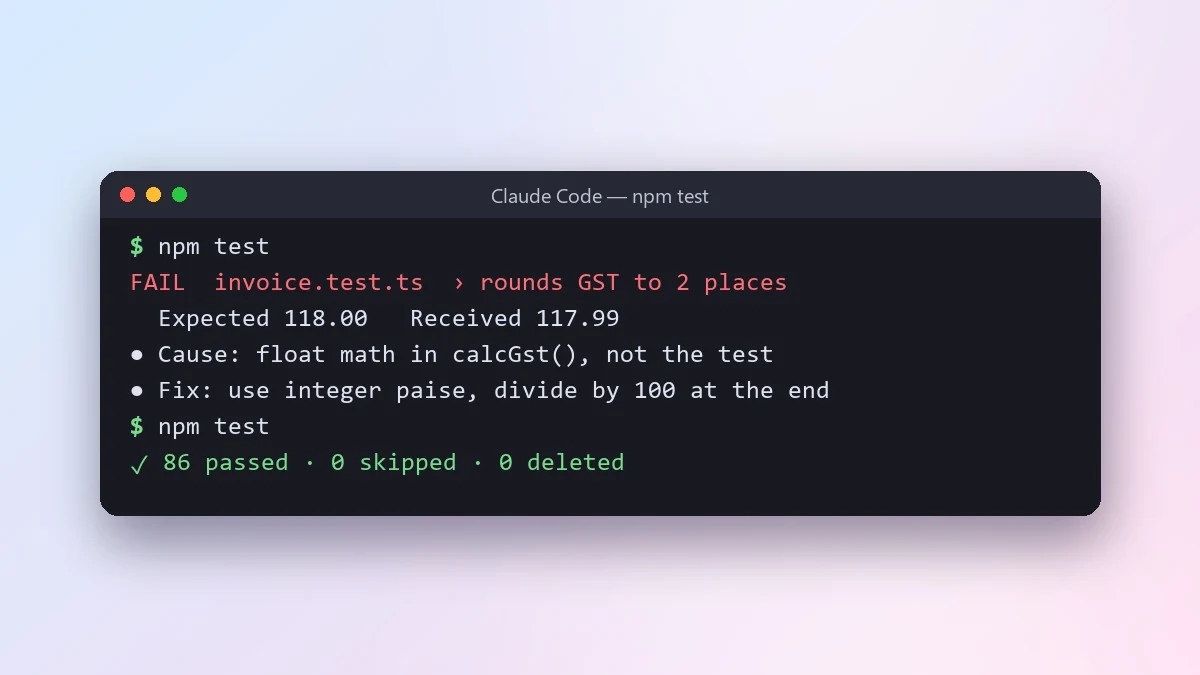
If a test looks wrong rather than the code, stop and tell me which one and why.
Check-in: show me your plan before editing more than three files.
That's the core of the fix failing tests prompt and the agent task brief prompt.
Common mistakes
Asking in ordinary chat and expecting Sol 6.1. It's in Work and Codex for now. Check which mode you're in.
Leaving out the finish line. Without "done means...", an agent-style model either stops early or keeps going past what you wanted.
No permission rules. Say what it may not change. That's the lesson of the Astra story, and it's good practice with any agent.
Where to go from here
If you'd rather hand ChatGPT a task to work through on its own, our guide to ChatGPT Dots covers OpenAI's new automated helper. For slides made straight from a brief, see ChatGPT interactive slides prompts. More ready-made work prompts are in the ChatGPT prompts collection, and the prompt builder turns a rough idea into a full four-part brief.
Quick checklist
- GPT-6.1 Sol launched on 29 September 2026 for ChatGPT Work and Codex on paid plans.
- It isn't in ordinary chat yet.
- The $500 Pro plan is for heavy all-day use; Plus already gets Sol 6.1.
- Brief it with an outcome, the material, the rules and a check-in point.
- Always say what it must not change.
Prompts to try
 Give an AI coding agent a clear task briefClaude Code · Cursor
Plan a spreadsheet dashboardChatGPT · Gemini · Claude
Give an AI coding agent a clear task briefClaude Code · Cursor
Plan a spreadsheet dashboardChatGPT · Gemini · Claude
 Write a weekly status report for your managerChatGPT · Gemini · Claude
 Build a presentation outline in minutesChatGPT · Gemini · Claude
 Let an AI agent fix failing tests properlyClaude Code · Cursor



Comments
No comments yet. Be the first to share what worked for you.