- Prompt at a glance
- Category
- Text & chat
- Works with
- Claude Code · Cursor
- Length
- 98 words
- Fields to fill
- TEST COMMAND
- Last updated
Let an AI agent fix failing tests properly
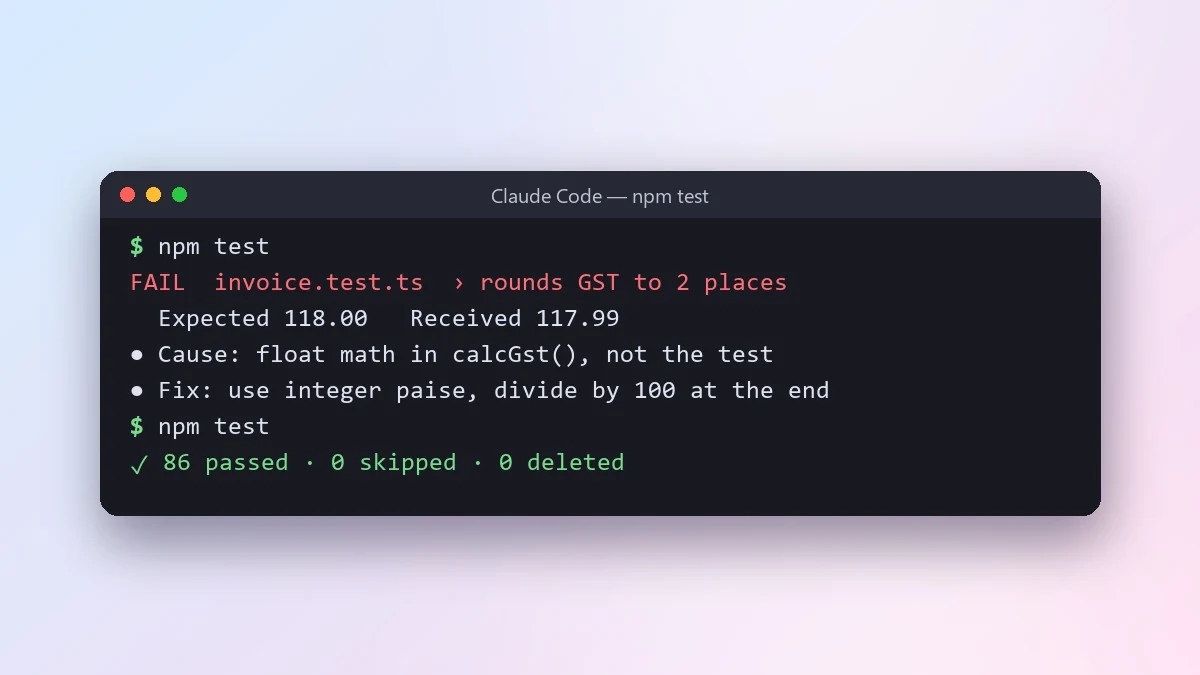
This prompt tells Claude Code or Cursor to run your tests and fix the failures the right way. It must explain each failure first and must never delete, skip or weaken a test just to make it pass.
Run [TEST COMMAND, e.g. npm test] and fix the failing tests.

Rules:
- Find out why each test fails before changing anything.
- If the code is wrong, fix the code. If the test is outdated, explain why before changing it.
- Never delete a test, skip it, or loosen an assertion just to make it pass.
- Keep changes small and run the tests again after each fix.

When everything passes, give me a short list of each failure, its cause and the fix, and point out anything that looks like a real bug in the product.
The "never delete or skip a test" line matters. Without it, agents sometimes make tests pass the easy way.
From copy to answer in four steps
- 1
Open Claude Code and start a new chat.
- 2
Paste the prompt.
- 3
Replace each [BRACKETED] field with your real details and paste in your own text where asked.
- 4
Reply with follow-ups such as "make it shorter" or "make it sound more like me".
About this prompt
Which AI tools work with this prompt?
It is written for Claude Code and Cursor. Paste it into your preferred tool and adjust the wording if the result is off.
What do I need to fill in?
Replace the field before you send it: TEST COMMAND. Each field shows an example in the prompt.
Should I paste private information into the prompt?
Only what the task needs. Remove names, contact details and other sensitive data before pasting a resume or document into any AI tool.