- Updated
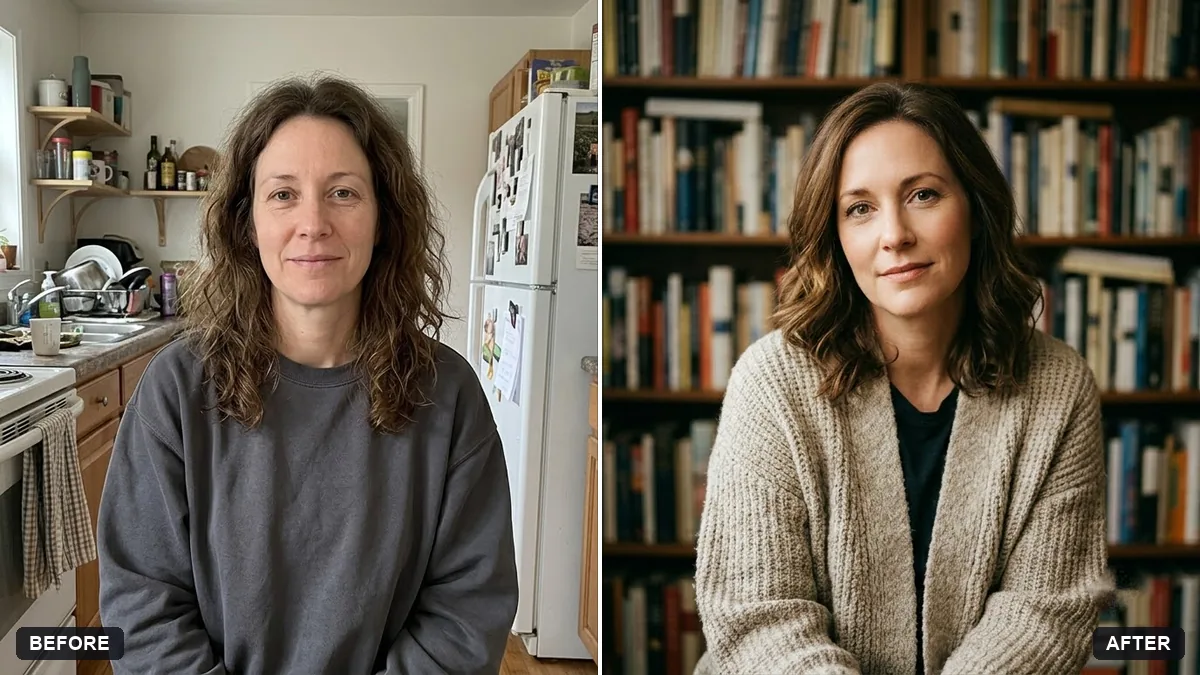
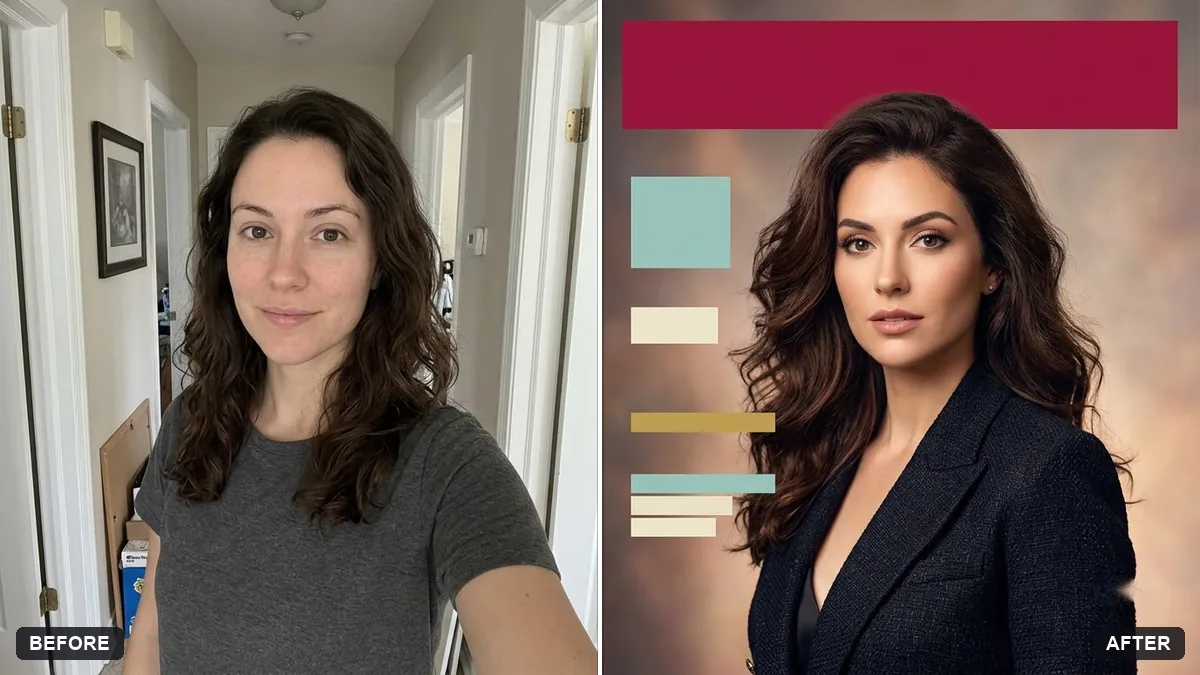
Author photo for a book back cover
This prompt makes an author portrait that fits the genre of your book in a setting such as a wall of books. Your face and features stay unchanged.
Turn this photo into a book author portrait. Keep my face and features unchanged.

Genre of my book: [GENRE]. Setting: [e.g. a wall of bookshelves / a cosy reading corner / a quiet street]. Warm approachable light, soft background blur, relaxed smile, half-body framing. Natural skin texture and tidy but real hair.
Match the mood of the setting to your book genre.
Your photo goes to the AI app you choose, never to PromptUp.
Get a better result
A warm half-body author portrait in a setting that suits your genre, with soft light, a gentle background blur, a relaxed smile, natural skin texture and your face unchanged.
Readers judge an author photo by mood, so the prompt asks for your book’s genre and a setting that suits it. Warm, approachable light and a relaxed smile make you look like someone worth reading. Asking for natural skin texture and tidy but real hair avoids the plastic look of heavy retouching. Half-body framing fits most back covers and websites.
The skin is smoothed until it looks plastic.
Fix: Keep “natural skin texture” in the prompt, and add “no beauty filter, keep small lines and freckles”.
- The setting does not match the book. Be specific, such as “a rain-lit window and a leather armchair” for a mystery or “a sunny garden bench” for a gentle romance.
- Books on the shelf show nonsense titles. Ask for “books with plain spines and no readable titles”, or crop the shelf more tightly.
Ask for a wide crop with “space on the right for a short bio”. It works for an author page, while the first version suits a back cover.
Keep my face and the framing exactly the same. Make the light warmer and move the background shelves further out of focus.
Guides that use this prompt
More photo editing prompts
See all 334 →
More like this
- Professional book coverIdeogram · Midjourney · ChatGPT
- Cosy bookstore portraitGemini · ChatGPT
- Matching team page headshotGemini · ChatGPT
- Confident lawyer headshotGemini · ChatGPT
- Outline a non-fiction bookChatGPT · Gemini · Claude