AI prompts for self-published authors: cover, author photo and launch poster
Published

Short answerDesign your book cover first, since every other piece of marketing is built around it. Use a plain prompt for the cover itself, a 3D mockup prompt to show it off, an author photo prompt that matches your genre's mood, and a launch poster for the day it comes out.
Self-publishing removes the biggest barrier to writing a book, which used to be finding a publisher. It leaves you with a new one: doing the cover, the author photo and the launch marketing yourself, usually with no design budget. AI tools handle most of this well, as long as you ask for one piece at a time and are specific about your genre and mood.
Start with the outline, not the cover
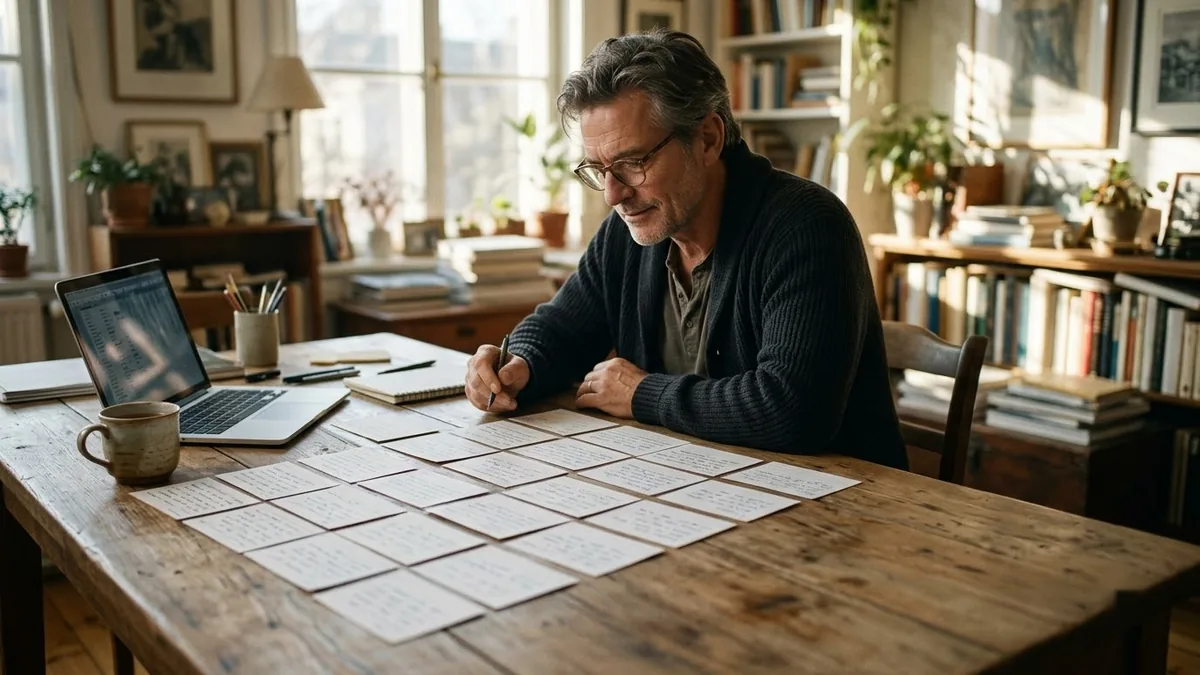
If you're writing non-fiction, settle the structure before you think about any artwork. The non-fiction book outline prompt asks for your topic, your reader, and the transformation the book promises, and returns a chapter-by-chapter outline with a short summary and example for each chapter:
Create an outline for a non-fiction book.

Topic: [TOPIC]
Reader: [READER]
The transformation the book promises: [PROMISE]
My unique experience: [EXPERIENCE]

Provide three title and subtitle options, a chapter-by-chapter outline with a one-line summary and key story or example for each, and suggestions for the opening and closing chapters.
A clear title from this step makes every image prompt after it easier to write, because you're no longer guessing what the book is called.
The cover itself
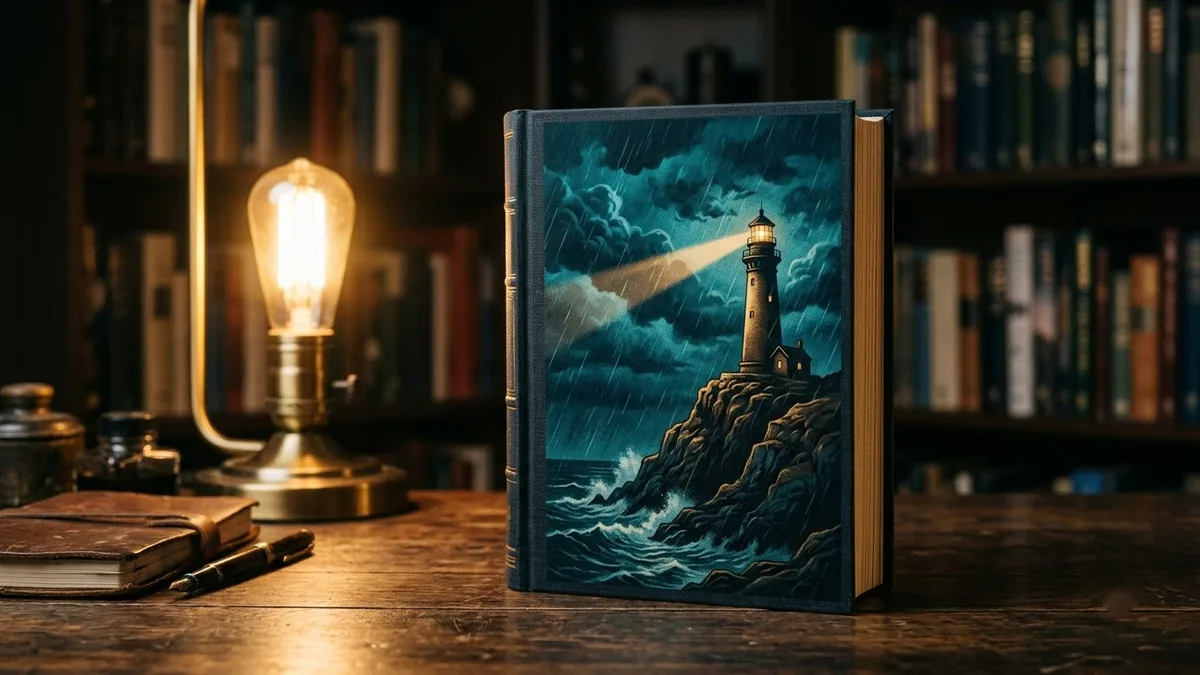
Your cover is judged in half a second, usually as a tiny thumbnail on a retailer page. Name the genre, the title, one strong central image, and a mood, and keep everything else out of the way. The book cover prompt:
A professional book cover for a [GENRE] book titled "[TITLE]" by "[AUTHOR]". Central image: [KEY VISUAL, e.g. a lone lighthouse in a storm]. Mood: [MOOD]. Bold readable title typography at the top, author name at the bottom, [COLOUR] palette, strong focal point, portrait 2:3 ratio, looks good as a small thumbnail.
A few things worth getting right:
- One central image, not a collage. A single lighthouse reads clearly at thumbnail size; a lighthouse, a ship, a storm and a silhouette together turn into a smudge.
- Name a mood, not just a genre. "Thriller" covers everything from cosy mystery to violent crime. "Tense, cold, isolated" tells the model what to aim for.
- Check it small. Shrink the result to the size it will actually appear online before you commit to it. Detail that looks great full-size often disappears at thumbnail size.
Show it as a real book
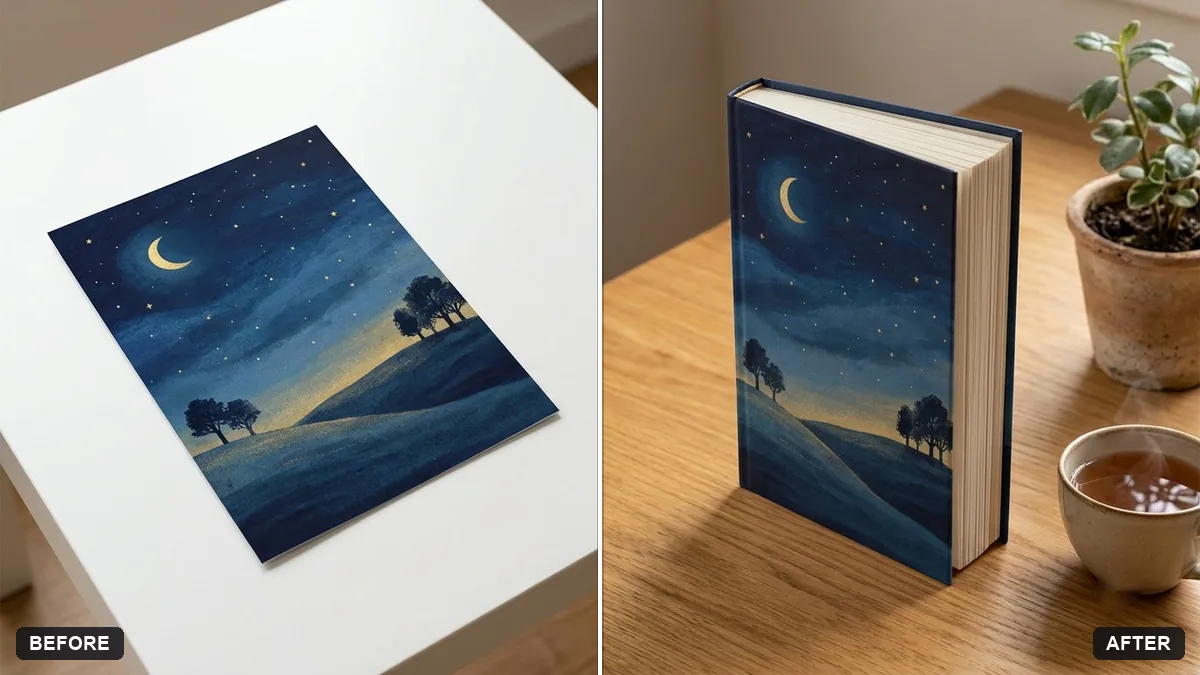
A flat cover image doesn't look finished on social media or your website. Turning it into a mockup does. The 3D book mockup prompt takes your finished cover and places it on a realistic hardcover, standing at an angle:
Turn my flat book cover (the uploaded image) into a realistic 3D hardcover book mockup standing at a slight angle on a [WOODEN DESK / WHITE SURFACE]. Keep the cover artwork and text exactly the same.

Show the spine, page edges and a soft shadow, add a cup of tea and a plant beside it, soft daylight.
Always check the title and your name on the mockup after it generates. AI image tools can quietly change a letter or two in small text, and a misspelled title on your launch graphics is the kind of mistake nobody catches until it's already been shared.
An author photo that matches your genre
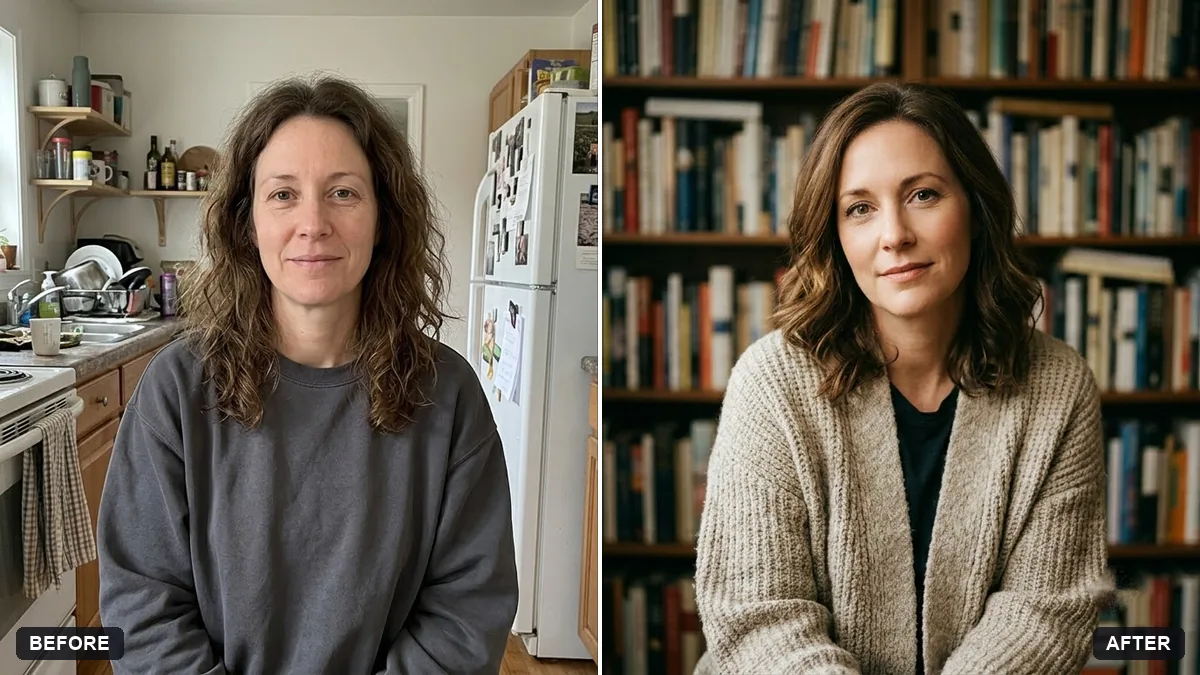
Readers click through to an author's profile more than you'd think, and a stiff corporate headshot looks wrong next to a horror novel, just as a dramatic, moody shot looks wrong next to a light romance. The author back-cover photo prompt adapts a normal photo of you to suit the book:
Turn this photo into a book author portrait. Keep my face and features unchanged.

Genre of my book: [GENRE]. Setting: [e.g. a wall of bookshelves / a cosy reading corner / a quiet street]. Warm approachable light, soft background blur, relaxed smile, half-body framing. Natural skin texture and tidy but real hair.
Match the setting to the book, not to what looks impressive. A cosy reading corner suits most fiction; a plainer background suits serious non-fiction.
A poster for launch day
Once the cover exists, a launch poster takes minutes rather than hours. The book launch poster prompt:
Book launch poster. A stack of books with a glowing open book on top, warm library lighting, elegant lettering "Book Launch: [TITLE]", "by [AUTHOR]", "[DATE, TIME, VENUE]", cream and deep green palette, literary and inviting, clear spaces for details.
This prompt draws its own illustrated books rather than using your real cover, so don't rely on it to show the actual design. If you want your real cover in the poster, add it as a separate layer in a simple design tool afterwards, or describe your cover's actual colours and central image in the prompt instead of letting it invent one.
Keep every piece consistent
The cover, the mockup, the author photo and the poster should feel like they belong to the same book. Reuse the same colour words (don't say "deep green" in one prompt and "forest green" in the next), and generate the cover first so you can describe its real colours accurately in everything that follows it.
Where to go from here
If you also need a logo or a poster for something other than a book, our guide to Ideogram poster and logo prompts covers the same ideas for other kinds of design work. The image generation prompts collection has more ready-made prompts for covers, mockups and posters, and the prompt builder can help you write a custom one for your exact book.
Quick checklist
- Settle your title and outline before writing any image prompt.
- One central image and a named mood for the cover, not a collage.
- Check the title text on every mockup; small text can warp.
- Match your author photo's setting to your book's genre.
- Keep colour and mood words consistent across the cover, mockup and poster.
Prompts to try

More prompts on this topic
- Poster in a frame mockupGemini · ChatGPT
- Plan a product launch marketing campaignChatGPT · Gemini · Claude


Comments
No comments yet. Be the first to share what worked for you.